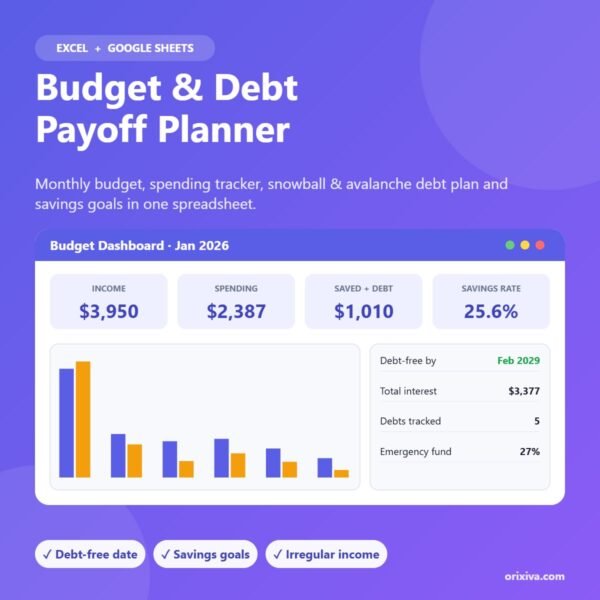
A complete budget and debt payoff planner for Excel and Google Sheets. Plan every dollar, track spending, see your exact debt-free date with the snowball or avalanche method, and reach your savings goals faster.
Monthly budget with a live dashboard
Debt snowball & avalanche calculator for up to 10 debts
Take control of your money with one simple spreadsheet. This budget and debt payoff planner combines a monthly budget, a spending tracker, a real month-by-month debt payoff plan and savings goals, all connected to an easy dashboard.
What you can do with it
Live dashboard: Pick any month to see income, spending, money left over, savings rate and budget vs actual for every category, with charts.
Debt snowball & avalanche: Enter up to 10 debts and an extra monthly payment. The planner builds a full 30-year schedule, rolls every freed-up payment into the next debt and shows your debt-free date and total interest.
Spending tracker: Log up to 1,000 transactions with a category drop-down. Type, month and year fill in automatically.
12-month budget view: See every category across the year with annual totals and variance against your plan.
Savings goals: Track 10 goals with progress bars, a projected finish date and the monthly amount needed to hit each deadline.
Irregular income friendly: Budget on your baseline (lowest typical month) and see any extra income you can send to debt or savings.
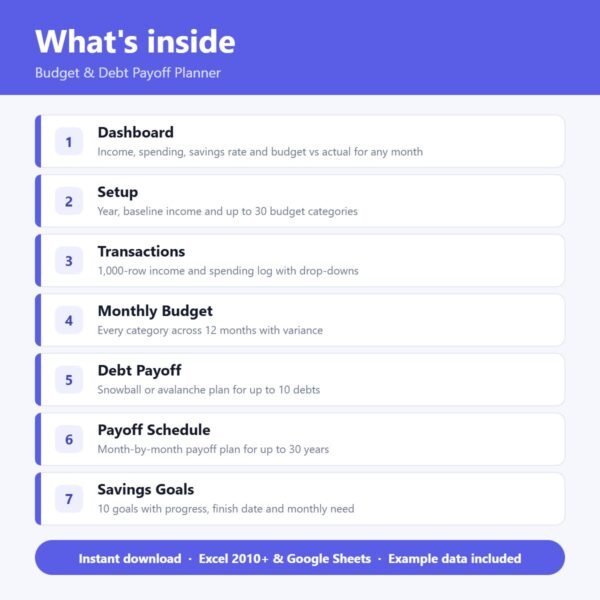
What’s included
Start Here – step-by-step instructions
Dashboard
Setup (categories and budget)
Transactions
Monthly Budget
Debt Payoff
Payoff Schedule
Savings Goals
Every sheet uses clear colour coding: yellow cells are for your information, everything else calculates automatically. Example data is included so you can see how it works straight away.
Who it’s for
Anyone who wants a clear monthly budget
People paying off credit cards, loans or student debt
Freelancers and gig workers with irregular income
Couples planning shared finances
Compatibility
Microsoft Excel 2010 or newer (Windows and Mac)
Google Sheets (upload to Google Drive and open with Google Sheets)
Instant digital download (.xlsx). No physical product is shipped.
Frequently asked questions
Do I need Excel?
No. It works in Microsoft Excel 2010 or newer and in Google Sheets (upload the file to Google Drive and open it with Google Sheets).
Snowball or avalanche – which is better?
Avalanche (highest interest first) usually saves the most interest. Snowball (smallest balance first) gives quicker wins. Switch between them with one drop-down and compare.
Is there example data?
Yes. Example categories, transactions and debts are included so you can see how it works. Delete them when you start.
Is this financial advice?
No. It is a planning tool. Results are estimates based on the numbers you enter.
Licence
For personal use or use in one business. Please do not resell, share or redistribute the file.
Reviews
There are no reviews yet.
Be the first to review “Budget & Debt Payoff Planner – Excel & Google Sheets Template”Cancel Reply




Reviews
There are no reviews yet.