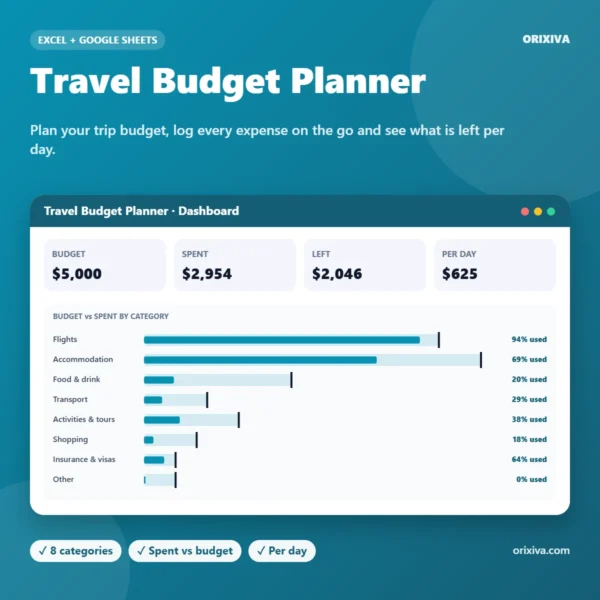
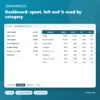
This travel budget planner is an Excel and Google Sheets template for planning and tracking the cost of a trip. Set a budget for flights, accommodation, food, transport, activities and more, then log expenses as you go. The Dashboard shows what you have spent, what is left and whether each category is on budget.
What you can do with it
Plan before you book: set a budget per category and see the total trip budget.
Track spending on the go: open the file in Google Sheets on your phone and add expenses in seconds.
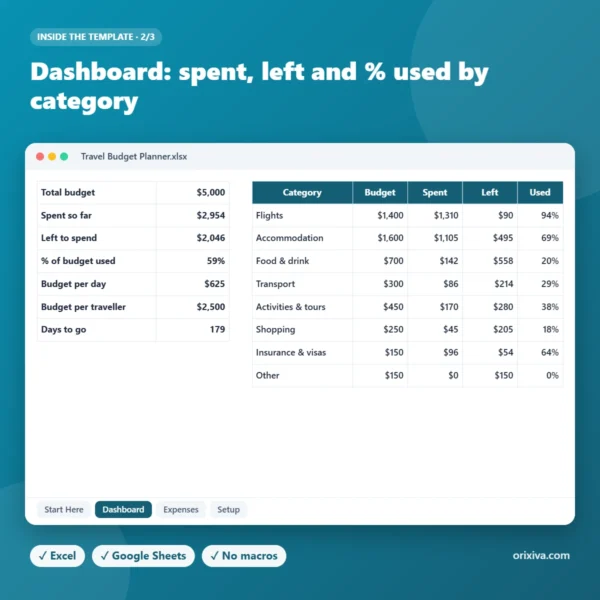
Stay on budget: each category shows budget, spent, left and % used.
Know your daily limit: see the budget per day and per traveller.
Count down: the Dashboard shows how many days are left until you leave.
How it works
How the Travel Budget Planner works, step by step.
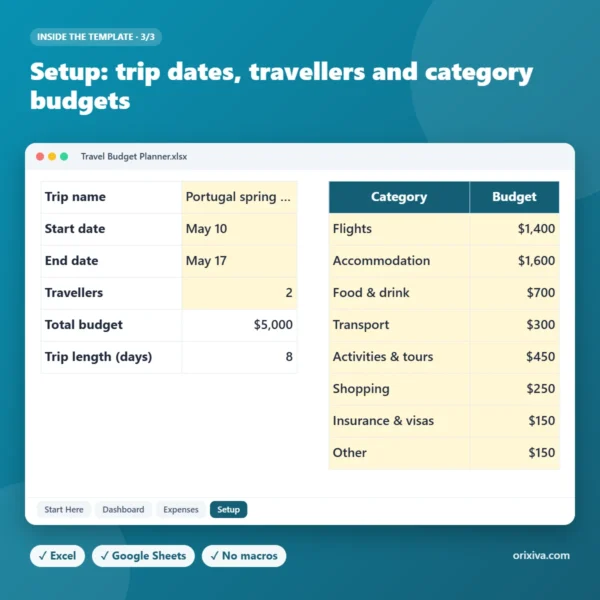
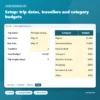
Enter trip dates, travellers and category budgets.
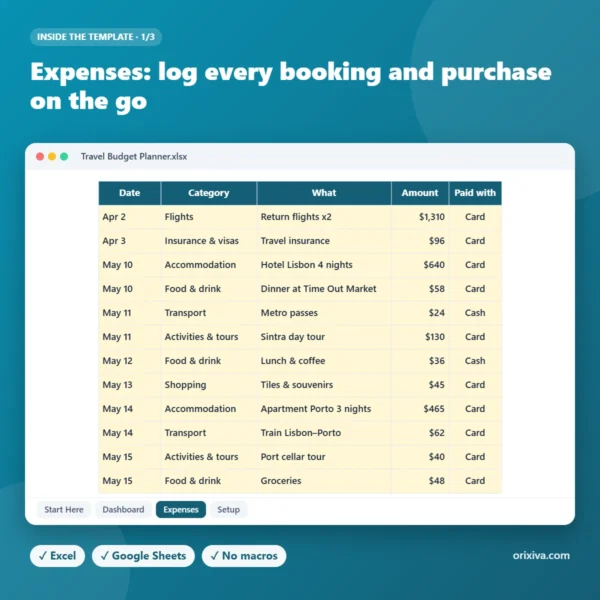
Log bookings and daily spending.
Watch the % used for each category.
Adjust your plans if a category runs over.
What’s included
Start Here: setup steps and colour guide
Dashboard: totals and category breakdown
Expenses: up to 300 expenses
Setup: trip details and budgets
Who it is for
Couples, families, solo travellers, students on a gap year and anyone planning a holiday, honeymoon or group trip who wants to avoid overspending.
File details
Format: .xlsx workbook with 4 tabs, room for 300 expenses
Works in: Microsoft Excel 2016 or newer, Microsoft 365, Excel for Mac and Google Sheets (File > Import)
No macros: plain formulas only, so it opens safely on any device
Free sample: a 3-entry version with the same formulas, so you can test it first
Delivery: instant download after checkout, also sent by email
Frequently asked questions
Can I use the travel budget planner on my phone?
Yes. Upload it to Google Drive and open it with Google Sheets. You can add expenses from the app while travelling.
Can I plan more than one trip?
Make a copy of the file for each trip, so every trip has its own budget and history.
Does it convert currencies?
No. Enter amounts in your home currency. If you pay in a foreign currency, convert the amount when you log it, or add a note.
Can I change the categories?
Yes. Rename any category on the Setup tab and the drop-down and Dashboard update.
Does it work in Excel?
Yes. It works in Excel 2016 or newer, Microsoft 365 and Excel for Mac.
Share how you use it
Bought this travel budget planner? Leave a review below with one tip from your own setup, such as a column you added or how often you update it. Real tips from buyers help the next person decide, and we read every review when planning updates.
Licence
For personal use or use in one business. Please do not resell, share or redistribute the file.
Reviews
There are no reviews yet.
Be the first to review “Travel Budget Planner – Excel & Google Sheets Trip Budget and Expense Tracker”Cancel Reply
Questions about this template
Does it work in Google Sheets?+
Yes. Open it in Microsoft Excel, or upload it to Google Sheets.
Is it a subscription?+
No. You pay once and keep the file.
How do I get my file?+
A download link appears right after checkout and is also sent to your email.
Can I edit it?+
Yes. Change labels, categories and colors to fit your needs.







Reviews
There are no reviews yet.