Try our free AI tools – no sign-up needed!

Financial Calculator: Free Online Tools

ORIXIVA · MONEY PLANNING TOOLS
Make Clearer Money Decisions With Advanced Financial Calculators
Orixiva’s financial calculators help you estimate investment growth, loan payments, business profit, savings targets, discounts, inflation and sales tax. Choose the calculator that matches your question, enter your figures, and review the result alongside the displayed working, tables or charts where available.
These tools are useful for planning and comparing scenarios. They do not know your full financial situation, and their results depend on the figures and assumptions you enter. Check important decisions, current tax rules and lender terms with an appropriate professional.
- Investments and growth
- Loans and repayments
- Business pricing
- Saving goals
- Shopping discounts
- Inflation and tax
Which Financial Calculator Should You Use?
Start with the result you need. This quick guide explains what each calculator is designed to help you estimate.
| Calculator | What it helps you work out | Useful for |
|---|---|---|
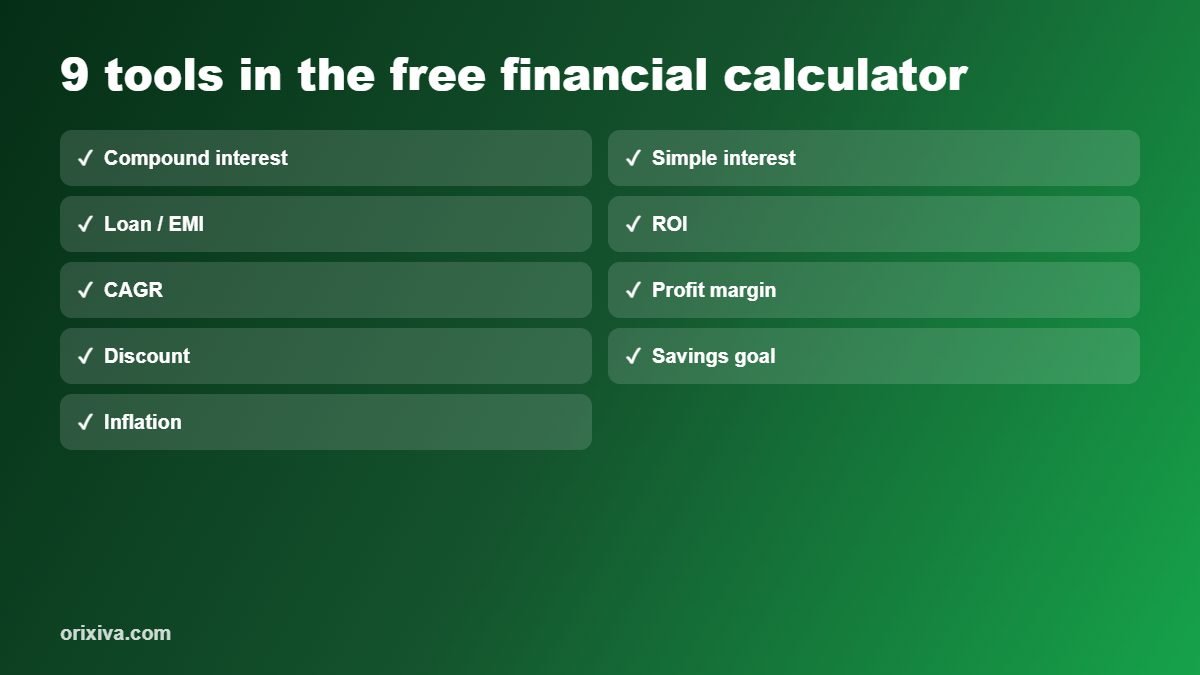
| Compound Interest | Future value with regular contributions, step-ups and inflation adjustments, plus a yearly table and growth chart. | Long-term investment and savings scenarios. |
| Simple Interest | Interest, principal, rate or time, with a comparison against compound interest. | Understanding basic interest calculations. |
| Loan / EMI | Payment or affordable loan amount; flat versus reducing-rate calculations, extra payments, fees, APR estimate and amortization. | Comparing repayment scenarios. |
| Profit Margin & Markup | Margin, markup, target price, net profit after expenses and tax, and conversions between pricing measures. | Pricing products or services. |
| Return on Investment (ROI) | ROI, annualized and after-tax returns, required exit value, and IRR / NPV calculations. | Reviewing an investment scenario. |
| CAGR | Growth rate, future value, time needed or starting value, and CAGR versus average-return comparisons. | Comparing growth over multiple years. |
| Discount | Single or stacked discounts, coupons, tax, discount percentage, original price and buy-X-get-Y deals. | Checking sale prices and offers. |
| Savings Goal | Monthly saving needed, time to reach a target, inflation-adjusted goals and alternative return scenarios. | Planning toward a savings target. |
| Break-Even Units | Break-even units and sales, target profit, margin of safety, operating leverage and a chart. | Small-business planning. |
| Inflation & Real Value | Future cost, today’s value of a future amount, or average inflation between two prices. | Thinking about purchasing power over time. |
| Sales Tax / GST | Add tax, remove tax from a tax-inclusive total, or calculate the implied tax rate. | Price estimates and invoice checks. |
How to Use the Financial Calculators
Choose a calculation
Open the calculator that matches your goal, such as monthly loan payments, investment growth or a product’s break-even sales volume.
Enter your figures
Use realistic amounts, rates, time periods, costs and payment frequencies. Check whether a field asks for a percentage, a per-period amount or a total.
Review the result
Read the main result and the supporting details. Where shown, use the formula, schedule, year-by-year table or chart to understand how the estimate was produced.
Compare scenarios
Change one input at a time to see how different rates, costs, payment amounts or time periods affect the estimate. Keep a note of the assumptions behind each comparison.
Accuracy tip: A calculator can only be as accurate as its inputs and assumptions. For loans, confirm the lender’s fees and payment rules; for tax, check the rate and rules for your location; for investments, remember that projected returns are not guaranteed.
Investment, Interest and Growth Calculators
1. Compound Interest Calculator
Compound interest is interest earned on an amount that includes previously earned interest. Use this calculator to explore how an initial balance, ongoing contributions, contribution increases and a return assumption may affect future value. The tool also supports inflation adjustments and provides a yearly table and growth chart.
How to use it
- Enter your starting amount, expected annual rate and investment period.
- Enter contribution details and any planned step-ups if they apply.
- Set an inflation assumption if you want to compare future money with purchasing power.
- Review the estimated future value and the yearly growth view.
This formula describes the basic compounding idea; results with contributions, step-ups or inflation use additional assumptions. The estimate is not a promise of investment performance.
2. Simple Interest Calculator
Simple interest is calculated on the original principal rather than adding each period’s interest to the base. This calculator can solve for the interest amount, principal, annual rate or time, and compares the result with yearly and monthly compounding.
How to use it
- Select the value you want to calculate.
- Enter the other required values, such as principal, rate, time or interest.
- Check that the rate is entered as a percentage and the time unit is correct.
- Compare the simple-interest result with the compound-interest figures shown.
The simple-interest formula assumes a consistent rate and time basis. Real products may use different day-count conventions or contract terms.
3. Loan / EMI Calculator
Estimate a loan payment or the loan amount that may fit a payment budget. The calculator supports payment frequency and term choices, flat-rate and reducing-balance methods, upfront fees, extra payments, amortization details and a chart. It also estimates an APR-style cost based on the inputs.
How to use it
- Choose whether you want to calculate a payment or estimate an affordable loan amount.
- Enter the amount or payment budget, annual interest rate and loan term.
- Select the payment frequency and interest method that matches the scenario.
- Add any applicable upfront fee or extra periodic payment, then review the schedule and total cost details.
Here, P is the loan principal, i is the interest rate per payment period and n is the number of payments. Flat-rate loans use a different method. The displayed estimate may not match a lender’s quote if fees, rounding, payment dates or local APR rules differ.
4. Return on Investment (ROI) Calculator
ROI compares a gain or loss with the amount invested. This calculator includes ROI, annualized and after-tax return views, a required exit value calculation, and IRR / NPV options to support more detailed scenario comparisons.
How to use it
- Choose the return or value you want to calculate.
- Enter the initial investment, relevant cash flows, holding period and any applicable costs or tax assumptions.
- Review the percentage or value returned and read the calculation details.
- Compare like-for-like scenarios using the same timing and cost assumptions.
Basic ROI does not by itself account for the timing of cash flows. IRR and NPV can address timing in different ways, but their usefulness depends on entering the cash flows and discount assumptions correctly.
5. CAGR Calculator
Compound annual growth rate (CAGR) describes the constant annual growth rate that would take a starting value to an ending value over a chosen period. Use the calculator to estimate growth rate, future value, required time or starting value, and compare CAGR with an average-return measure.
How to use it
- Select the unknown value you want to solve for.
- Enter the known starting value, ending or future value, and period as requested.
- Review the calculated rate or value.
- Use the comparison carefully: CAGR smooths the path into one annual rate and does not show the ups and downs during the period.
Pricing, Savings and Business Planning
6. Profit Margin & Markup Calculator
Profit margin and markup both describe profit in relation to price or cost, but they use different bases. This tool helps calculate margin, markup, a target selling price, and net profit after entered expenses and tax. A conversion table helps compare the measures.
How to use it
- Choose the measure or target you need.
- Enter cost, selling price, target margin or markup and any relevant expenses or tax fields.
- Review the resulting price, profit or percentage.
- Use the conversion details to avoid treating margin and markup as interchangeable.
Markup = profit ÷ cost × 100%
7. Discount Calculator
Check the final price of a product or order after a single discount, successive discounts, a fixed-value coupon and tax. The calculator can also work backwards from a sale price to find a discount percentage or original price, and estimate the effective discount in a buy-X-get-Y-free offer.
How to use it
- Select the task, such as calculating a final price or finding the original price.
- Enter the price, quantity and discount details required for that task.
- Add a coupon or tax rate if applicable and supported by the selected mode.
- Review the final total and savings. For stacked discounts, each percentage applies to the reduced price that remains.
Retail offers can have exclusions, minimum spends or special tax treatment. Check the seller’s terms before relying on an estimate.
8. Savings Goal Calculator
Plan toward a target by estimating the monthly saving required or the time needed to reach it. The calculator can include current savings, an assumed return, inflation-adjusted targets and whether monthly deposits are made at the beginning or end of each month.
How to use it
- Choose whether to calculate the required monthly saving or the time to reach the goal.
- Enter the target and current savings, then add the relevant monthly contribution or time period.
- Set expected return and inflation assumptions if you want to include them.
- Select the deposit timing and review the estimated path, table or what-if comparison shown.
When return or inflation assumptions are included, the estimate depends on those assumptions and the deposit timing. Returns can be lower than expected or negative.
9. Break-Even Units Calculator
Break-even is the sales level where revenue covers fixed and variable costs, leaving no operating profit or loss under the model. This calculator estimates break-even units and sales, units needed for a target profit, margin of safety, operating leverage and a chart. It can also estimate a break-even selling price or maximum variable cost for a specified sales volume.
How to use it
- Choose whether to calculate break-even volume, a required price or a maximum variable cost.
- Enter fixed costs and the relevant selling price, variable cost, target profit or expected units.
- Review the break-even result and related profit or safety measures.
- Test different prices and costs to see how the break-even point changes.
Break-even units = fixed costs ÷ contribution per unit
The required number of units is rounded up to a whole unit in the break-even volume calculation. The model assumes the entered price and unit costs apply over the range being considered.
Inflation and Sales Tax Calculators
10. Inflation & Real Value Calculator
Inflation changes how much money can buy over time. Use this calculator to estimate the future cost of an amount at an assumed annual inflation rate, convert a future amount into today’s value, or estimate the average annual inflation rate between two prices over a period.
How to use it
- Select future cost, today’s value or average inflation rate.
- Enter the amount and rate or the two prices and number of years required by the selected mode.
- Review the estimated value and, where displayed, the chart showing the change over time.
- Compare different inflation assumptions rather than treating one forecast as certain.
This is a mathematical estimate based on the rate entered. Actual inflation varies by country, product category and time period.
11. Sales Tax / GST Calculator
Estimate a total after adding tax, recover the pre-tax price from a tax-inclusive total, or find the implied tax rate from a pre-tax price and total. It is useful for checking estimates, but it does not determine which tax rate or legal rule applies to a particular transaction.
How to use it
- Choose add tax, remove tax or find the tax rate.
- Enter the price and tax percentage or tax-inclusive total requested.
- Review the tax amount and resulting total or pre-tax price.
- Confirm the correct rate, exemptions and rounding rules for your location and transaction.
Tax rates and rules differ by jurisdiction and may change. Use the rate that applies to the specific product, service and transaction.
Frequently Asked Questions About Financial Calculators
These editorial FAQs explain common uses and limits of the calculators. They are not presented as submitted customer questions or reviews.
What can I calculate with Orixiva’s financial calculators?
You can estimate compound and simple interest, loan payments, profit margin and markup, ROI, CAGR, discounted prices, savings goals, break-even volume, inflation-adjusted values and sales tax or GST. Choose the calculator that matches the result you need.
Are these financial calculators free to use?
The tool page is presented as an online calculator suite. Check the live page for its current access terms, because this content alone does not verify future changes to availability or site policy.
Do I need to install an app to use the calculators?
The calculator interface is designed to run in a web page. Use it in a supported browser; if a control does not respond, refresh the page and check whether browser extensions or network restrictions are interfering.
Can I use the calculators with different currencies?
The calculator interface includes currency display choices such as PKR, USD, GBP, EUR, AED, SAR and no currency symbol. A currency symbol changes how amounts are displayed; it does not convert an amount using a live exchange rate.
Why might my result differ from a bank, seller or accountant?
They may use different fees, rounding, compounding rules, tax treatment, payment dates or contract assumptions. Compare the inputs and methodology, and use the lender’s or authority’s official figures for a binding decision.
Does a result guarantee a future investment return?
No. Interest and growth calculators show estimates based on entered assumptions. Real returns can vary, and investments can lose value.
What is the difference between simple and compound interest?
Simple interest is calculated on the original principal. Compound interest adds earned interest to the balance used for later interest calculations, so the amount can grow at a different rate over time.
Why does changing the compounding period change the result?
The compounding period determines how often interest is added to the balance. With the same nominal annual rate, more frequent compounding can produce a different total, assuming the same principal and time period.
What is the difference between a flat-rate and reducing-balance loan?
A flat-rate method calculates interest against the original loan amount for the defined term. A reducing-balance method calculates interest on the remaining balance, which normally falls as principal is repaid. Compare the total repayment and fees, not just the stated rate.
Does the loan calculator include fees and extra payments?
The loan calculator includes fields for an upfront fee percentage and an extra payment each period, along with an amortization view. A lender may apply other fees or special early-repayment rules that are not represented by your inputs.
Is the calculator’s APR figure an official lender quote?
No. Treat it as an estimate based on the figures entered. Official APR definitions and disclosures can depend on local regulations and fee treatment, so use the lender’s formal disclosure when comparing offers.
What is the difference between profit margin and markup?
Margin measures profit as a share of the selling price. Markup measures profit as a share of cost. Because their bases differ, the same profit amount can produce different margin and markup percentages.
Does a higher markup always mean a higher profit?
Not necessarily. Profit also depends on sales volume, cost changes, discounts, returns, overhead and tax. Use the pricing calculator as one part of a broader business review.
What is ROI, and how is it different from CAGR?
Basic ROI compares the gain or loss with the original investment. CAGR expresses the equivalent constant annual growth rate over a period. Neither measure alone describes every fluctuation or risk during the investment.
When should I use IRR or NPV instead of basic ROI?
IRR and NPV can be useful when an investment has cash flows at different times. They require suitable cash-flow and discount-rate assumptions, and unusual cash-flow patterns can make IRR harder to interpret.
Does CAGR mean an investment grew by the same amount every year?
No. CAGR is a smoothed annual rate connecting the starting and ending values. Actual yearly returns may rise or fall and can differ greatly from that smoothed rate.
How do stacked discounts work?
Each discount is applied to the price remaining after the previous discount. For example, a second 10% discount applies to the reduced price, not to the original price, so the percentages should not simply be added together.
Can the discount calculator include tax and a coupon?
It supports a fixed-value coupon and a tax rate in the relevant calculation mode. The estimate follows the order used by the tool, so check the seller’s actual rules for whether tax is applied before or after discounts and coupons.
How does the savings goal calculator handle inflation?
You can choose an inflation-adjusted target so the goal reflects an assumed rise in prices. The result is a scenario estimate; actual inflation and investment returns may differ from the rates entered.
Does deposit timing affect a savings projection?
Yes. Deposits made at the beginning of each month have more time to earn the assumed return than deposits made at the end. Select the timing that best matches your saving habit.
What does break-even mean for a business?
Break-even is the point where sales revenue covers the fixed and variable costs included in the model. Above that point, each additional unit may contribute to profit; below it, the model indicates a loss.
Why are break-even units rounded up?
If the calculation produces a fraction of a unit, a business usually cannot sell that fraction as a complete unit. Rounding up identifies the next whole-unit level at which the model covers its fixed costs.
Can the inflation calculator predict future inflation?
No. It calculates what follows from the inflation rate you enter. It does not forecast the rate or know future prices; test multiple assumptions if you are planning for uncertainty.
What does “real value” mean?
Real value expresses a money amount in purchasing-power terms after accounting for an assumed change in prices. It helps compare amounts across time, but it does not account for every personal spending pattern or price category.
Can I use the GST calculator for any country?
You can enter a tax percentage to estimate a total or back out a pre-tax amount, but the tool does not select the legally correct rate for your location. Verify local GST, VAT or sales-tax rules and any exemptions before invoicing or filing.
Does choosing a currency automatically convert exchange rates?
No. Currency choices are for displaying amounts with a selected symbol or label. To convert between currencies, use a current exchange rate from a reliable source and apply it separately.
Are the results suitable for tax, legal or investment advice?
No. The calculators are planning aids, not professional advice or official tax computations. Confirm important financial, tax and legal decisions with a qualified professional or relevant authority.
What should I do if the calculator shows an error?
Check that required fields contain numbers, percentages are in the expected format, and the time period and amount are valid. Review any on-screen error message, then try again with corrected inputs.