Try our free AI tools – no sign-up needed!

Free Barcode Generator for Products, Labels and QR Codes
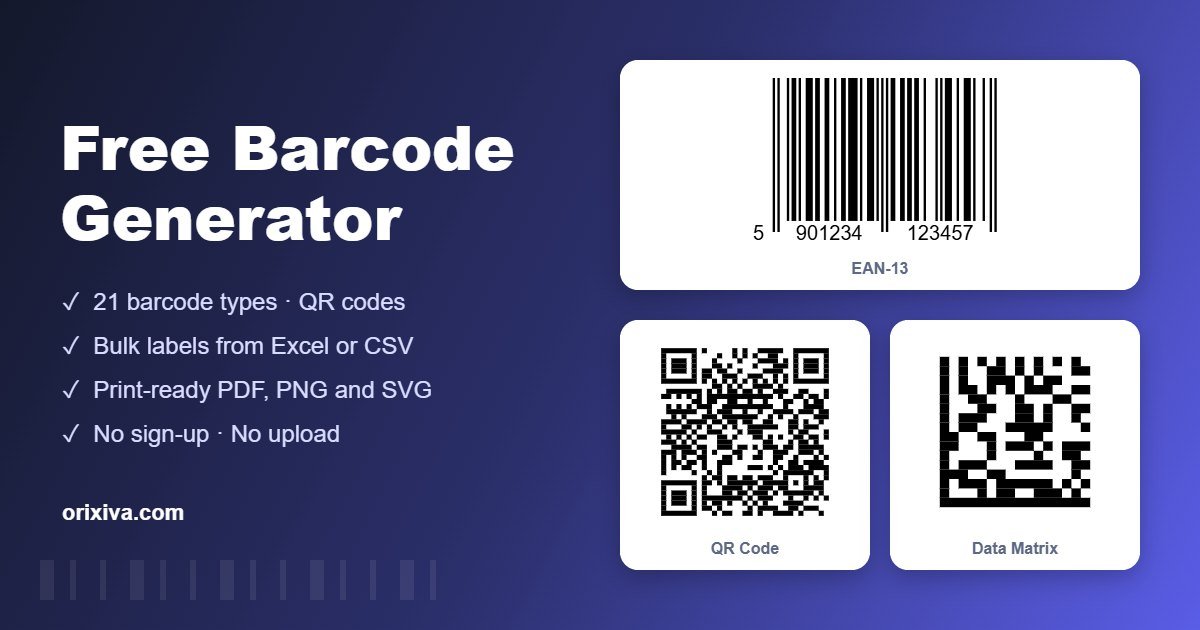
Orixiva Barcode Studio is a free barcode generator that creates 21 barcode types, from retail EAN-13 and UPC-A to GS1-128, ITF-14, Code 128, QR codes and Data Matrix. Make one code or thousands at once from a list, a number sequence or an Excel file, then print them on label sheets or thermal rolls, or download PNG, SVG, PDF and ZIP files. Everything runs in your browser: no sign-up, no watermark and no upload.
Quick answer: To make a barcode for free, choose a barcode type above (for example EAN-13 for retail products or Code 128 for internal stock), type your number and download it as PNG, SVG or PDF. For many products, open Bulk & Labels, paste your codes or import a CSV or Excel file, choose your label sheet and press Print labels or Download PDF.
- 21barcode types
- 100kcodes per batch
- 20label sheet and roll sizes
- 0uploads or watermarks
What the free barcode generator can do
The free barcode generator is built for shops, warehouses, factories and anyone who labels things. It has three parts: Create for single codes, Bulk & Labels for batches and printing, and Scan & Convert for reading and converting existing codes.
1
21 symbologies
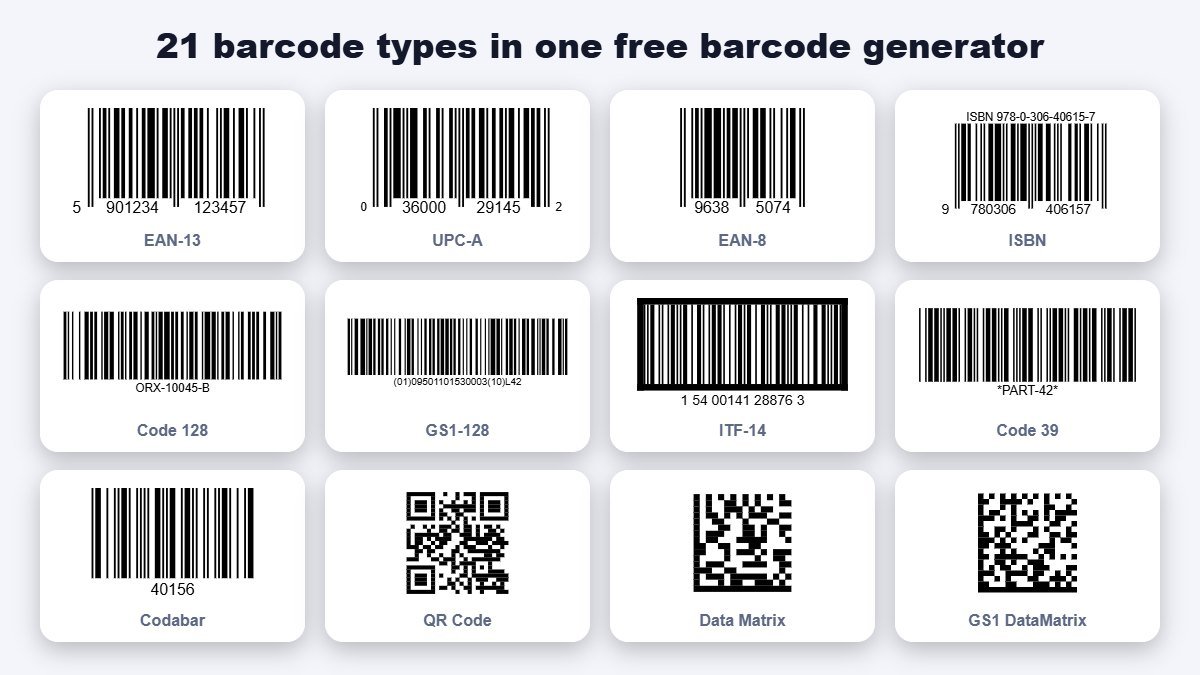
EAN-13, EAN-8, UPC-A, UPC-E, ISBN, ITF-14, Interleaved 2 of 5, Code 128, GS1-128, Code 39, Code 93, Codabar, MSI, Code 11, Pharmacode, QR, GS1 QR, Data Matrix and GS1 Data Matrix.
2
Automatic check digits
Type 12 digits for EAN-13 or 11 for UPC-A and the check digit is calculated. Wrong check digits are flagged, or corrected if you switch on auto-correct.
3
Bulk generation
Paste a list, import CSV or Excel, build number sequences or create GTINs from your GS1 company prefix. Up to 100,000 codes per batch.
4
Label printing
A4 and Letter label sheets, thermal rolls and 4 × 6 shipping labels, with product name and price lines, copies per item and "skip used labels".
5
Print-ready exports
Vector PDF and SVG for printers and designers, PNG at 150 to 600 dpi, and a ZIP with one image per code named after the code.
6
QR code maker
Links, text, Wi-Fi, contact cards, email, SMS, WhatsApp, location and events, with error correction, rounded or dot styles and a centre logo.
7
Built-in scan test
Every common code is read back by a scanner in the page, so you know it decodes correctly before you print a single label.
8
Scan & convert
Read barcodes and QR codes from images, screenshots or your camera, then turn a barcode into a QR code or a QR code into a barcode in one click.
Why use a free barcode generator in your browser?
A free barcode generator that runs in your browser is fast, private and always available. There is nothing to install, and your product data stays on your own computer.
Most online tools make one code at a time or add a watermark. This free barcode generator makes thousands of codes in one batch, without limits.
Because the free barcode generator creates vector PDF and SVG files, your labels stay sharp on packaging, shelf tags and cartons.
Shops use the free barcode generator for EAN-13 product codes, while warehouses use it for GS1-128 and ITF-14 carton labels.
Factories use the free barcode generator for serial numbers in Code 128 and Data Matrix, and marketers use it as a QR code maker.
Every code from the free barcode generator is checked by the built-in scanner before you download it, so mistakes are caught early.
How to create a barcode, step by step
- Choose the barcode type. Use EAN-13 or UPC-A for products sold in shops, Code 128 for internal stock and shipping, ITF-14 for cartons and QR or Data Matrix for small parts and links.
- Enter your data. Type the number or text. For EAN and UPC, leave out the check digit and the free barcode generator adds it.
- Set the size. Keep the bar width (X-dimension) at 0.33 mm for standard EAN-13, or set the module size for QR and Data Matrix.
- Check the scan test. A green tick under the preview means the code was read back correctly.
- Download or print. Choose PNG for screens and documents, SVG or PDF for packaging and professional printing, or print copies directly.
- Add it to a bulk list. Press "Add to bulk list" to collect several codes and print them together on one label sheet.
Which barcode type should I use in the free barcode generator?
Choosing the right symbology matters more than any other setting in a free barcode generator. Use this table as a guide.
| Barcode | Data | Typical use |
|---|---|---|
| EAN-13 | 12 digits + check | Retail products worldwide, supermarkets, online marketplaces |
| UPC-A / UPC-E | 11 digits + check / compressed | Retail in the USA and Canada; UPC-E for small packs |
| EAN-8 | 7 digits + check | Very small retail packages |
| ISBN | ISBN-10 or ISBN-13, optional 5-digit price | Books and publications |
| ITF-14 | 13 digits + check | Outer cartons, cases and pallets (GTIN-14) |
| Code 128 | Any ASCII text | Inventory, asset tags, shipping, internal SKUs |
| GS1-128 | Application identifiers | Logistics labels with GTIN, batch, expiry date and SSCC |
| Code 39 / Code 93 | Letters, digits, symbols | Automotive, defence, industrial parts, ID badges |
| Codabar | Digits and - $ : / . + | Libraries, blood banks, courier forms |
| MSI Plessey | Digits | Retail shelf labels |
| QR code | Up to about 2,900 bytes | Links, payments, Wi-Fi, menus, marketing |
| Data Matrix | Up to about 1,500 characters | Electronics, small parts, pharmaceuticals and medical devices (UDI) |
If your products will be sold through retailers, you normally need a GTIN licensed from GS1. For internal use, Code 128 with your own SKU is the simplest choice.
Generate barcodes in bulk for your products
Bulk generation is where this free barcode generator saves the most time. Open the Bulk & Labels tab and pick one of four sources:
- Paste list. One code per line, with optional columns for product name, price or extra text and the number of copies:
590123412345, Organic Honey 500g, Rs 950, 3. - CSV or Excel. Import a .csv, .txt or .xlsx file exported from your inventory, POS or ERP system. The free barcode generator guesses the code, name, price and quantity columns, and you can change them.
- Number sequence. Create serial numbers such as ORX-00001 to ORX-05000, with a prefix, step, zero padding and suffix, and text templates like "Item {n}".
- GTIN builder. Enter your GS1 company prefix and the first item reference to create consecutive GTIN-13, GTIN-12, GTIN-8 or GTIN-14 numbers with correct check digits.
Every row is validated. Rows with mistakes, such as a wrong length or an invalid check digit, are shown in orange with a clear reason, and you can download the checked list as a CSV with the final numbers and check digits for your records.
Print barcode labels on sheets and thermal printers
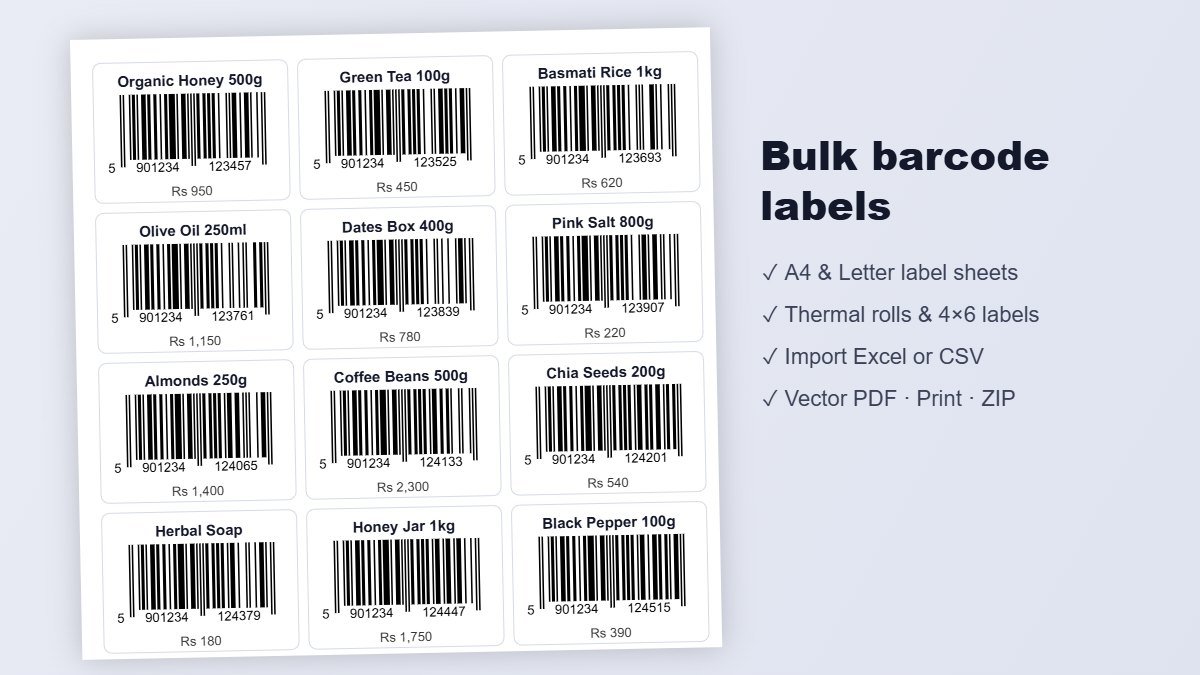
Choose a label template and the free barcode generator places each code with its name and price line. Templates include A4 sheets with 8, 14, 21, 24, 40 and 65 labels, US Letter sheets in common 30-, 20-, 10- and 80-label sizes, thermal rolls (50 × 25 mm, 40 × 30 mm, 58 × 40 mm, 2 × 1 in, 3 × 2 in, 100 × 50 mm) and 4 × 6 in shipping labels. A custom option lets you set the page, label size, margins and gaps yourself.
- Pick the template that matches the label pack or printer roll you have.
- Use "Skip first" to start on a partly used sheet instead of wasting labels.
- Check the preview page by page. A warning appears if bars would be printed too thin.
- Print at 100% ("Actual size"), with "Fit to page" turned off, or download the vector PDF to print later.
Thermal printers such as Zebra, TSC, Xprinter or Rollo work through the normal print dialog when you choose the roll template that matches your label size.
QR code maker: Wi-Fi, contacts, links and more
Choose QR Code as the type and use the content buttons to build a QR code without remembering any formats: website link or text, Wi-Fi login, contact card (vCard), email, SMS, phone call, WhatsApp chat, map location or calendar event. You can raise error correction to H, switch to rounded or dot modules, change colours and add your logo in the centre. When a logo is added, error correction is set to H automatically so the code stays readable.
Scan and convert: barcode to QR, QR to barcode
The Scan & Convert tab reads codes from photos, screenshots, scanned documents or your camera. In Chrome, Edge and on Android the browser's own scanner is used, which reads most formats. Elsewhere, Orixiva's built-in reader decodes QR codes, Code 128, GS1-128, EAN, UPC, Code 39 and ITF from clear images.
Each result has buttons to turn it into a QR code, a Code 128 barcode or a Data Matrix code, or to recreate the same type. Upload many images at once and press "Send to bulk labels" to convert a whole batch, for example turning old barcodes on supplier labels into QR codes for your own system.
GS1, GTIN and check digits explained
A GTIN (Global Trade Item Number) is the number behind EAN and UPC barcodes. It contains your GS1 company prefix, an item reference you choose and a check digit calculated with the modulo 10 method. The check digit lets scanners spot misreads. This free barcode generator calculates it for you in every retail type, in ITF-14 and inside GS1-128, GS1 QR and GS1 Data Matrix.
For GS1-128 and GS1 Data Matrix, write each piece of data with its application identifier in brackets, for example (01)09501101530003(17)271231(10)LOT42 for the GTIN, expiry date and batch number. The free barcode generator adds the FNC1 characters required by the GS1 General Specifications.
Size, colour and print quality rules
Follow these rules whenever you use the free barcode generator for printed labels.
- Keep the quiet zone. Leave the white margin on both sides of linear barcodes; the free barcode generator includes it by default.
- Do not shrink EAN/UPC too much. The standard bar width is 0.33 mm. Retail scanners usually accept 80% to 200% of that size.
- Use dark bars on a light background. Black on white is best. Red bars, light grey or inverted colours often fail.
- Prefer vector files for print. SVG and PDF stay sharp at any size; for PNG, use 300 dpi or more.
- Bar height matters for handheld scanners. Taller bars are easier to scan at an angle.
- Test before printing thousands. Print one sheet on plain paper and scan it with your phone or scanner.
Common problems and fixes
Most issues with a free barcode generator come from data, size or printer settings. Here are the quick fixes.
"Check digit is wrong"
The last digit does not match the number. Enter the number without the last digit and let the free barcode generator add it, or tick auto-correct.
Labels print in the wrong place
Turn off "Fit to page" in the print dialog and print at 100%. Adjust the top and left margins in the custom template if your printer shifts the page.
The scanner will not read it
Increase the bar width or height, use black on white and keep the quiet zone. Very long Code 128 values may need a wider label.
Excel numbers become 5.9E+11
Format the barcode column as Text in Excel, or save it as CSV. The importer also converts simple scientific notation back to digits.
Text with accents fails in Code 128
Code 128 supports basic ASCII only. Use QR or Data Matrix for other languages and symbols.
Camera scanning does not start
Allow camera access when the browser asks. The camera only works on secure (HTTPS) pages, which this page is.
Who uses this free barcode generator?
- Small businesses and online sellers labelling products, shelves and price tags.
- Manufacturers and factories printing serial numbers, part labels and carton barcodes in bulk.
- Warehouses and distributors creating GS1-128 and ITF-14 labels for cartons and pallets.
- Pharmacies and labs using Data Matrix, Pharmacode and Codabar.
- Libraries, schools and offices tagging books, assets and ID cards.
- Restaurants, events and marketers making QR codes for menus, Wi-Fi and promotions.
Privacy and limits
All encoding, printing and scanning happens on your device. Your product lists, Excel files and images are never sent to Orixiva's servers. Settings are remembered only in your own browser.
The free barcode generator does not issue GTINs: retail barcodes must use numbers your company licensed from GS1. PDF417 and Aztec codes are not included yet, and the built-in reader is designed for clear images rather than damaged or curved labels.
Barcode terms explained
These are the terms you will see in the free barcode generator and on label specifications.
- Symbology
- The "language" of a barcode, such as EAN-13, Code 128 or QR.
- X-dimension
- The width of the narrowest bar or module. All other widths are multiples of it.
- Quiet zone
- The blank margin a scanner needs before and after the bars.
- Check digit
- A final digit calculated from the others that lets scanners detect errors.
- GTIN
- Global Trade Item Number, the product number inside EAN, UPC and ITF-14 barcodes.
- Application identifier
- A GS1 prefix in brackets that says what the next data means, such as (17) for expiry date.
- Error correction
- Extra data in QR and Data Matrix codes that lets them scan even when partly damaged.
- Module
- One square cell in a 2D code such as QR or Data Matrix.
How we test the codes
The Orixiva team checked every linear symbology against an established reference encoder bar by bar, decoded EAN, UPC and QR output with an independent computer-vision scanner, and verified QR codes from version 1 to 40 at all error-correction levels.
Data Matrix output from the free barcode generator was compared with a reference implementation of the ISO/IEC 16022 placement rules. We also generated 5,000 labels in one batch to check speed and PDF output. If a code does not scan in your system, please tell us the type and data in the comments.
Related free tools on Orixiva
- Image to GIF maker for animated product photos.
- Free file converter for images and documents.
- Background remover for clean product photos.
- All free tools on Orixiva.
Share your setup
Which label size and printer do you use with the free barcode generator? Share your template settings, printer model or a tip for other sellers in the comments, or tell us which barcode type you would like added next. Please do not post private customer data. Comments are reviewed before they appear.
Frequently asked questions
Is this free barcode generator really free?
Yes. The free barcode generator includes all barcode types, bulk generation, label printing and downloads are free, with no sign-up and no watermark.
Can I use these barcodes on products I sell in shops?
Yes, if the number is a GTIN licensed to your company by GS1. The free barcode generator creates correct barcodes, but it cannot give you an official product number.
How many barcodes can I generate at once?
The free barcode generator makes up to 100,000 codes per batch. Thousands of labels take only seconds on a normal computer.
Can I import my product list from Excel?
Yes. Import a .xlsx, .csv or .txt file into the free barcode generator, choose the code, name, price and quantity columns, and generate all labels at once.
Which label sheets are supported?
Common A4 sheets with 8 to 65 labels, US Letter sheets in 2.63 × 1 in, 4 × 1 in, 4 × 2 in and 1.75 × 0.5 in sizes, thermal rolls, 4 × 6 shipping labels and any custom size.
Does it work with thermal label printers?
Yes. In the free barcode generator, choose the roll size that matches your labels and print through the normal print dialog at 100%.
What file formats can I download?
PNG at 150, 300 or 600 dpi, SVG, vector PDF, and a ZIP of PNG or SVG files for bulk lists.
How do I convert a barcode to a QR code?
Open Scan & Convert, upload a photo or screenshot of the barcode and press "→ QR code". The same works the other way round.
Is the check digit added automatically?
Yes, for EAN-13, EAN-8, UPC-A, UPC-E, ISBN, ITF-14 and GS1 data. Optional check digits are available for Code 39, ITF and MSI.
What is the difference between Code 128 and GS1-128?
GS1-128 is Code 128 with a special start character and application identifiers, so supply-chain systems understand data such as GTIN, batch and expiry date.
Can I add a logo to a QR code?
Yes. Upload a logo in the QR options; error correction is raised to H so the code still scans.
Can I create Wi-Fi QR codes?
Yes. Choose QR Code, press Wi-Fi and enter the network name and password. Phones join the network after scanning.
What size should an EAN-13 barcode be?
The standard size is about 37.3 × 25.9 mm with 0.33 mm bars. You can scale it between roughly 80% and 200%.
Are my files uploaded anywhere?
No. Lists, Excel files and images are processed in your browser and never leave your device.
Can I print barcodes from my phone?
Yes. The tool works in mobile browsers and you can print or download the PDF, although a computer is easier for large batches.
Ready to label your products? Scroll up to the free barcode generator, choose your barcode type and create your first code in seconds.