Try our free AI tools – no sign-up needed!

Image to GIF Maker
Turn photos, screenshots or a video clip into an animated GIF. Private, free, no watermark.
No uploadNo watermarkUp to 300 frames
Drop images here or click to choose. PNG, JPG, WebP, GIF (first frame), SVG. You can also paste with Ctrl + V.
0 frames
Drag frames to reorder. Click a frame's time to change how long it shows.
Settings
Caption text
Quality & file size
Smaller width, fewer colours and no dithering make smaller files. "Per frame" palettes look better for very different photos.
Preview
Add at least two images to see the animation.
Image to GIF: Make Animated GIFs From Photos and Videos
Orixiva's image to GIF maker turns photos, screenshots, drawings or a short video clip into an animated GIF in your browser. Add your images, drag them into order, set the speed, size and loop, add a caption or a smooth crossfade, and download the GIF. There is no sign-up, no watermark and no upload: your pictures never leave your device.
Quick answer: To convert images to a GIF, drop two or more pictures onto the tool above, drag them into the order you want, set the frame time (for example 500 ms) and width, then press Create GIF and Download GIF. To make a GIF from a video, use Frames from a video, choose the start, end and frames per second, and extract the frames first.
- 300frames per GIF
- 1600 pxmaximum width
- 0uploads or watermarks
- <1 sfor a typical slideshow
Features of the image to GIF maker
1
Any image format
PNG, JPG, WebP, SVG and the first frame of GIF files. Drag and drop, browse or paste screenshots with Ctrl + V.
2
Frames from video
Pick a start and end time and 5 to 25 frames per second to turn MP4 or WebM clips into GIF frames.
3
Drag to reorder
Move, duplicate and delete frames, and give any frame its own display time to pause on important pictures.
4
Size and shape
Any width up to 1600 px, with square, 16:9, 9:16, 4:5 or 4:3 shapes, and fit, fill (crop) or stretch modes.
5
Motion effects
Smooth crossfade transitions, reverse and boomerang playback, speed from 0.5× to 3× and loop forever, once or a set number of times.
6
Captions
Add bold outlined text at the top, middle or bottom of every frame in any colour, for memes, tutorials and product callouts.
7
Quality control
32 to 256 colours, smooth or pattern dithering, one palette or one per frame, and optimisation that only stores pixels that change.
8
Fast and light
The GIF is encoded in a background worker, so the page stays responsive, and a live preview plays exactly what you will download.
Why use an image to GIF maker in your browser?
An image to GIF maker that runs in your browser is quick and private. You do not install anything, and your photos stay on your own device.
Many online image to GIF converters add a watermark or limit the number of frames. This image to GIF tool is free, has no watermark and supports up to 300 frames.
Because the image to GIF encoder works in a background worker, the page stays smooth even while it builds large animations.
Sellers use image to GIF animations to show products from every angle, and teachers use them to turn screenshots into short lessons.
How to convert images to a GIF
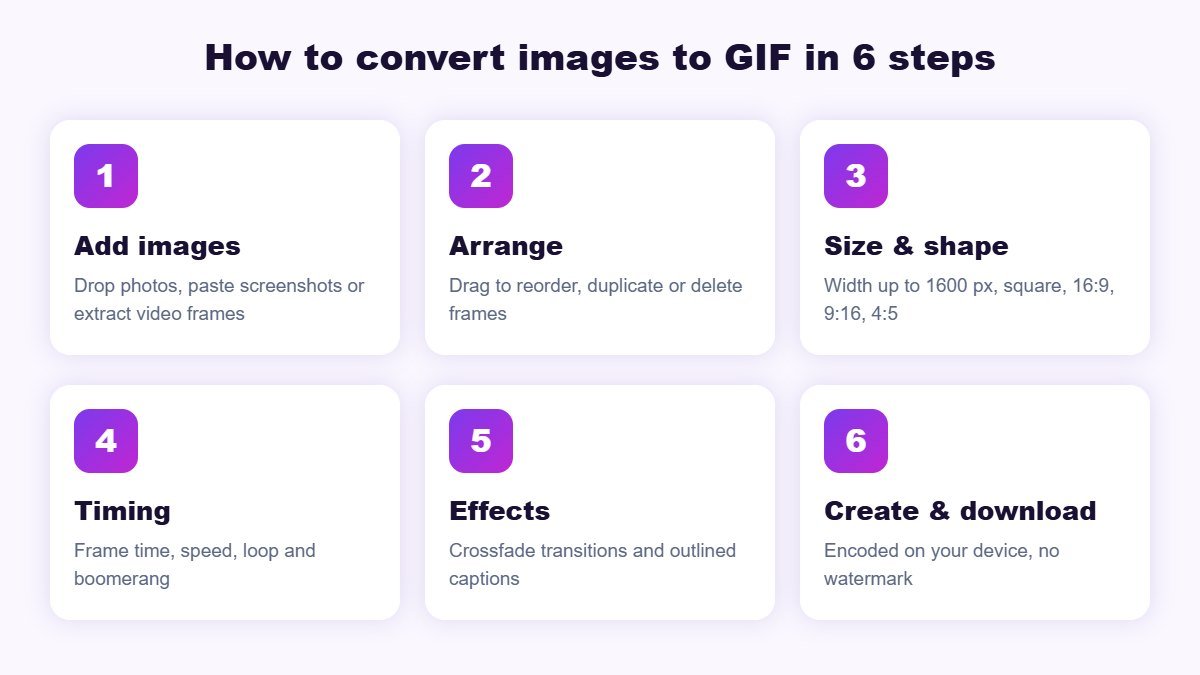
- Add your images. Drop two or more pictures on the upload area, click to choose them, or paste a screenshot. Files are sorted by name, so photo-1, photo-2 and so on stay in order.
- Arrange the frames. Drag frames to reorder them, use ⧉ to duplicate a frame, or remove ones you do not need.
- Choose size and shape. Set the width (480 px is a good start) and pick a shape. "Fit" keeps the whole picture and adds a background; "Fill" crops to the shape.
- Set the timing. Frame time controls how long each picture stays. Use 100–200 ms for fast animation and 500–1500 ms for slideshows.
- Add effects. Turn on crossfade for smooth slides, boomerang for back-and-forth motion, and add a caption if you need text.
- Create and download. Press Create GIF, check the result and file size, then press Download GIF.
How to make a GIF from a video
Press Frames from a video and choose an MP4 or WebM file. Set the start and end time of the moment you want, choose the frames per second and press Extract frames. Ten frames per second for three seconds gives 31 frames, which is smooth enough for most reactions and product demos. You can then delete frames, add a caption or change the speed before creating the GIF.
Keep video GIFs short. A GIF stores every frame as an image, so a 10-second clip at 25 fps creates 250 frames and a much larger file than the same clip as MP4.
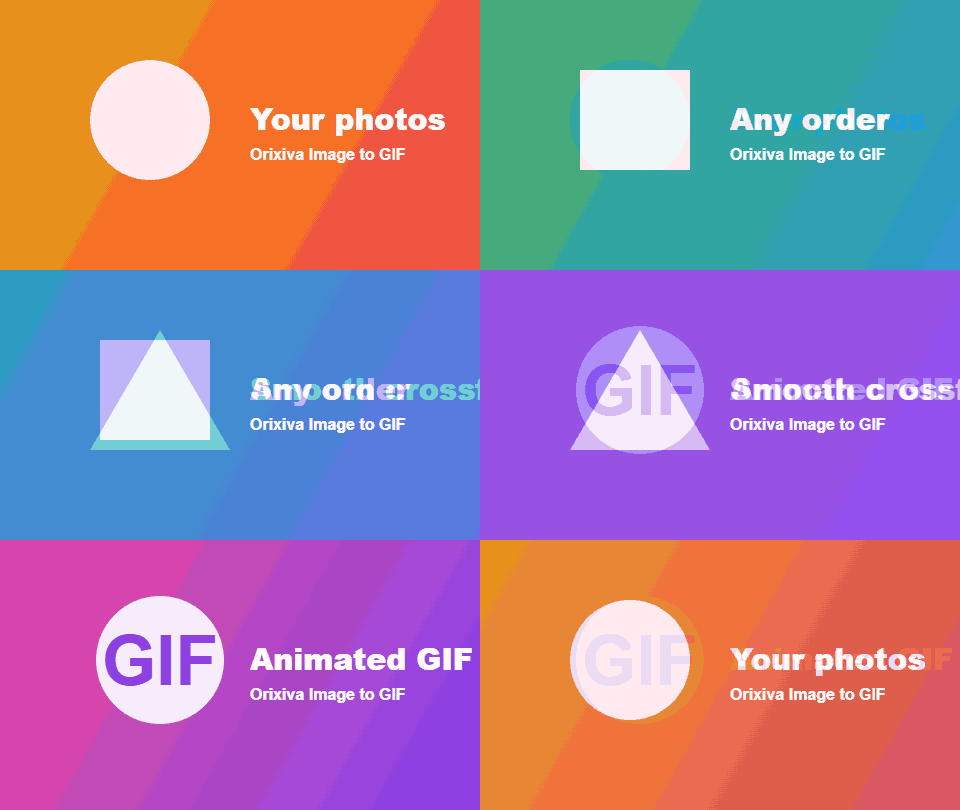
Example GIF made with the tool
Best settings for social media and websites
| Where it is used | Shape | Width | Tips |
|---|---|---|---|
| Website or blog | 16:9 or 4:3 | 480–800 px | Keep under 2–3 MB so pages load quickly |
| Email newsletter | 16:9 | 480–600 px | Put the key message on the first frame; some email apps show only that |
| WhatsApp and Telegram | Square or 4:5 | 480 px | Short loops of 2–4 seconds look best |
| Instagram stories and Reels | 9:16 | 540–720 px | Use as a sticker-style overlay or convert to video for posting |
| X (Twitter) and Discord | 16:9 or square | 480–640 px | Check each platform's current GIF size limit before posting |
| Product listings | Square | 600–800 px | Show 3–6 angles with 700 ms per frame |
How to make a smaller GIF
Every image to GIF conversion is a balance between quality and file size. These settings help most.
- Reduce the width. Halving the width cuts the file to about a quarter of the size.
- Use fewer frames. Remove near-identical frames, lower the video frames per second or shorten the crossfade.
- Lower the colours. 64 or 128 colours look good for most graphics; photos may need 256.
- Turn off dithering for flat graphics, screenshots and text. Dithering adds noise that compresses poorly.
- Keep "Optimise unchanged pixels" on. Only the parts that change between frames are stored.
- Use one palette for all frames when frames are similar; choose "per frame" only for very different photos.
Common problems and fixes
Most image to GIF problems come from size, colours or the source format. Here are the quick fixes.
The GIF looks grainy
Raise colours to 256 and use "Per frame" palettes for photos, or try "None" dithering for graphics.
The file is too big
Lower the width, remove frames, use 64–128 colours and turn off crossfade. See the size tips above.
My video will not open
The browser cannot play that format. Convert it to MP4 with our free file converter first.
Images have black or white bars
Your pictures have a different shape from the GIF. Choose "Fill (crop)" or "Like first image", or change the background colour.
The animation is too fast
Increase the frame time or set speed to 0.5×. Very short frame times are slowed down by some browsers.
Transparent background is not smooth
GIF supports only fully transparent or fully solid pixels, so soft edges look jagged. Use a background colour that matches your page.
Who uses this GIF maker?
- Online sellers showing a product from several angles in one image.
- Bloggers and teachers turning step-by-step screenshots into short tutorials.
- Marketers making banners, email animations and social posts.
- Designers and developers sharing UI demos and before-and-after comparisons.
- Everyone making memes, birthday slideshows and reaction GIFs from videos.
Privacy and limits
The image to GIF maker reads your files with the browser's own decoders and encodes the GIF on your device in a background worker. Nothing is uploaded to Orixiva. The limits are 300 frames, a width of up to 1600 px and a total size the browser can handle comfortably; the tool warns you before a job gets too large. Animated GIF files you add are used as a single frame. GIF itself is limited to 256 colours per frame, as described in the GIF89a specification.
GIF terms explained
These terms appear in the image to GIF settings and in GIF tutorials.
- Frame
- One picture in the animation.
- Frame time (delay)
- How long a frame stays on screen, in milliseconds.
- Loop count
- How many times the GIF plays. "Forever" repeats endlessly.
- Palette
- The list of up to 256 colours a GIF frame can use.
- Dithering
- Mixing palette colours in small patterns to imitate colours that are not in the palette.
- Crossfade
- A transition where one image gradually fades into the next.
- Boomerang
- Playing the frames forward and then backward for a smooth loop.
- LZW compression
- The lossless compression method used inside GIF files.
How we test the GIF maker
The Orixiva team creates GIFs from JPG photos, PNG graphics, generated slides and WebM video clips, then opens every result in an independent image library to confirm the frame count, timing, loop setting and colours. We test global and per-frame palettes, all dithering modes, transparency and crossfades, on desktop and mobile browsers. A typical 5-frame 480 px slideshow is created in under a second.
Related free tools on Orixiva
- Free online video editor for longer clips with sound.
- Image resizer to prepare frames.
- Background remover for product photos.
- Free barcode generator for product labels.
Share your GIF
Made something fun or useful with the image to GIF maker? Tell other readers in the comments what you made, which settings gave the best size and quality, or which feature you would like next. Comments are reviewed before they appear.
Frequently asked questions
Is this image to GIF converter free?
Yes. It is completely free, with no sign-up, no limits on the number of GIFs and no watermark.
Are my images uploaded?
No. Your images and videos are processed in your browser and never leave your device.
How many images can I put in one GIF?
Up to 300 frames. For smooth, small files, 5 to 60 frames is usually best.
How do I change the speed of the GIF?
Change the frame time, use the speed menu, or set a different time on individual frames.
Can I make a GIF from a video?
Yes. Use "Frames from a video", choose the start, end and frames per second, then create the GIF.
Can I add text to my GIF?
Yes. Open "Caption text" to add outlined text at the top, middle or bottom of every frame.
Can the GIF have a transparent background?
Yes. Tick "Transparent" to keep transparent areas from PNG images. Edges are either fully transparent or solid, which is a limit of the GIF format.
How do I make the GIF loop only once?
Set Loop to "Play once", or choose 3 or 5 times.
Why is my GIF file so large?
GIF stores many full images. Reduce the width, number of frames and colours, or turn off dithering and crossfade.
What is the best width for a GIF?
480 px is a good default. Use 600–800 px for product images and keep the file under a few megabytes for websites.
Does it work on iPhone and Android?
Yes. It works in modern mobile browsers, and you can add photos straight from your gallery.
Can I convert a GIF back to images?
Not yet. Animated GIFs you add are used as one frame. Use a video editor or converter to split a GIF into frames.
Ready to animate? Scroll up to the image to GIF maker, drop in your pictures and press Create GIF.