Try our free AI tools – no sign-up needed!

Free Developer Tools Online: 38 Tools in One Workflow Studio
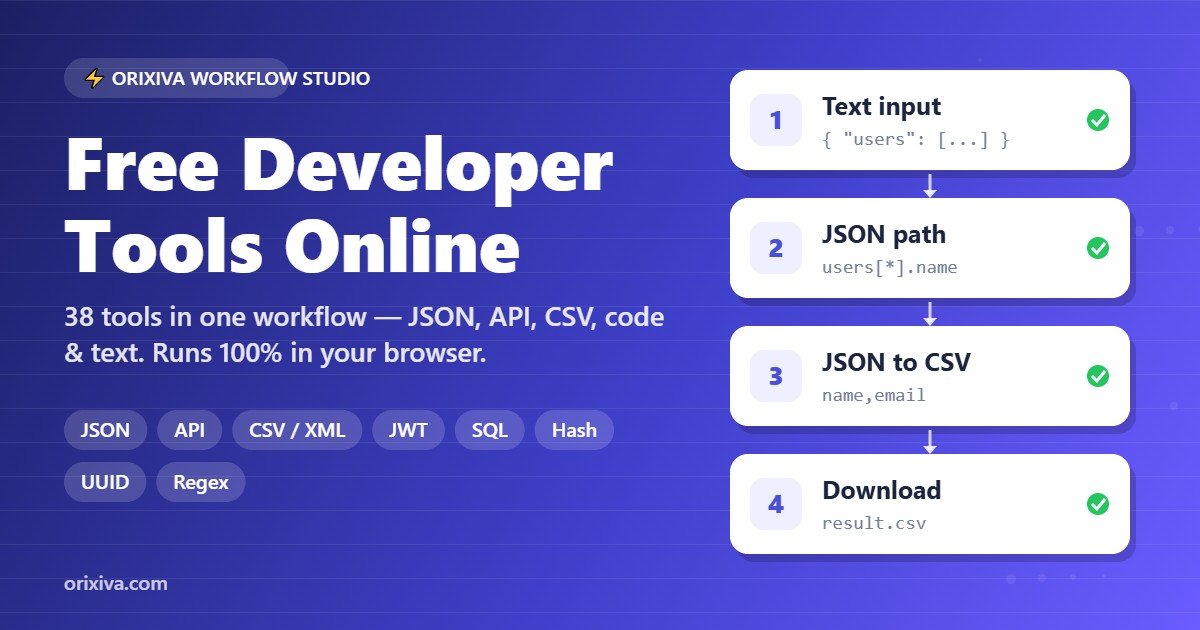
Orixiva Workflow Studio gives you free developer tools for JSON, APIs, CSV, XML, code and text in one place. Instead of opening ten different websites, you add the tools you need as steps, connect them into a workflow and run everything at once, directly in your browser. There is no sign-up, no installation and no upload of your text.
Quick answer: Orixiva Workflow Studio is a set of 38 free developer tools that run in your web browser. You can format and validate JSON, convert between JSON, CSV, YAML and XML, call APIs, decode JWTs, hash and sign data, format SQL, generate TypeScript types and passwords, and chain all of these into one reusable workflow.
Key facts at a glance
- Price: 100% free, no account and no usage limits.
- Tools: 38 free developer tools in 8 categories: Input, Transform, Convert, Code, Encode, Text, Generate and Validate.
- Where it runs: in your browser. Text transformations happen on your device; only the API request step contacts the URL you choose.
- Workflows: chain steps, reorder them, bypass a step, undo and redo, then copy or download the result.
- Templates: 16 ready-made workflows, such as JSON to TypeScript, API data to CSV and Webhook signature (HMAC).
- Sharing: export a workflow as JSON, import it later, or copy a share link.
What are free developer tools?
Free developer tools are small utilities that help programmers, testers and data workers handle everyday tasks: formatting JSON, converting a CSV export, decoding a token, checking a hash or cleaning a list. Most sites offer one tool per page. Orixiva puts these free developer tools into a single studio where the output of one step automatically becomes the input of the next, so a five-step job takes one click instead of five copy-and-paste rounds.
All 38 free developer tools by category
Every tool below is available in the library on the left side of the studio. Each one has a short description, and the search box also finds tools by what they do, so typing “webhook” shows the HMAC tool.
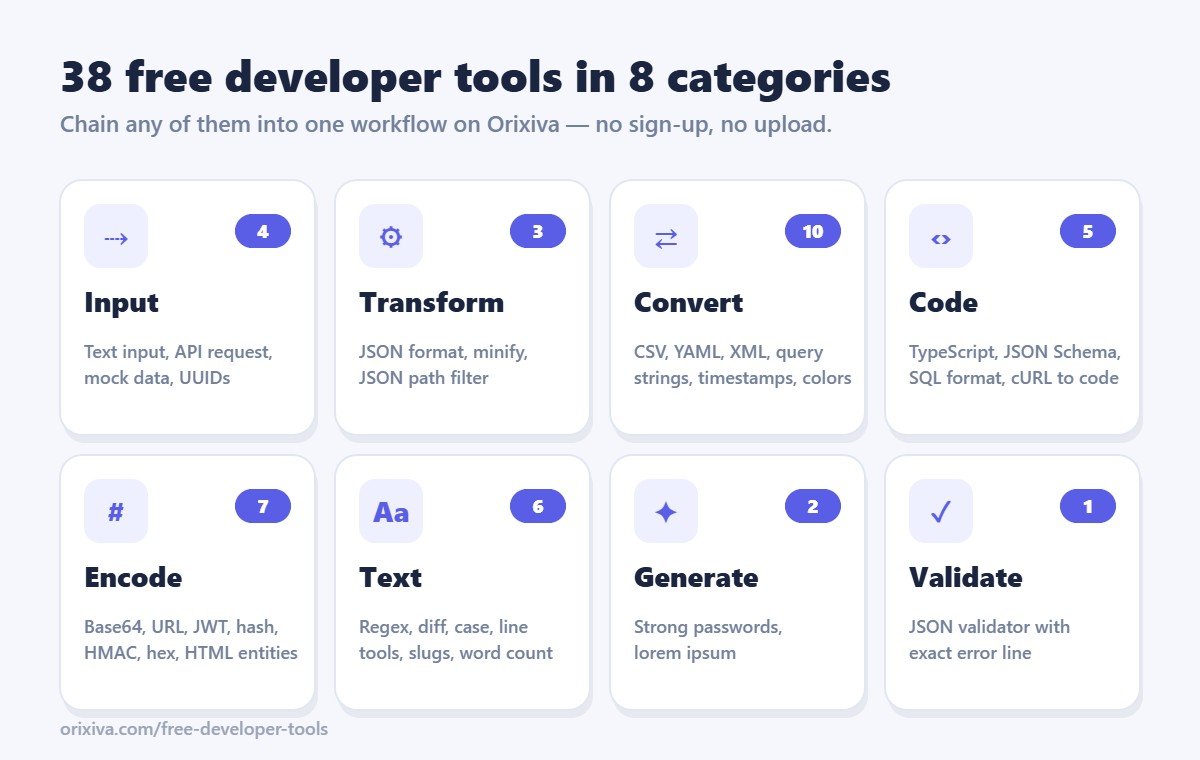
Input (4 tools)
Start a workflow with Text input (paste JSON, CSV, text or a cURL command), an API request step (GET, POST, PUT, PATCH or DELETE), a Mock data generator that fills a JSON template with names, emails, numbers, dates and UUIDs, or a bulk UUID generator.
Transform (3 tools)
The JSON formatter pretty-prints with 2, 4 or tab indentation and can sort keys. JSON minify removes whitespace, and the JSON path filter picks values with paths such as users[*].name.
Convert (10 tools)
Convert JSON to CSV, CSV to JSON (keeping leading zeros like 007 and long IDs intact), JSON to YAML, JSON to XML and XML to JSON. You can also turn query strings into JSON and back, convert Unix timestamps to readable dates in any time zone, switch numbers between binary, octal, decimal and hex, convert HEX, RGB and HSL colors with a contrast check, and turn Markdown into HTML.
Code (5 tools)
Generate TypeScript interfaces from sample JSON (with optional fields detected automatically), create a JSON Schema, format messy SQL, minify CSS, and convert a cURL command into JavaScript fetch or Python requests code.
Encode (7 tools)
Encode and decode Base64, URL components, HTML entities and hex; decode a JWT header and payload with readable expiry dates; create SHA-1, SHA-256, SHA-384 or SHA-512 hashes; and sign data with an HMAC secret for webhooks and APIs.
Text (6 tools)
Use regular expressions to replace or extract text, compare two texts line by line, convert to camelCase, snake_case, kebab-case or Title Case, sort and de-duplicate lines, count words and reading time, and create SEO-friendly URL slugs.
Generate (2 tools)
Create strong random passwords with cryptographically secure randomness, and placeholder lorem ipsum paragraphs for designs.
Validate (1 tool)
The JSON validator shows the exact line and column of an error, such as a trailing comma or a missing quote, and passes valid JSON on to the next step.
How to use the free developer tools workflow
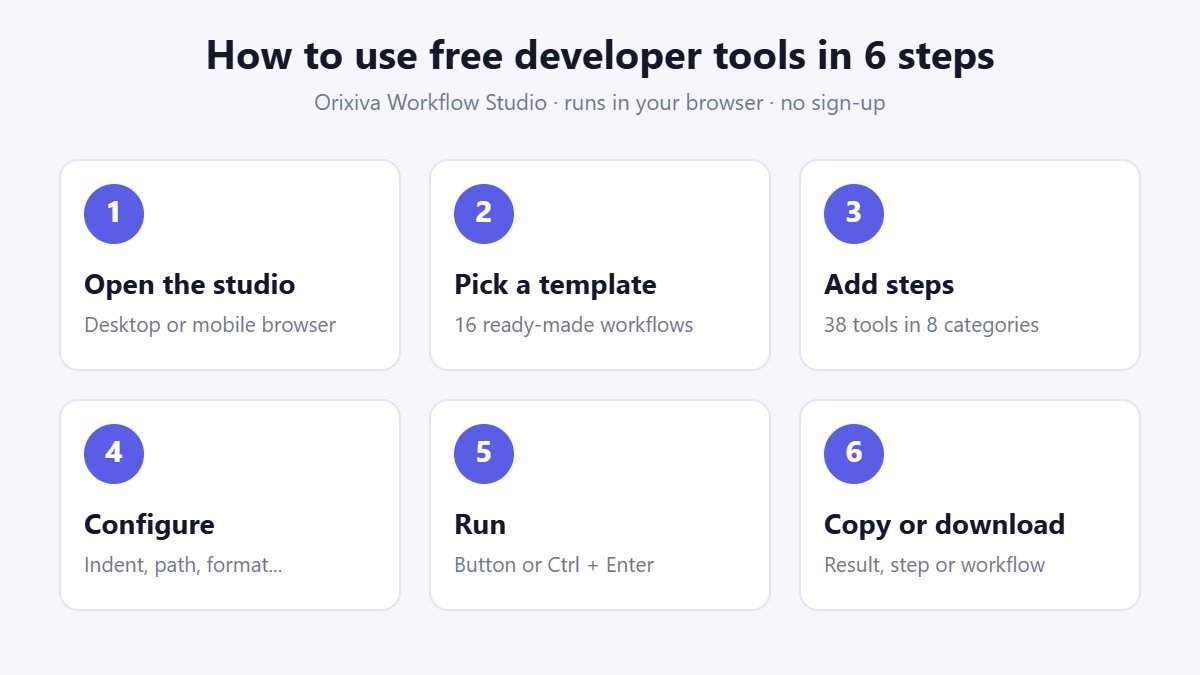
- Open the studio at the top of this page. It works on desktop and mobile browsers.
- Pick a template from “Start from template” or begin with an empty workflow.
- Add steps by clicking tools in the library. Each step receives the previous step’s output.
- Configure each step, for example choose an indent size or a JSON path.
- Run the workflow with the Run button or Ctrl + Enter. Use Bypass to skip a step and Undo (Ctrl + Z) to go back.
- Copy or download the final result, or download any single step’s output. Export the workflow to reuse it later.
Real workflow examples
Turn an API response into a spreadsheet
Add an API request step, then JSON to CSV. Run it and download a CSV file that opens in Excel or Google Sheets. Nested fields such as address.city become their own columns.
Check a webhook signature
Paste the webhook body, add JSON minify and then HMAC signature with your secret. Compare the result with the signature header your provider sends.
Clean a messy list
Paste a list, then add Line tools three times: remove empty lines, remove duplicates and sort A to Z. Bypass any step to see its effect.
Generate TypeScript types for an API
Paste a sample response, add JSON validator and then JSON to TypeScript. The validator stops the workflow with a clear message if the sample is broken.
Workflow studio vs. single-purpose sites
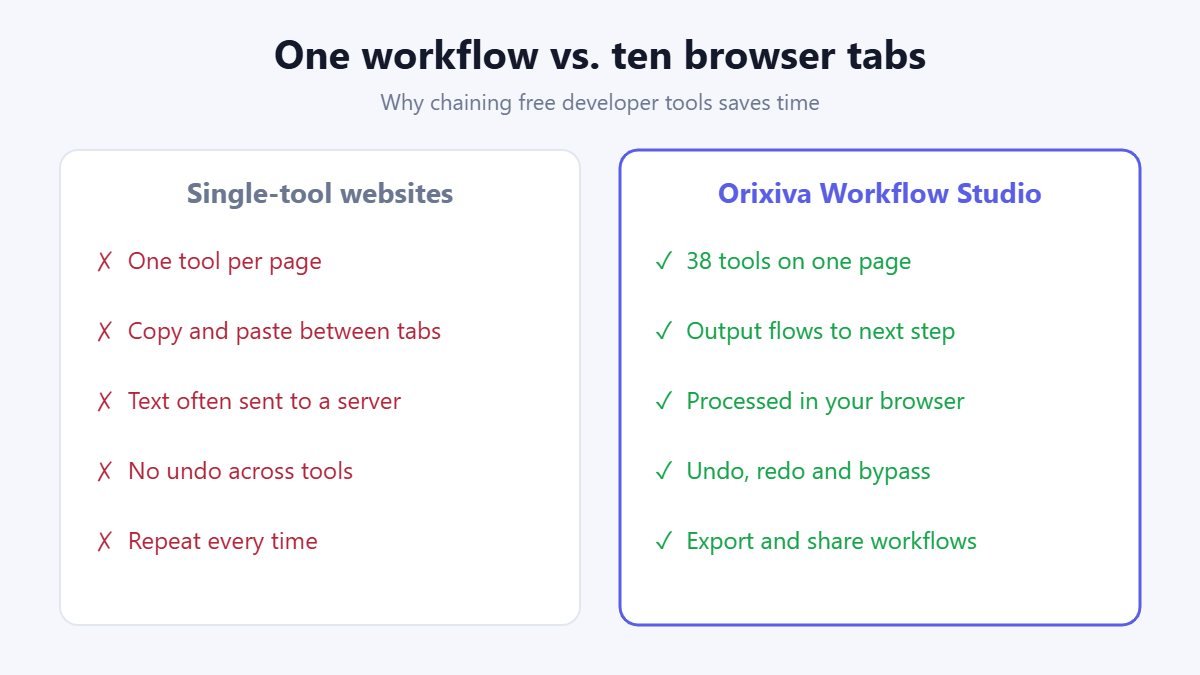
| Feature | Orixiva Workflow Studio | Typical single-tool sites |
|---|---|---|
| Number of tools | 38 in one page | One per page |
| Chain several steps | Yes, automatic | Manual copy and paste |
| Price | Free, no sign-up | Often free with ads or limits |
| Where text is processed | In your browser | Often on a remote server |
| Save and share workflows | Export, import and share links | Rarely available |
| Undo, redo and bypass | Yes | Rarely available |
Who uses these free developer tools?
- Web and app developers who inspect API responses, draft TypeScript types and convert cURL examples into code.
- QA testers who generate mock records, compare outputs and validate JSON.
- Students learning data formats, encoding, hashing and regular expressions.
- Data and marketing teams who turn exports into CSV, clean lists and create URL slugs.
- Technical writers who format code samples and convert Markdown to HTML.
Privacy, accuracy and limits
These free developer tools process text in your browser, and your workflow is saved only in your browser’s local storage. The API request step is the exception: it sends a request to the URL you enter, and the destination server’s CORS rules decide whether the browser can read the reply.
The tools follow published standards. JSON handling follows RFC 8259, CSV parsing follows the conventions of RFC 4180, the JWT decoder reads tokens as described in RFC 7519, schemas use JSON Schema draft-07, and hashing and HMAC use the browser’s built-in Web Crypto API.
Keep these limits in mind: decoding a JWT does not verify its signature, Base64 is encoding rather than encryption, and generated mock data is not real user data. Review important output before you use it in production.
Power tips and keyboard shortcuts
A few habits make these free developer tools much faster to use every day:
- Ctrl + Enter runs the whole workflow; Ctrl + Z and Ctrl + Y undo and redo changes to steps.
- Search the tool library by task, not only by name: typing “decode”, “csv” or “webhook” finds the matching tools.
- Click a step’s output to preview it, then use its own download button to save just that stage.
- Use Bypass instead of deleting a step when you want to compare results with and without it.
- Duplicate a configured step to reuse the same settings, for example two JSON path filters with different paths.
- Export finished workflows and keep them next to your project, so teammates can import the exact same steps.
Developer terms explained
New to some of these formats? Here are short, plain-English definitions of the terms used across our free developer tools.
- JSON
- JavaScript Object Notation, a text format for structured data made of objects, arrays, strings, numbers, booleans and null. Most web APIs send and receive JSON.
- CSV
- Comma-separated values, a plain-text table where each line is a row. Spreadsheets such as Excel and Google Sheets open CSV files directly.
- YAML
- A human-friendly data format that uses indentation instead of brackets. It is common in configuration files for CI pipelines, Docker Compose and Kubernetes.
- XML
- Extensible Markup Language, a tag-based format still used by feeds, sitemaps, SOAP services and many enterprise systems.
- JWT
- JSON Web Token, a compact token with a header, payload and signature, often used for login sessions and API authorization.
- Hash
- A fixed-length fingerprint of data. The same input always gives the same hash, and a tiny change gives a completely different one.
- HMAC
- A hash combined with a secret key. Payment providers and webhook services use HMAC signatures so you can confirm a message really came from them.
- Base64
- A way to write binary data using only letters, digits, plus and slash, so it can travel safely inside text such as JSON or email.
- JSON Schema
- A JSON document that describes what valid data looks like: required fields, types and allowed values. It is used to validate API requests and responses.
- CORS
- Cross-Origin Resource Sharing, the browser rule that decides whether a web page may read a response from another domain.
How we build and test these free developer tools
Every tool in the studio is built and maintained by the Orixiva team. We test the tools with sample inputs that include the awkward cases developers meet in real projects: empty values, Unicode text and emoji, very long numeric IDs, leading zeros, nested objects, quoted commas inside CSV cells, and malformed JSON with trailing commas or missing quotes.
We check the output against the published standards linked above. If you find an input that gives a wrong result, please share a small example in the comments below so we can reproduce and fix it; your report directly improves these free developer tools for everyone.
When to use a different tool
Browser-based free developer tools are ideal for quick checks, one-off conversions and prototypes. For very large files of hundreds of megabytes, automated jobs that run every night, or data that your company policy says must never leave a managed environment, a command-line tool or a script in your own pipeline is the better choice. Many teams use the studio to design and test a transformation interactively, then copy the same logic into their code once they are happy with the result.
Related free tools on Orixiva
- Free online file converter for PDF, Word, Excel, images and video.
- Free SVG converter to convert PNG to SVG, edit and optimize SVG files.
- Image background remover with a quick mode and an AI mode.
- Unit converter with 14 conversion tools.
- All free tools on Orixiva.
Share your workflow
Built a workflow that saves you time? Tell other developers about it in the comments below: which free developer tools you chained, what problem it solves and any tips. You can also export the workflow file or paste its share link so others can import it. Comments are reviewed before they appear.
Frequently asked questions
Are these developer tools really free?
Yes. All 38 free developer tools in the studio cost nothing, need no account and have no usage limits.
Do I need to install anything?
No. The studio runs in any modern browser on Windows, macOS, Linux, Android and iOS.
Is my data uploaded to a server?
No. Text tools run in your browser. Only the API request step contacts the URL you choose.
Can I connect several tools in one workflow?
Yes. Each step passes its output to the next step, and you can reorder, duplicate, bypass or delete steps.
Which formats can I convert?
JSON, CSV, YAML, XML, query strings, Markdown to HTML, Unix timestamps, number bases and HEX, RGB and HSL colors.
How do I find the error in my JSON?
Add the JSON validator step. It shows the line and column of the problem with a marker under the exact character.
Does the JWT decoder verify signatures?
No. It shows the header, payload and expiry dates, but decoding does not prove that a token is genuine.
Is Base64 a form of encryption?
No. Base64 is reversible encoding. Use proper encryption to protect secrets.
What is the difference between a hash and an HMAC?
A hash fingerprints data. An HMAC also uses a secret key, so it proves the data came from someone who knows that key.
Why did my API request fail?
The URL may be wrong, the server may require authentication, or its CORS policy may block browser requests.
Where are my workflows saved?
In your browser’s local storage. Export important workflows as a JSON file before clearing browser data.
Can I share a workflow?
Yes. Use Share to copy a link, or Export and send the JSON file. Check that it contains no secrets first.
Are the generated passwords secure?
Yes. They use the browser’s cryptographically secure random number generator and can avoid look-alike characters.
Can I use the studio on my phone?
Yes. The layout adapts to small screens, and all free developer tools work on mobile browsers.
Does it replace an IDE or a test suite?
No. It is built for quick everyday tasks and prototypes. Verify important results with your project’s own tools and tests.
Start using the free developer tools
Scroll to the top, choose a template such as “API data to CSV” or “Validate JSON then make a Schema”, and press Run. Every one of these free developer tools is ready to use right now.