Try our free AI tools – no sign-up needed!

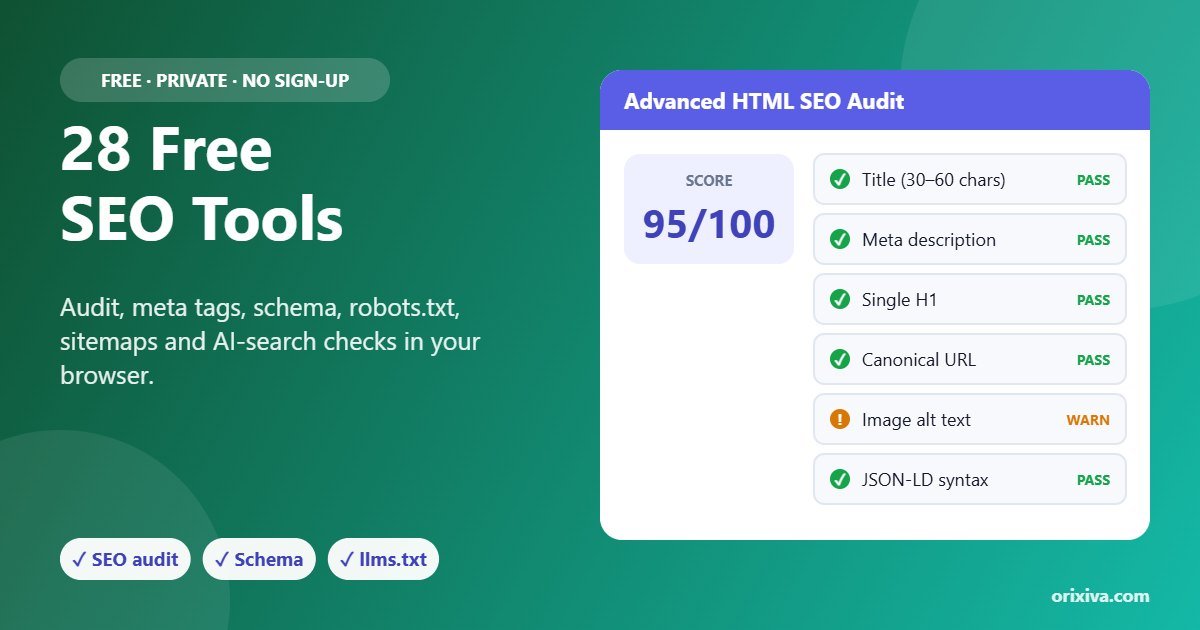
28 Free SEO Tools That Run Privately in Your Browser
Orixiva's free SEO tools put an SEO audit, SERP preview, meta tag generator, keyword analyzer, robots.txt and sitemap labs, schema generators, AI-search checks and more into one private workspace. Paste or import your page's HTML or text and get results instantly. Nothing is uploaded, no website is crawled, and there is no sign-up or daily limit.
Quick answer: To audit a page for free, open the page in your browser, press Ctrl + U to view its source, copy everything, paste it into Advanced HTML SEO Audit above and press Run analysis. You will see a heuristic score, a pass/warn/fail checklist for titles, descriptions, headings, canonical, images and structured data, plus a heading outline and search preview.
- 28free SEO tools
- 6categories
- 0uploads or crawling
- 100HTML files per batch
Why use browser-based SEO tools?
Most online SEO checkers send your URL or content to their servers, limit how many checks you can run and often ask for an account. These free SEO tools work differently: every check runs in JavaScript inside your own browser. That makes them fast, private and ideal for pages that are not public yet, such as a staging site, a draft or a client page under NDA.
Because the tools only see what you give them, they never fetch live websites. You paste the HTML source, text, robots.txt, sitemap or CSV you want to check, or import local files. This also means results are repeatable: the same input always gives the same output.
All 28 free SEO tools by category
Here is every one of the free SEO tools, grouped the same way as the category tabs in the toolkit above.
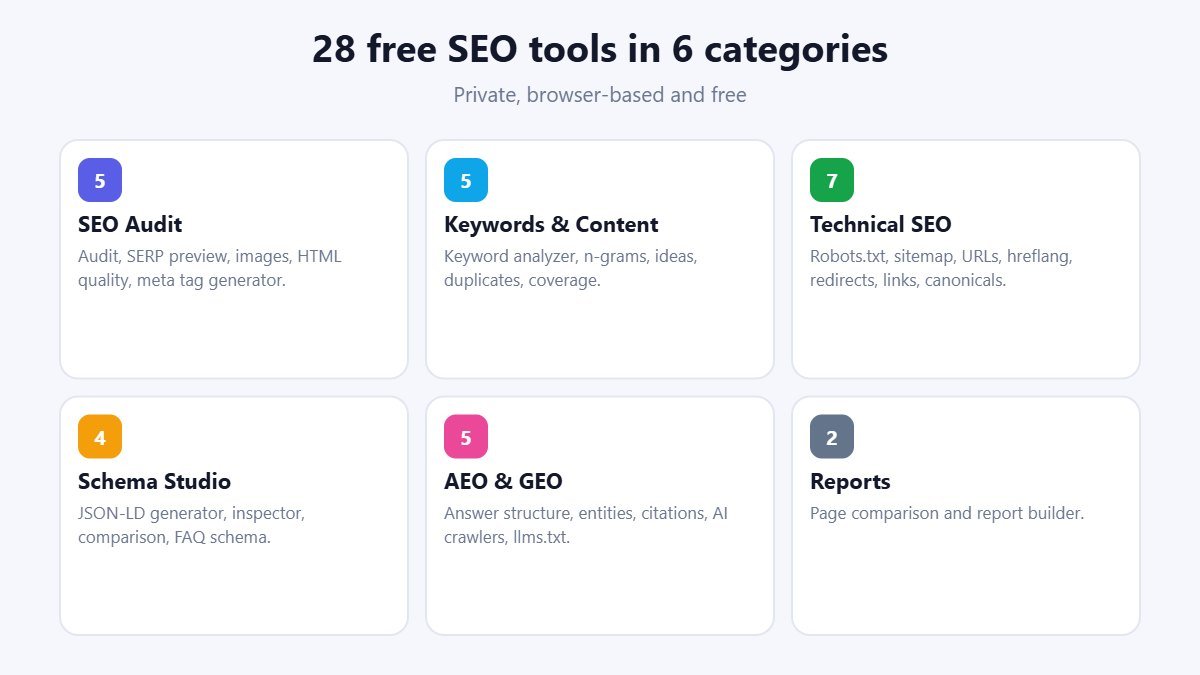
5
SEO Audit
Advanced HTML SEO Audit with heading outline, SERP & Social Preview with pixel-width check, Image SEO Inspector, HTML Quality & Accessibility, and the new Meta Tag Generator.
5
Keywords & Content
Keyword & Content Analyzer with readability score, Phrase & N-gram Explorer, Keyword Idea Generator, Duplicate Content Checker and Content Coverage Comparison.
7
Technical SEO
Robots.txt Lab with path tester, XML Sitemap Lab, URL Structure Inspector, Hreflang Validator, Redirect Map Analyzer, Internal Link Graph & Orphans and Canonical Consistency Checker.
4
Schema Studio
JSON-LD Schema Generator (Article, Organization, Product, Person, Breadcrumb, LocalBusiness), Schema Syntax & Graph Inspector, Schema Comparison and the new FAQ Schema Generator.
5
AEO & GEO
AEO Answer Structure Analyzer, Entity & Topic Coverage, Citation Readiness Checker, AI Crawler Policy Review for 15 AI bots, and the new llms.txt Generator.
2
Reports & Workspace
Page-to-Page SEO Comparison and a Report Builder that exports your findings as HTML or JSON.
How to run a free SEO audit
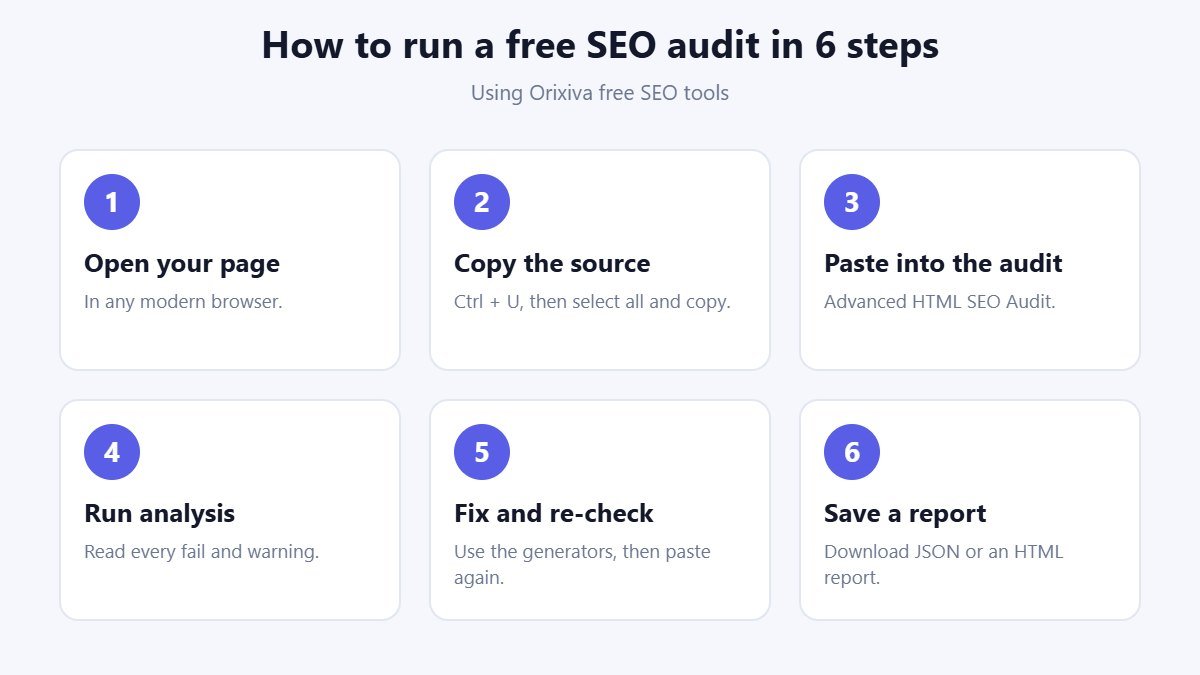
The audit is the best place to start with these free SEO tools, because it checks the most important on-page elements in one pass.
- Open your page in Chrome, Edge, Firefox or Safari.
- Copy the source. Press Ctrl + U (Cmd + Option + U on Mac), then select all and copy. You can also save the page as an .html file and import it.
- Paste it into Advanced HTML SEO Audit in the SEO Audit category.
- Press Run analysis. Review each fail and warning: title and description length, a single H1, canonical, robots, language, viewport, image alt text, Open Graph, duplicate IDs and JSON-LD syntax.
- Fix and re-check. Use the Meta Tag Generator, FAQ Schema Generator or Image SEO Inspector for the fixes, then paste the updated source again.
- Save a report. Download the result as JSON, or collect notes in the Report Builder and export an HTML report.
Five practical workflows
These are the jobs people use our free SEO tools for most often.
Write a better title and meta description
Open the Meta Tag Generator, type your title and description and watch the length and pixel checks. The tool shows a search preview and writes all the tags (title, description, canonical, Open Graph and Twitter) ready to paste.
Check a page for keyword use and readability
Paste your article into the Keyword & Content Analyzer with a focus keyword. It counts whole-word matches, density and whether the keyword appears in the first 100 words, and gives a Flesch reading-ease score with a plain-English level.
Test robots.txt before you publish
Build rules in the Robots.txt Lab and test any path. The tester follows the same precedence as Google: the longest matching rule wins, Allow wins a tie, * matches anything and $ marks the end of the URL.
Add FAQ rich results markup
Write your questions as "Q:" and answers as "A:" in the FAQ Schema Generator. It creates valid FAQPage JSON-LD and flags very short answers.
Clean up a site migration
Paste your redirect map as CSV into the Redirect Map Analyzer to find loops and chains, then import exported pages into the Canonical and Internal Link tools to spot missing canonicals and pages with no internal links.
A 10-minute on-page SEO checklist
Use this checklist with the free SEO tools every time you publish or update an important page.
- One clear topic. Decide the main search phrase and make sure the page answers it better than anything else on your site.
- Title and description. Write both in the Meta Tag Generator until the length and pixel checks pass.
- One H1 and a logical outline. Run the audit and read the heading outline; fix skipped levels and vague headings.
- Keyword in the opening. The Keyword & Content Analyzer confirms whether your phrase appears in the first 100 words.
- Readable copy. Aim for a reading-ease score of 60 or higher for general audiences; shorten long sentences and paragraphs.
- Helpful images. The Image SEO Inspector lists every image missing alt text, width or height.
- Structured data. Generate Article, Product or FAQ schema and check the syntax before you publish.
- Links in and out. Link to related pages on your site and to trustworthy sources that support your claims.
Working through the list with these free SEO tools takes about ten minutes per page and catches most on-page mistakes before search engines see them.
AEO and GEO: optimising for AI answers
Answer engine optimisation (AEO) and generative engine optimisation (GEO) are about making content easy for search features and AI assistants to understand, quote and cite. These free SEO tools include rule-based checks for that:
- AEO Answer Structure Analyzer counts question-style sentences, short answer passages, definitions and headings.
- Citation Readiness Checker looks for author and date signals and outbound reference links.
- Entity & Topic Coverage shows terms and names that a reference page covers and yours does not.
- AI Crawler Policy Review reads your robots.txt for GPTBot, OAI-SearchBot, ClaudeBot, Google-Extended, PerplexityBot and ten more. A crawler's own group correctly overrides the wildcard group.
- llms.txt Generator builds a simple Markdown file that lists your most useful pages for AI assistants.
These checks are heuristics. No tool can guarantee that a search engine or AI assistant will show or cite your page.
Private toolkit vs online crawlers
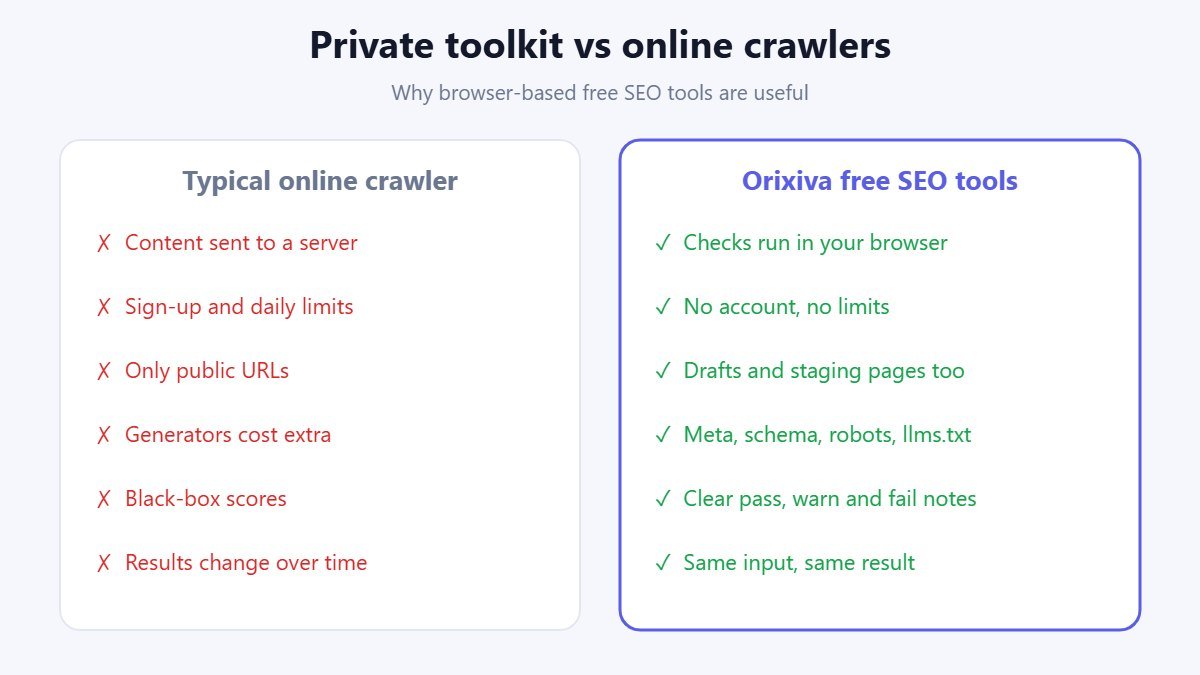
| Orixiva free SEO tools | Typical online crawler | |
|---|---|---|
| Where checks run | In your browser | On the provider's servers |
| Account and limits | None | Often sign-up and daily limits |
| Works on drafts and staging | Yes, paste any HTML | Only if the URL is reachable |
| Live status codes and speed | No | Yes |
| Search volume data | No | Often, in paid plans |
| Generators (meta, schema, robots, sitemap, llms.txt) | Included | Varies |
Use these free SEO tools for on-page checks, generators and private reviews, and pair them with Google Search Console for live indexing and performance data.
Benchmarks and limits
| Check | Guideline used by the tools |
|---|---|
| Title length | 30–60 characters, and under about 580 pixels on desktop |
| Meta description | 70–160 characters |
| H1 | Exactly one per page |
| Images | Every image should have an alt attribute, width and height |
| Sitemap | Up to 50,000 URLs per file (the tools generate up to 5,000 lines at once) |
| File size | HTML up to 8 MB per file; up to 100 HTML files per batch |
These free SEO tools use common best-practice ranges, not ranking rules. Google rewrites titles and snippets when it thinks another text fits a query better; see Google's title link guidance.
Common problems and fixes
"Paste or import HTML first"
The tool needs the page source, not the URL. Press Ctrl + U on your page, copy everything and paste it.
My SEO plugin's tags are missing
Some sites add tags with JavaScript. Use your browser's "Inspect" view or a saved complete page instead of the raw source.
The JSON-LD shows as invalid
Paste the content of the script tag only (from { to }) into the Schema Syntax Inspector to see the exact error.
The keyword count looks low
Counting is now whole-word only, so "seo" no longer matches "seoul". Try the exact phrase your readers use.
The robots path test surprises me
Remember that the longest rule wins and Allow wins a tie. Add $ to match the end of a URL exactly.
The sample shows an error
Each tool now loads its own sample, such as a robots.txt, CSV or JSON example. Click Load sample again after switching tools.
Who uses these free SEO tools?
- Bloggers and site owners checking titles, descriptions, headings and images before publishing.
- SEO consultants and agencies reviewing client pages privately and exporting quick reports.
- Developers testing robots.txt, sitemaps, canonicals and hreflang on staging sites.
- Content writers improving keyword use, readability and answer-style structure.
- Students and beginners learning on-page SEO with clear pass, warn and fail explanations.
Privacy and accuracy
All 28 free SEO tools run in your browser. Text and files you paste or import are processed in memory and never sent to Orixiva's servers, and no website is fetched. Results are heuristic: the audit score is an Orixiva checklist score, not a Google score, and the tools cannot see server headers, status codes, rendering, page speed or real search demand. Follow Google's SEO Starter Guide and validate rich results with Google's own tools before relying on them.
SEO terms explained
- Meta description
- A short summary in the page head that search engines may show under the title.
- Canonical URL
- The preferred address of a page when the same content is reachable at several URLs.
- robots.txt
- A text file that tells crawlers which paths they may or may not request. It is not a security tool.
- XML sitemap
- A list of the URLs you want search engines to discover.
- Hreflang
- Tags that point to language or regional versions of a page.
- JSON-LD
- A format for structured data that describes a page to search engines.
- AEO / GEO
- Optimising content to be used in answer boxes and AI-generated answers.
- llms.txt
- A proposed Markdown file listing a site's key pages for AI assistants.
How we test the toolkit
The Orixiva team tests every tool with its own sample data and with real pages exported from WordPress, Shopify and static sites. Recent testing fixed several issues: keyword matching inside other words, robots.txt path tests that ignored the $ rule and Allow-on-tie precedence, AI crawler checks that ignored a crawler's own group, and samples that loaded HTML into tools expecting robots.txt, CSV or JSON. We compare outputs with Google's published documentation. If you find a wrong result, please share a small example in the comments.
Related free tools on Orixiva
- Free developer tools: 38 JSON, API and code utilities.
- SVG converter for logos, icons and favicons.
- Free online video editor for YouTube, Shorts and Reels.
- All free tools on Orixiva.
Share your results
Which free SEO tools helped you most, and what did they find on your site? Share a tip or a before-and-after in the comments, or tell us which check you would like added next. Please do not post private client data. Comments are reviewed before they appear.
Frequently asked questions
Are Orixiva's free SEO tools really free?
Yes. All 28 tools are free, with no sign-up, no daily limit and no watermark on reports.
Do the tools crawl my website?
No. They only analyse the HTML, text or files you paste or import. Nothing is fetched from the internet.
Is my content uploaded anywhere?
No. Every check runs in your browser and your data stays on your device.
How do I get a page's HTML?
Open the page and press Ctrl + U (Cmd + Option + U on Mac) to view the source, then copy and paste it. You can also save the page as an .html file and import it.
Is the audit score my Google score?
No. It is a heuristic checklist score from Orixiva. Google does not publish a single page score.
What is a good title length?
Aim for 30–60 characters and under about 580 pixels so it is less likely to be cut off in search results.
What is a good meta description length?
About 70–160 characters. Write a clear summary that matches what the searcher wants.
Can I generate robots.txt and sitemap.xml?
Yes. The Robots.txt Lab and XML Sitemap Lab generate files you can download, and they can also check existing files.
Can I create schema markup?
Yes. Generate Article, Organization, Product, Person, Breadcrumb, LocalBusiness and FAQPage JSON-LD, then check it in the Schema Syntax Inspector.
What is llms.txt?
A proposed Markdown file at your site root that lists key pages for AI assistants. Support varies, and it does not guarantee citations.
Can I block AI crawlers?
You can ask them not to crawl with robots.txt rules. The AI Crawler Policy Review shows how your current file applies to 15 known AI bots.
Do you show search volume?
No. The Keyword Idea Generator creates variations and questions from your seed phrase without live search data.
Can I check many pages at once?
Yes. The canonical, hreflang and internal link tools accept up to 100 HTML files at a time.
Can I export a report?
Yes. Every result can be copied or downloaded as JSON, and the Report Builder exports an HTML report.
Do the tools work on mobile?
Yes. They work in modern mobile browsers, although pasting long HTML is easier on a computer.
Ready to check your page? Scroll up, choose one of the free SEO tools and press Load sample to see how it works in seconds.