Try our free AI tools – no sign-up needed!

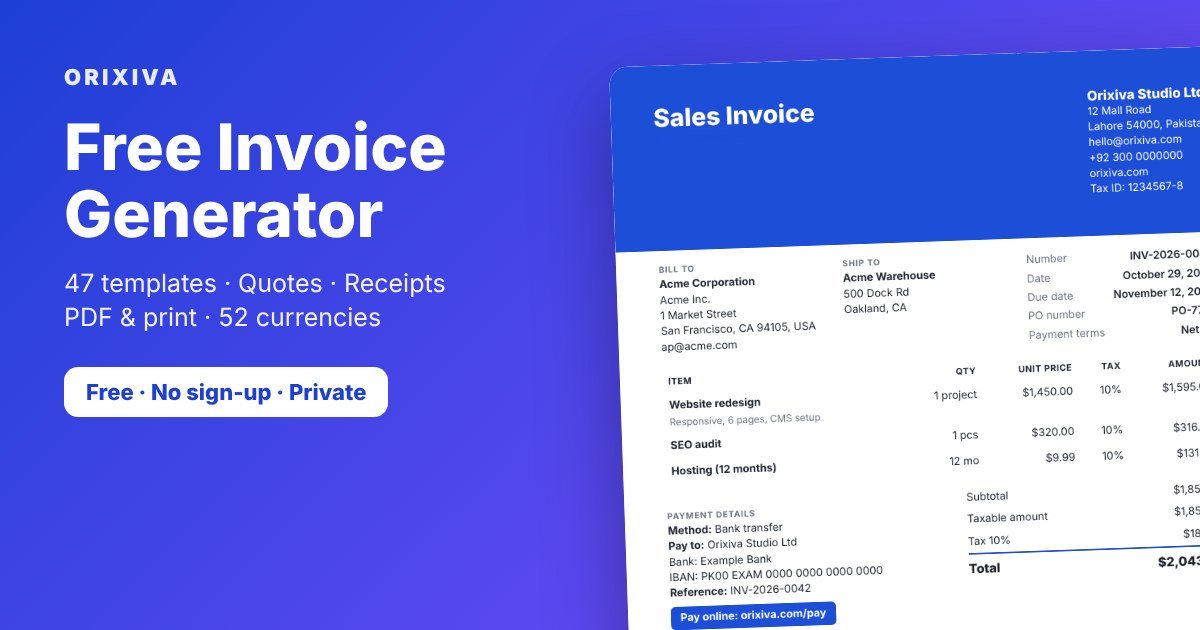
Quick answer: To make an invoice with this free invoice generator, enter your business and customer details in the tool above, add your items, and press Print / PDF. Choose “Save as PDF” in the print window to download it. The tool needs no account and keeps your data on your own device.
- 47invoice templates
- 66document types
- 52currencies
- 0sign-ups or uploads
What is the Orixiva free invoice generator?
Orixiva Invoice Studio is a free invoice generator that runs entirely in your web browser. It creates invoices and 65 other business documents, such as quotations, receipts, credit notes, purchase orders and delivery notes.
You fill in a form on the left and see the finished document on the right as you type. When it looks right, you print it or save it as a PDF. Everything is calculated and stored on your device, so there is nothing to install and no account to create.
This free invoice generator is built for freelancers, small businesses, online sellers, agencies and anyone who sends bills to customers, in any country and currency.
Why use a free invoice generator with no sign-up or login?
Most online invoice makers ask you to create an account before you can download anything. Some add a watermark or limit you to a few invoices a month. A free invoice generator without login works the other way round.
- Start at once. Open the page and type. No email address, password or verification step.
- Keep client data private. Customer names, prices and bank details stay in your browser. They are never sent to Orixiva.
- No limits or watermark. Create as many documents as you need. The PDF carries only your own branding.
- Works on any device. Use it on Windows, Mac, Linux, Android or iPhone in a modern browser.
- Your work is saved. Documents save automatically on this device, and you can export a backup file at any time.
Being browser-based also means this free invoice generator loads fast and keeps working while you edit, because every calculation happens on your device.
How to create an invoice online in 6 steps
Follow these steps to make your first invoice with the free invoice generator above.
- Choose the document type. Select Sales Invoice, or another type such as Quotation, Proforma Invoice, Tax Invoice or Payment Receipt, from the menu on the left.
- Add your business details. Enter your business name, address, tax ID and logo. Press “Use as my default business” so the next document fills in automatically.
- Add the customer. Type the billing address, or pick a saved customer. Add a separate shipping address if goods go somewhere else.
- Add items and prices. Enter each product or service with quantity and unit price. Open “More” on a line to add a description, SKU, discount, tax rate or product image.
- Pick a template and check the totals. Choose one of 47 templates, set your colours and page size, and review discounts, tax, shipping and the amount due.
- Download or print. Press Print / PDF and choose “Save as PDF”. You can also export a PNG image, or record a payment later and create a receipt.
Features of this online invoice maker
The free invoice generator includes the tools you would expect from paid invoicing apps, without an account.
47 templates, 12 layouts
Minimal, corporate, sidebar, boxed, store order, payment request, commercial, receipt and more. Switching template never changes your content.
66 document types
Invoices, VAT and GST invoices, proforma, quotes, estimates, purchase and sales orders, delivery notes, packing lists, receipts, credit and debit notes.
Accurate calculations
Line and document discounts, several tax rates, tax-inclusive or tax-exclusive prices, shipping, handling, deposits, credits and balance due.
52 currencies, 7 languages
Correct decimals for each currency, local number and date formats, and document labels in English, Spanish, French, German, Portuguese, Arabic and Urdu.
Payment details and QR code
Add bank transfer, PayPal, Wise, Payoneer, Stripe or local payment instructions, your own payment link, and an optional QR code.
Payments and receipts
Record payments you receive, see the remaining balance, and turn a recorded payment into a receipt with one click.
Customers and products
Save customers and a product or service catalog, then add them to any document in seconds. Import and export both as CSV.
Document manager and reports
Search, filter and sort saved documents by status, type or currency. Reports show invoiced, paid, outstanding and overdue amounts by month and customer.
Full design control
Fonts, colours, A4, Letter or Legal pages, portrait or landscape, margins, logo size, columns, header, footer, signature and page numbers.
Undo, autosave and backup
Every change saves automatically. Undo mistakes, duplicate documents and download a complete backup file to move to another device.
Free invoice templates for every kind of business
The free invoice generator’s template library holds 47 designs built on 12 different page layouts, so they look genuinely different rather than recoloured copies. Each one can be customised further.
| Template group | Templates | Good for |
|---|---|---|
| General business | 10 | Minimal Professional, Modern Corporate, Classic Accounting, Executive Premium, Compact, Detailed Itemized |
| E-commerce | 10 | Online store orders, fashion, electronics, beauty, home decor, grocery, wholesale, dropshipping, marketplaces |
| Digital products | 8 | Software licences, downloads, e-books, online courses, memberships, SaaS subscriptions |
| Freelance and agency | 8 | Designers, web developers, SEO and marketing agencies, content creators, video, consulting, retainers |
| International and payment request | 8 | Commercial invoices, foreign-currency invoices, cross-border freelancing, payment request layouts |
| Receipts and notes | 3 | Payment receipts, till-style receipts, delivery and packing notes |
Templates named after PayPal, Wise, Payoneer or Stripe are independent layouts. They use no logos and print a short notice that they are not official provider documents.
Invoice, quote, proforma or receipt: which document should you create?
The free invoice generator creates all of these documents. Choosing the right one avoids confusion with customers and accountants. Use this table as a guide.
| Document | When to use it |
|---|---|
| Quotation / estimate | Before the work starts, to offer a price. It is not a request for payment. |
| Proforma invoice | A preliminary invoice, often for advance payment or customs, before the final invoice. |
| Sales or service invoice | After you deliver goods or services, to request payment by a due date. |
| Tax, VAT or GST invoice | When you are registered for sales tax and must show tax amounts and tax IDs. |
| Deposit or milestone invoice | To bill part of a project in advance or at agreed stages. |
| Payment receipt | After you actually receive money, to confirm the payment. |
| Credit note | To reduce or cancel an invoice after a return, refund or correction. |
| Commercial invoice | For international shipments, with details customs officers need. |
| Delivery note / packing list | To list what is in a shipment, usually without prices. |
Use ⇄ Convert in the free invoice generator to turn a quote into an invoice, or an invoice into a credit note or delivery note. The new document gets its own number and the original stays unchanged.
What should an invoice include?
Requirements differ between countries, but a clear invoice usually contains the items below. The free invoice generator has a field for each of them.
- The word “Invoice” and a unique, sequential invoice number.
- Your business name, address and contact details.
- The customer’s name and billing address.
- The issue date and, usually, a payment due date or terms such as Net 30.
- A description of each product or service, with quantity, unit price and line total.
- Discounts, tax rates and tax amounts, if you charge tax.
- The total amount due and the currency.
- How to pay: bank details, payment link or other instructions.
- Your tax or registration number where the law requires it.
For official rules, see the UK government guide on what an invoice must include and the European Commission page on VAT invoicing rules. Check your own tax authority for local requirements.
How this free invoice generator calculates totals
The free invoice generator calculates every amount in whole cents (or the smallest unit of your currency) to avoid rounding errors. The preview, saved data, exports and PDF all use the same calculation.
- Line amount = quantity × unit price, minus any line discount.
- Document discount is taken off the subtotal and shared across lines, so tax is charged on the discounted price.
- Tax is added per line, or extracted from the price if your prices already include tax.
- Charges such as shipping and handling are added.
- Amount due = total − deposit − previous payments − credit applied.
- Balance = amount due − payments you record.
Worked example
Two items at 120.00 and 3.5 hours at 40.00 with a 10% line discount give a subtotal of 366.00. A 5% document discount (18.30) leaves 347.70. Tax at 10% adds 34.77 and shipping adds 15.00, so the total is 397.47. After a 100.00 deposit the amount due is 297.47. Record a 150.00 payment and the balance becomes 147.47.
The free invoice generator adds no tax unless you enter a rate. It helps you present numbers clearly; it does not give tax advice.
Who uses this invoice maker?
Freelancers and consultants
Use the free invoice generator to bill by the hour or by project, add milestones, and include bank or PayPal details. Fractional quantities such as 7.5 hours work as expected.
Small shops and online sellers
Create order invoices with product images, SKUs, shipping and discounts. Import orders from a CSV export instead of typing them again.
Agencies and studios
Send quotes, convert accepted quotes into invoices, and track which clients still owe money in the reports.
Exporters and international sellers
Use commercial invoice templates with custom fields for Incoterms, country of origin and HS codes, in the currency your buyer uses.
Contractors and service businesses
Issue deposit invoices before a job, progress invoices during it and a final invoice at the end, then receipts for each payment.
Startups and side businesses
A free invoice generator lets you look professional from the first invoice without paying for software or creating yet another account.
Turn WooCommerce or Shopify orders into invoices
Export your orders as a CSV file from your store or marketplace, open the free invoice generator, then go to My Documents → Import orders. Match the columns once, for example order ID, customer, item, quantity and price.
Rows with the same order ID become one invoice with several lines. Orders that were already imported are skipped, so you can import a fresh export each week without creating duplicates.
This is a manual file import. The tool does not connect to your store account or sync automatically.
Free invoice generator vs invoicing software
| Orixiva Invoice Studio | Typical invoicing software | |
|---|---|---|
| Price | Free | Free tier or monthly fee |
| Account | None needed | Sign-up and login required |
| Where data is stored | Your browser, on your device | The provider’s cloud servers |
| Templates | 47, fully editable | Varies |
| Email sending and reminders | No — you send the PDF yourself | Usually yes |
| Online card payments | Add your own payment link | Often built in |
| Sync across devices | Manual backup file | Automatic |
If you send a handful of invoices a month and value privacy, a browser-based free invoice generator is often enough. If you need automatic reminders, team access or bank feeds, accounting software may suit you better.
Privacy: a browser-based tool that keeps your data local
This free invoice generator processes everything on your own device. Documents, customers and products are stored in your browser’s storage, not on Orixiva’s servers. Read more about how our client-side tool processing works.
- Clearing your browser data, using a private window or switching devices removes saved documents. Download a backup regularly.
- Anyone who uses the same browser profile can open your saved documents.
- Never type card numbers, security codes or passwords into any field.
Tips for invoices that get paid faster
- Send it promptly. Invoice as soon as the work is delivered while it is fresh in the client’s mind.
- Make the due date obvious. Use clear terms such as “Net 15” and show the exact date.
- Give several ways to pay. Bank transfer plus a payment link removes friction for international clients.
- Keep numbers sequential. The tool suggests the next number and warns you about duplicates.
- Describe the work. One clear line per deliverable avoids questions that delay payment.
- Follow up politely. Filter for overdue invoices in My Documents and send a reminder with the PDF attached.
Common problems and fixes
The PDF has the wrong margins or is cut off
In the print window set the scale to 100% and margins to Default. The page size follows the A4, Letter or Legal setting in Design & layout.
Colours are missing in the PDF
Turn on “Background graphics” in the print window’s extra settings.
Page numbers do not appear
Page numbers print in Chrome and Edge. Some other browsers leave them out.
My saved invoices disappeared
Your browser storage was probably cleared. Restore your latest backup file from My Documents or Settings.
Totals show the wrong number of decimals
Each currency uses its own decimals, for example 0 for Japanese yen and 3 for Kuwaiti dinar. Choose the correct currency in Document details.
Related free tools on Orixiva
- Free barcode generator for product labels and QR codes.
- Free checklist maker with business launch and invoice processing checklists.
- Business calculators for margins, markup and break-even.
- Financial calculators for loans, interest and savings.
- Background remover to clean up your logo before adding it.
- Free file converter for PDF and document tasks.
- All free tools on Orixiva.
Share your invoicing tip
What payment terms work best for your clients? Which template do you use in the free invoice generator? Share a tip in the comments, or tell us which document type or language we should add next. Please do not post customer names or bank details.
Frequently asked questions
Is this invoice generator really free?
Yes. This is a free invoice generator: every template, document type, PDF download and feature is free to use, with no trial period, invoice limit or watermark.
Do I need to sign up or log in?
No. The free invoice generator has no account, email or password. Open the page and start typing; your documents save automatically in your browser.
How do I download my invoice as a PDF?
Press Print / PDF, then choose “Save as PDF” as the printer in the print window. The PDF has sharp, selectable text and correct page sizes.
Is my data uploaded to a server?
No. The free invoice generator does all calculations and storage in your browser on your own device. Nothing you type is sent to Orixiva.
Can I add my logo and signature?
Yes. In the free invoice generator, upload a PNG, JPG, WebP, GIF or SVG logo and a signature image. Both are resized on your device and stored with the document.
Which currencies are supported?
52 currencies, including USD, EUR, GBP, PKR, INR, AED, SAR, CAD, AUD, JPY and CNY, each with its correct decimals and symbol.
Can I make a GST or VAT invoice?
Yes. Choose GST Invoice or VAT Invoice, enter your tax IDs and rates, and the tax is shown per rate. Check local rules for any extra fields.
Can I create a quote and turn it into an invoice?
Yes. Create a quotation, then use Convert to make an invoice. Customer, items and prices are copied, and the invoice gets a new number.
How do I make a receipt for a payment?
Record the payment on the invoice, then press Receipt next to it. A receipt is created for that amount; the invoice status only changes if you choose.
Can I make a proforma or commercial invoice?
Yes. Both are in the document type list. Commercial templates include fields for consignee, shipment details and custom entries such as HS codes.
Does the free invoice generator work on a phone?
Yes. It adapts to small screens with separate Editor and Preview tabs and a full-screen preview before you print.
Can I edit an invoice after saving it?
Yes. Open it from My Documents in the free invoice generator, change anything and it saves automatically. Undo and duplicate are available too.
How are invoice numbers created?
The tool suggests the next number, such as INV-2026-0001, per document type and year. You can type your own and it warns you about duplicates.
Can I import orders or customers from a spreadsheet?
Yes. Import orders, customers or products from CSV files exported from Excel, Google Sheets, WooCommerce or Shopify.
Can I use it in other languages?
Document labels can be English, Spanish, French, German, Portuguese, Arabic or Urdu, with right-to-left layout for Arabic and Urdu.
How do I move my invoices to another computer?
Download a full backup from My Documents or Settings, then use Restore on the other device. Backups include documents, customers, products and templates.
Can I send the invoice by email from the tool?
Not directly. Save the PDF, then attach it to an email or message from your own account.
Are the PayPal or Stripe style templates official?
No. They are independent layouts with no logos, and each prints a notice that it is not an official provider document or proof of payment.
Is a free invoice generator the same as accounting software?
No. This one creates and tracks documents and payments you record. It does not connect to banks or file tax returns, so keep records your accountant needs.
Ready to bill your client? Scroll up to the free invoice generator, choose a template and download your first PDF invoice in a few minutes — no sign-up needed.