Try our free AI tools – no sign-up needed!


Free Online File Converter & Document Tools | ORIXIVA Master File Suite
Discover ORIXIVA Master File Suite, a free browser-based file workspace for PDF, Word, Excel, PowerPoint, OCR, SVG, images, text, ZIP and media tools, designed for local processing of supported workflows.
The Complete Guide to Free Online File Tools: PDF, Word, Excel, OCR, SVG, ZIP & More
Convert, inspect, compare, organize and prepare documents, PDFs, spreadsheets, presentations, images, SVGs, text, ZIP files and supported media with a free browser-based toolkit.
What This Tool Does
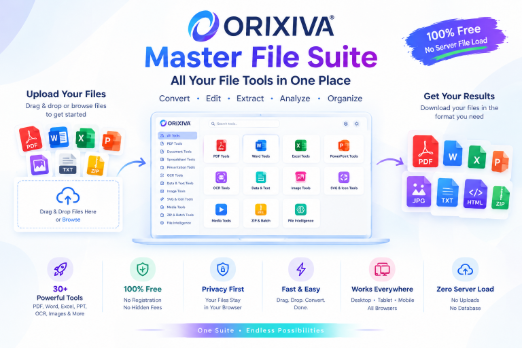
ORIXIVA Master File Suite is a free, browser-based file workspace that brings a broad set of everyday document, office, data, PDF, OCR, image, SVG, archive, analysis and media workflows into one place. Instead of opening a different website for every small job, a visitor can select a workflow, add a supported file, adjust the available controls, process it in the browser and download the result.
The suite is built around a Free + Zero Server File Load concept for supported local workflows. The current architecture is designed to keep user file processing in the browser rather than creating a permanent WordPress file archive. That is especially useful for people handling drafts, research papers, business documents, tables, scanned pages and other files they would rather not place into a persistent third-party upload library.
The Master File Suite is broader than a simple file converter. It combines conversion with inspection, comparison, cleanup, organization, batch packaging and practical office workflows. A visitor may use the same workspace to inspect a file hash, extract text from a PDF, convert a CSV to XLSX, compare two text versions, package outputs into ZIP, or capture a poster frame from a video.
direct answer block ORIXIVA Master File Suite is a free online file toolkit that lets users convert, inspect, compare, extract, organize and package supported files in one browser-based workspace, with local processing as the core architecture for supported workflows.
|
New Arrivals
ORIXIVA TOOLKIT
Free AI Tools
Explore our latest free tools — built to make everyday tasks faster and easier.
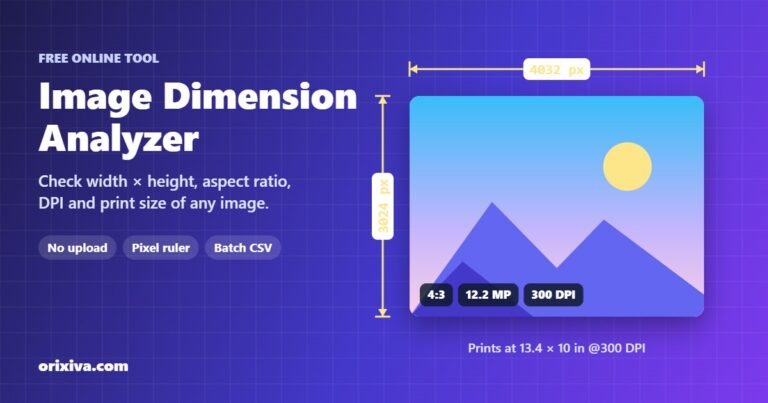
Free
Image Tools
Image Dimension Analyzer
Image Dimension Analyzer: Check Image Dimensions Online Free This free image dimension analyzer shows the exact width and height of…

Free
Image Tools
Remove EXIF Data
Remove EXIF Data Free: See and Delete Hidden Photo Metadata Remove EXIF data from your photos in seconds. This free…
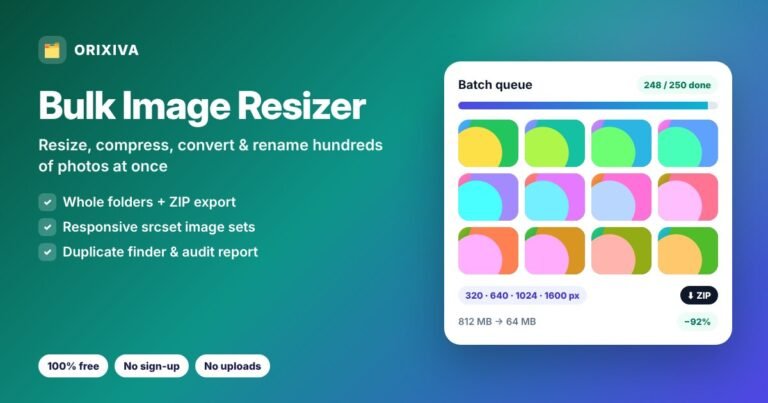
Free
Image Tools
Bulk Image Resizer
Bulk Image Resizer: Resize, Compress & Rename Hundreds of Photos This free bulk image resizer processes whole folders of photos…
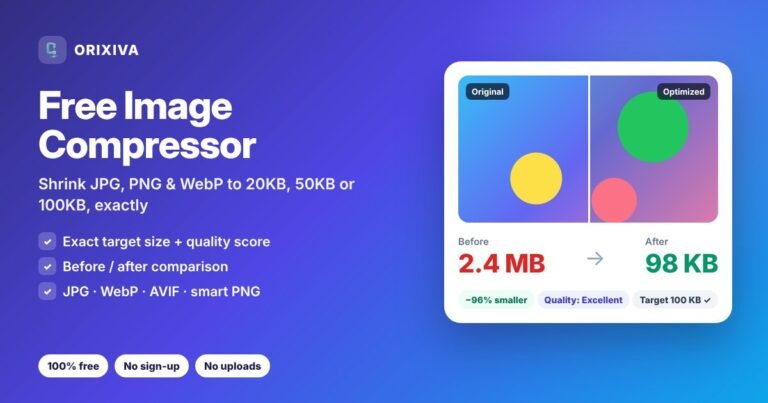
Free
Image Tools
Free Image Compressor
Free Image Compressor: Reduce Photos to 20KB, 50KB or 100KB This free image compressor shrinks JPG, PNG, WebP and AVIF…
Why This Free File Workspace Matters:
The modern file workflow is fragmented. One site handles PDFs, another handles Word files, another handles spreadsheets, another handles OCR, and yet another handles ZIP archives. The result is tab overload, repeated uploads, unclear privacy policies and a slow process for simple tasks. ORIXIVA’s Master File Suite is designed around the opposite idea: one organized workspace with clear categories and task-based tools.
The strongest positioning is not simply “another free converter.” It is a free all-in-one browser file workspace that combines common formats with task-oriented utilities. The unique search language around this concept includes free no-upload file tools, browser-based file converter, private file processing, local document conversion, free PDF Word Excel OCR tools, online document workspace, file analysis tool, spreadsheet analyzer, document diff tool and browser ZIP extractor.
For search and answer engines, clarity matters. Each tool should have a precise name, a plain-language description, a visible input/output expectation and a useful FAQ. That creates a page that can satisfy both a user searching “How do I convert PDF to Word?” and a user searching a broader query such as “What is the best free browser-based file converter?” without stuffing the page with repetitive phrases.
Primary Keyword Clusters
Is AI working in tool?
AI tool” is a powerful search phrase, but the current This tool should use it accurately. The core suite is a deterministic browser-based file toolkit, not a generative AI assistant. The most defensible keyword framing is “free AI-ready document workflow,” “free AI tool for document preparation,” “AI-ready file workspace,” or “use a free browser file toolkit before AI analysis.” This allows the page to capture relevant AI-adjacent intent without falsely claiming that PDF conversion, OCR or ZIP extraction is powered by generative AI.
When a genuine AI layer is later connected, a separate clearly labeled section can cover AI document summary, document Q&A, translation, semantic extraction or AI-assisted classification. Until then, the article should distinguish local file processing from AI generation.
How the Master File Suite Works
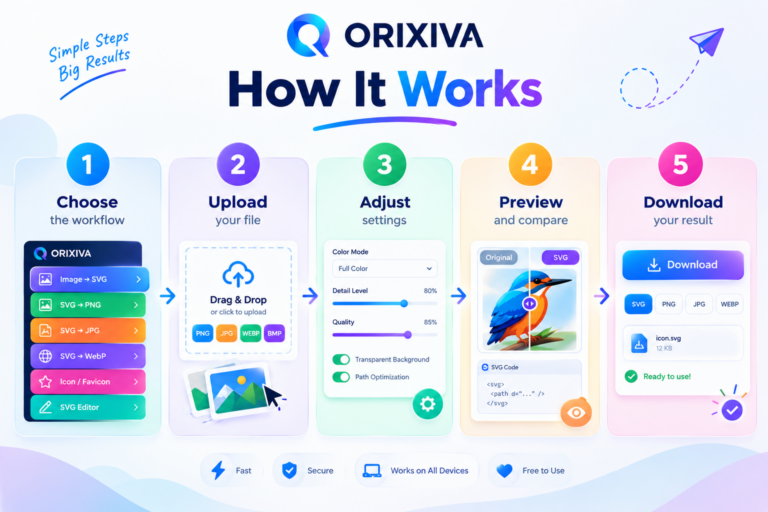
1. Choose a workflow
Search or browse the category that matches the job: PDF, Documents, Spreadsheets, OCR & Extract, Text & Data, Images, SVG & Icons, Archive, Analysis, Media or Quick Actions.
2. Add the file
Use drag and drop or the file picker. The selected workflow controls which input formats are appropriate.
3. Review the controls
Change quality, dimensions, page ranges, cleanup options, output type or other controls that belong to the selected workflow.
4. Process locally when supported
The free architecture prioritizes browser-first processing for supported operations. Heavy engines are loaded only when the selected workflow needs them.
5. Preview and download
The result area provides outputs for download, while batch-oriented workflows can package files into a ZIP.
Quick Actions: Inspect Before You Convert
Universal File Analyzer, File Hash Generator and Text / Document Diff give the suite a useful “before and after” layer. File analysis can answer basic technical questions before conversion, such as what type of file you have, how large it is and what other file properties are available. Hash generation helps verify whether two copies are identical at the byte level when the same hashing method is used. Text / Document Diff can expose changes between two text-readable versions, which is useful for research drafts, contract revisions, notes and structured data.
Images: Convert, Resize, Compress and Build PDFs
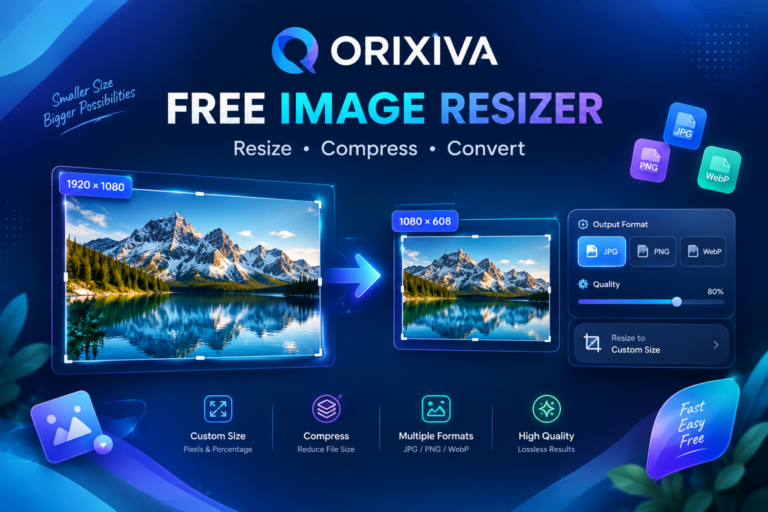
Image workflows focus on practical file preparation. Image Converter supports PNG, JPG and WEBP conversion with quality and background controls. Image Resizer & Compressor can reduce dimensions and compress outputs with maximum-dimension protection. Images → PDF combines several images into one PDF, making it useful for scanned notes, worksheets, receipts and page collections.
SVG & Icon Studio: A Vector-Focused Workspace
SVG & Icon Studio handles SVG-specific tasks such as optimization, sanitization, recoloring, resizing, conversion and inspection. This makes it a useful companion to image tools because SVG files have different structural needs from raster images. The article should use phrases such as SVG optimizer, SVG cleaner, SVG minifier, SVG recolor, SVG resize, SVG inspector and SVG icon tools naturally where they accurately describe the workflow.
PDF Studio: Organize the Document, Not Just the File
The PDF portion of the suite is designed around page-level operations and conversion. PDF Studio — Pages & Structure covers merge, split, extraction, deletion, reordering, rotation, crop, resize, watermarking and compacting. PDF Open & Viewer provides local page rendering and preview. PDF Text Search helps locate readable text and matching pages. PDF Metadata Manager focuses on document metadata such as title, author, subject, keywords, creator and language. Text / Markdown / HTML → PDF provides a path from readable source text into a clean reflowed PDF.
The PDF Converter expands the workflow into Word, Excel, TXT, images, HTML, Markdown and JSON where the source content is suitable for extraction. These outputs should be marketed honestly: format conversion and reconstruction are not always equivalent to preserving every pixel of a complex original PDF.
Word and Document Workflows
DOCX Converter & Inspector provides practical extraction paths from Word documents into TXT, HTML and PDF, plus reconstructed find/replace output. Text / Markdown → DOCX turns structured notes or Markdown into an editable Word document. Document Find & Replace provides a focused way to search supported text-readable documents and create cleaned output. This creates a strong cluster around free DOCX converter, TXT to DOCX, Markdown to DOCX, DOCX to PDF and document find and replace.
PowerPoint and Presentation Workflows
PPTX → Text / PDF extracts slide text and can create a readable text-oriented PDF snapshot. These workflows are useful when a visitor needs to recover content from a presentation, turn slide text into a document or make presentation content easier to inspect. Presentation-focused content should be clear that browser-generated or reconstructed output does not replace every feature of desktop PowerPoint.
Excel and Spreadsheet Workflows
Spreadsheet & Data Converter supports XLSX, XLS, CSV, TSV, JSON and XML conversions with cleanup controls. Spreadsheet Editor adds a practical browser editing layer for cells, rows, columns, sorting, filtering and exports. Spreadsheet Analyzer focuses on structural data analysis, including row and column counts, numeric statistics, missing values and duplicate patterns. Table → PDF provides a clean way to turn tabular data into a paginated document.
OCR: Turn Scans Into Searchable Information
OCR — Images / Scanned PDF is designed for image-based text extraction using browser workers. OCR → Table / Excel uses extracted text to build table-like CSV/XLSX output on a best-effort basis. Useful search terms here include free OCR online, image to text, scanned PDF to text, OCR to Word, OCR to Excel and OCR table extraction. Accuracy varies with scan quality, language, layout, font and image condition, so the copy should set realistic expectations.
Text, Data and Smart Inspection
Text Formatter & Inspector covers word counts, case transformations, line cleanup, JSON formatting and text statistics. JSON / CSV / XML Converter moves data between common machine-readable formats and HTML tables. Smart Document Inspector extracts signals such as emails, URLs, headings, numbers and key terms using deterministic local analysis. This is a useful category for students, analysts and developers who need to prepare content before another application or AI tool is used.
ZIP and Media Tools
ZIP Builder packages queued files while keeping browser memory bounded, and ZIP Extractor inspects and extracts selected ZIP contents locally. Video → Poster Image captures a selected video frame without loading a complete transcoder. Advanced Media Converter can load an FFmpeg-WASM engine only when needed for supported media conversions. These resource-intensive workflows benefit from clear progress states and realistic expectations about device performance.
Who Can Use ORIXIVA Master File Suite?
- Students converting assignments, notes, scanned coursework, tables and presentations.
- Researchers working with PDFs, research papers, structured data, extracted text and document revisions.
- Teachers preparing worksheets, handouts, PDFs and presentation material.
- Office users moving between Word, Excel, PowerPoint and PDF formats.
- Developers converting JSON, CSV, XML, HTML and text formats.
- Freelancers and small businesses preparing reports, proposals, client files and ZIP packages.
- Privacy-conscious users who prefer browser-first processing for supported workflows.
Why Browser-First Processing Can Be Useful
A traditional online converter often follows a simple pattern: upload, wait for server processing, then download. A browser-first design can remove the file-upload step for supported operations. That means the visitor’s own device performs the work, while the website mainly delivers the interface and the required processing libraries. It also means the device’s CPU, RAM and browser capabilities become important parts of performance.
This creates a useful and honest promise for a free tool: supported workflows are designed around local processing and the site does not need to build a permanent archive of every visitor’s files. The page should still identify any workflow that requires an external service, and it should never turn “browser-first” into an absolute claim that nothing technical ever connects to a network.
Performance: Free Does Not Mean Every Job Is Instant
Image conversion can be lightweight, while OCR, large spreadsheets, PDF rendering and media encoding can be much more demanding. Heavy libraries should therefore be lazy-loaded only when needed, and large jobs should use sensible file and batch limits. This is both a usability feature and a browser-stability measure.
The best SXO copy is direct: choose a task, see what it accepts, process the file, watch progress, then download the result. Visible limits, readable error messages and clear descriptions reduce confusion and improve task completion.
A Better Alternative to a Dozen Single-Purpose Converter Tabs
The real advantage of a multi-tool workspace is workflow continuity. A user can move from inspection to conversion, from conversion to comparison, or from extraction to packaging without rebuilding the entire task in a new tab. For example, a research workflow might begin with PDF Text Search, continue through PDF Converter, use Document Diff to compare extracted text, and finish by packaging the final documents in ZIP Builder.
A business workflow might begin with Spreadsheet Analyzer, continue with Spreadsheet Editor, export a table to PDF and package the supporting files in ZIP Builder. A scanned-document workflow might use OCR, create a DOCX, then generate a PDF for sharing. These sequences are exactly the kind of practical examples that help both readers and answer engines understand what the product does.
30 Workflows, One Browser Workspace
Workflow | Category | Primary Search Intent |
Universal File Analyzer | Quick Actions | Type, size, signature hints, dimensions, page count and SHA-256 metadata. |
File Hash Generator | Quick Actions | SHA-256 / SHA-1 / SHA-384 / SHA-512 checksums in the browser. |
Text / Document Diff | Quick Actions | Compare two text-readable files and export a line-level difference report. |
Image Converter | Images | PNG, JPG and WEBP conversion with quality and background controls. |
Image Resizer & Compressor | Images | Resize, compress and export with max-dimension protection. |
Images → PDF | Images | Combine multiple images into a clean PDF document. |
SVG & Icon Studio | SVG & Icons | Optimize, sanitize, recolor, resize, convert and inspect SVG files. |
PDF Studio — Pages & Structure | Merge, split, extract, delete, reorder, rotate, crop, resize, watermark and compact PDFs. | |
PDF Open & Viewer | Render PDF pages locally with lightweight page preview. | |
PDF Converter | PDF → Word, Excel, TXT, Images, HTML, Markdown and JSON. | |
PDF Text Search | Search extracted PDF text and report matching pages. | |
PDF Metadata Manager | Inspect and update title, author, subject, keywords, creator and language. | |
Text / Markdown / HTML → PDF | Create a clean reflowed PDF from readable text content. | |
DOCX Converter & Inspector | Documents | DOCX → TXT, HTML, PDF and reconstructed find/replace output. |
Text / Markdown → DOCX | Documents | Turn plain or markdown text into an editable Word document. |
Document Find & Replace | Documents | Search text-readable documents and export a cleaned reconstruction. |
PPTX → Text / PDF | Presentations | Extract slide text and optionally create a readable text PDF snapshot. |
Spreadsheet & Data Converter | Spreadsheets | XLSX/XLS/CSV/JSON/XML conversions with cleanup controls. |
Spreadsheet Editor | Spreadsheets | Preview and edit cells, add/delete rows and columns, sort, filter and export. |
Spreadsheet Analyzer | Spreadsheets | Rows, columns, numeric statistics, missing values and duplicate analysis. |
Table → PDF | Spreadsheets | Render tabular data as a readable paginated PDF. |
OCR — Images / Scanned PDF | OCR & Extract | Extract text from images and rendered PDF pages using browser workers. |
OCR → Table / Excel | OCR & Extract | Extract text from an image and best-effort align rows into CSV/XLSX. |
Text Formatter & Inspector | Text & Data | Word count, case tools, line cleanup, JSON formatting and text statistics. |
JSON / CSV / XML Converter | Text & Data | Move data between JSON, CSV, TSV, XML and HTML table formats. |
Smart Document Inspector | Analysis | Deterministic local extraction of emails, URLs, headings, numbers and key terms. |
ZIP Builder | Archive | Package queued files into one ZIP with bounded browser memory. |
ZIP Extractor | Archive | Inspect ZIP contents and extract selected files locally. |
Video → Poster Image | Media | Grab a video frame without loading a full transcoder. |
Advanced Media Converter | Media | Optional FFmpeg-WASM conversion, loaded only when selected. |
Search intent coverage across the suite includes free online file converter, free PDF tools, browser-based file converter, PDF to Word, PDF to Excel, DOCX converter, XLSX converter, CSV to XLSX, free OCR online, OCR to Excel, spreadsheet editor, spreadsheet analyzer, JSON/CSV/XML converter, SVG optimizer, free ZIP extractor, file analyzer, text diff and video frame extraction.
Students: from scanned notes to editable study files
Use OCR on scanned pages, convert extracted content into a DOCX workflow, export to PDF when needed, and package multiple course files with ZIP Builder.
Researchers: organize evidence and revisions
Search PDF text, extract text, compare versions, inspect document metadata, clean spreadsheet data and package final files.
Small businesses: move quickly between office formats
Convert spreadsheets, create documents, turn tables into PDFs, inspect file properties and bundle deliverables in ZIP.
Developers: clean and exchange structured data
Format JSON, move between JSON/CSV/XML/TSV, inspect text files, compare versions and verify file hashes.
Teachers: prepare digital handouts
Combine images into PDFs, extract text from scans, create DOCX files from structured notes and produce clean PDF outputs.
Freelancers: client-file preparation
Convert, resize, compare, inspect and package files without maintaining a separate desktop utility for every format.
What is a free online file converter?
A free online file converter is a browser-accessible tool that changes a supported file from one format to another. ORIXIVA expands this idea into a broader file workspace that also supports inspection, editing, comparison, extraction and packaging.
Can I convert files without uploading them?
For supported browser-first workflows, ORIXIVA is designed to process files locally in the visitor’s browser rather than create a permanent server-side file archive. The live page should clearly identify any workflow that uses an external service.
What can I do with ORIXIVA Master File Suite?
You can work with PDFs, Word documents, spreadsheets, presentations, OCR text, images, SVGs, structured data, ZIP archives and supported media, with tools for conversion, inspection, comparison, cleanup, analysis and packaging.
Is ORIXIVA an AI tool?
The core Master File Suite is a deterministic browser-based toolkit, not a generative AI assistant. It can serve as an AI-ready document preparation layer, and genuine AI features can be added separately when connected to a real AI service.
What is the main benefit of a browser-based file workspace?
It puts many file jobs in one interface and can process supported operations locally, reducing the need for repeated uploads and separate websites.
FAQ: Quick Actions
What does Universal File Analyzer do?
It reports useful file information such as type, size, signature hints and supported dimensions/page information, helping users understand a file before processing it.
What is a file hash generator used for?
A file hash generator creates a checksum such as SHA-256 that can be used to verify whether a file’s content matches another copy.
Can I compare two document versions?
Yes. Text / Document Diff is intended for two text-readable inputs and produces a line-level difference report.
FAQ: Images and SVG
Can I convert PNG to JPG or WEBP?
Yes. Image Converter supports common PNG, JPG and WEBP conversion with quality and background controls.
Can I resize and compress images?
Yes. Image Resizer & Compressor can reduce dimensions and export a compressed image.
Can I combine images into a PDF?
Yes. Images → PDF combines multiple images into a PDF.
What can SVG & Icon Studio do?
It can optimize, sanitize, recolor, resize, convert and inspect SVG files.
Can SVG tools make a raster image into a perfect original vector?
No. Raster-to-vector tracing can produce vector paths, but it should not be described as recovering the original source vector artwork.
FAQ: PDF
Can I merge and split PDFs?
Yes. PDF Studio — Pages & Structure is designed for merging, splitting, extracting and reorganizing pages.
Can I delete and reorder PDF pages?
Yes, those page-structure operations are part of the PDF Studio workflow.
Can I rotate, crop and resize a PDF?
Yes, the PDF Studio workflow includes page rotation, cropping and resizing.
Can I add a watermark or page numbers?
Yes, supported PDF controls include watermark and page-number workflows.
Can I search text in a PDF?
Yes. PDF Text Search searches extracted readable text and reports matching pages.
Can I convert PDF to Word or Excel?
The PDF Converter provides Word and Excel conversion paths where the source PDF content is suitable for extraction.
Can I convert a PDF to TXT, HTML, Markdown or JSON?
Yes, the PDF Converter provides text-oriented export paths for supported readable content.
Can I edit PDF metadata?
PDF Metadata Manager is designed to inspect and update common metadata fields.
Will PDF to Word preserve a complex document perfectly?
No. Editable conversion can involve reconstruction, so complex layouts may need manual cleanup.
FAQ: Word and Documents
Can I create DOCX from text or Markdown?
Yes. Text / Markdown → DOCX turns readable source content into an editable Word document.
Can I convert DOCX to TXT, HTML and PDF?
Yes. DOCX Converter & Inspector provides those output paths for supported documents.
Can I find and replace text in documents?
Yes. Document Find & Replace searches supported text-readable content and exports a cleaned reconstruction.
Can I make a resume, report or research paper?
The document workflow is suitable for basic resume, report, research paper, letter and proposal structures.
FAQ: Excel and Data
Can I convert CSV to XLSX?
Yes. Spreadsheet & Data Converter supports CSV/XLSX workflows.
Can I convert XLSX to CSV or JSON?
Yes, common spreadsheet-to-data conversions are supported.
Can I edit spreadsheet cells online?
Yes. Spreadsheet Editor provides cell editing plus row and column operations for supported files.
Can I sort and filter spreadsheet data?
Yes. Sorting and filtering are part of the Spreadsheet Editor workflow.
What does Spreadsheet Analyzer do?
It analyzes rows, columns, numeric statistics, missing values and duplicate patterns.
Can I turn a table into PDF?
Yes. Table → PDF renders tabular data into a readable paginated PDF.
FAQ: OCR, Text, Archive and Media
Can I OCR a scanned PDF?
Yes, OCR — Images / Scanned PDF is designed to process rendered scanned pages for text extraction.
Can OCR create Excel data?
OCR → Table / Excel can create CSV/XLSX from aligned text on a best-effort basis.
Can I format JSON online?
Yes. Text Formatter & Inspector includes JSON formatting support.
Can I convert JSON, CSV and XML?
Yes. JSON / CSV / XML Converter provides structured-data format workflows.
Does Smart Document Inspector use generative AI?
No. It is a deterministic local extraction utility for signals such as emails, URLs, headings, numbers and key terms.
Can I build a ZIP from multiple files?
Yes. ZIP Builder packages queued files into one ZIP.
Can I extract files from a ZIP?
Yes. ZIP Extractor can inspect and extract selected archive contents locally.
Can I extract a video poster frame?
Yes. Video → Poster Image captures a selected frame without loading the full transcoding engine.
Why can video conversion be slower?
Video and audio conversion can be CPU- and memory-intensive, especially when FFmpeg-WASM is used in the browser.
FAQ: Free, Privacy and Performance
Is ORIXIVA Master File Suite free?
Yes. The current suite is positioned as a free browser-based file workspace.
Does the free version store my files on the server?
The current free architecture is designed around browser-first processing and does not require a permanent server-side archive of user files.
Do I need an account?
The core free workflow is designed to let visitors choose a tool and process supported files without a project-account system.
Does browser processing mean everything is fast?
No. Browser processing removes much of the upload dependency for local workflows, but OCR, large PDFs, spreadsheets and media can still require significant device resources.
Does the tool work on mobile?
The interface is responsive, but complex processing jobs depend on the phone’s available memory, CPU and browser capabilities.
Is it a free AI tool?
The core product is not generative AI. It is a free browser-based file toolkit that can prepare information for later AI workflows.