Try our free AI tools – no sign-up needed!


How to Make YouTube Shorts, Instagram Reels and TikToks for Free (No Watermark, No App)
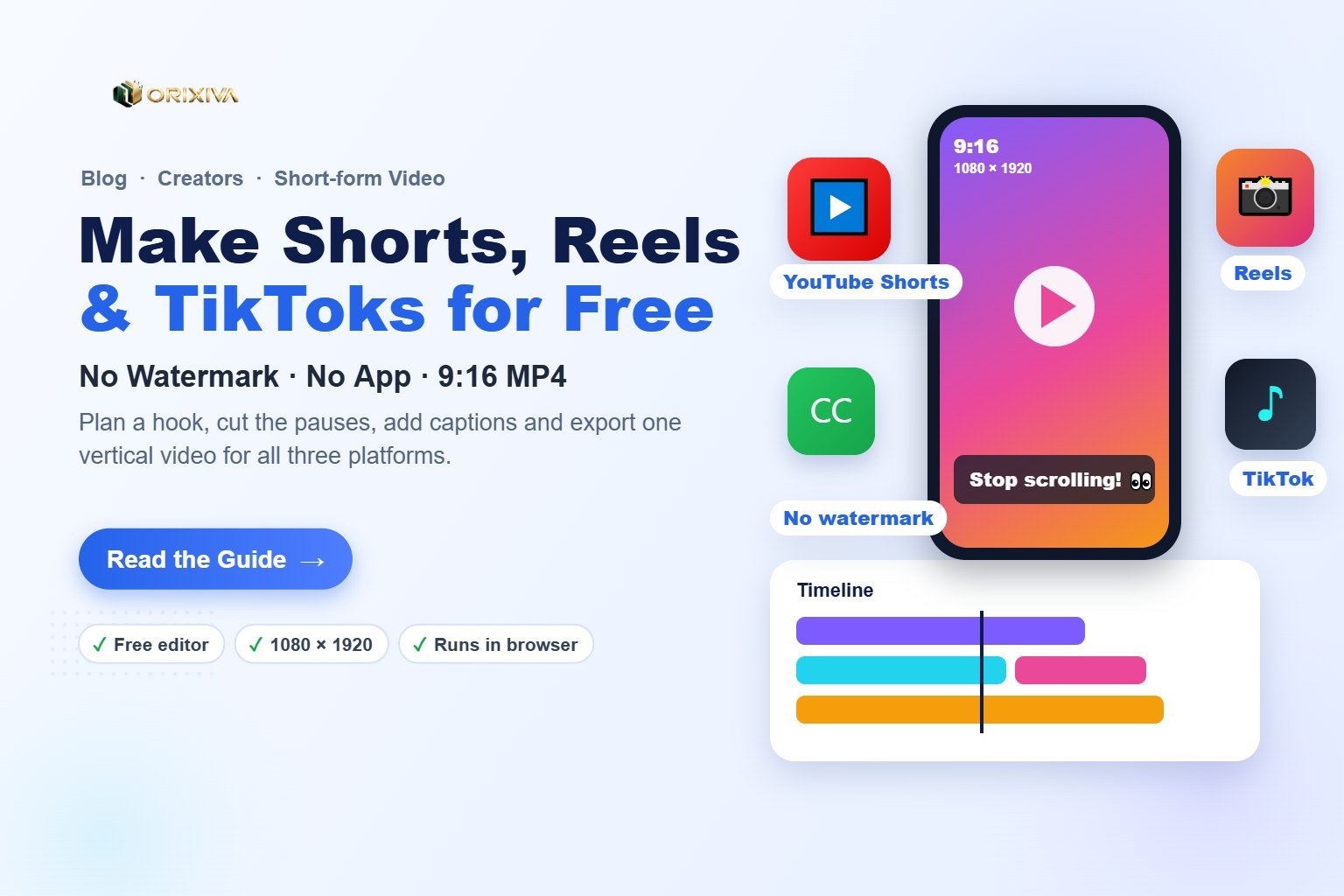
Short answer: To make a Short, Reel or TikTok for free, record or import your clips, set the frame to 9:16 vertical (1080 × 1920), cut out pauses, add a hook in the first two seconds and on-screen captions, then export an MP4. A free browser editor such as Orixiva Studio does all of this without a watermark and without uploading your footage.
Key takeaways
- One format fits all three: 9:16 vertical, 1080 × 1920 pixels, 30 fps, MP4 (H.264).
- The first two seconds decide everything. Open with the result, a question or a bold caption, not a greeting.
- Captions are not optional. Many people watch short videos with the sound off.
- Keep text inside the safe zone. Each app covers the bottom and right edge with buttons and descriptions.
- Save a template project. Reusing the same layout every week turns a 1-hour edit into 15 minutes.
Shorts, Reels and TikTok specs at a glance
The good news: you can make one vertical video and post it to all three platforms. The shared format is the same, and only the length limits and audio libraries differ.
| Setting | Recommended value | Notes |
|---|---|---|
| Aspect ratio | 9:16 (vertical) | Fills the whole phone screen on all three apps |
| Resolution | 1080 × 1920 | Lower resolutions look soft after the app compresses them |
| Frame rate | 30 fps | Use 60 fps only for fast gaming or sports footage |
| File type | MP4 (H.264 video) | The most widely accepted upload format |
| Length | 15–45 seconds for most topics | YouTube Shorts can be up to 3 minutes; check each app's current limit |
| Text | Large, high-contrast captions | Keep inside the centre safe zone (see below) |
YouTube explains its current length rules in Understand three-minute YouTube Shorts, and gives upload advice in YouTube Shorts upload tips. Platform limits change, so check them before planning a long video.
Plan a short that people actually finish
Short-form video rewards one clear idea delivered fast. Before you open an editor, write three lines:
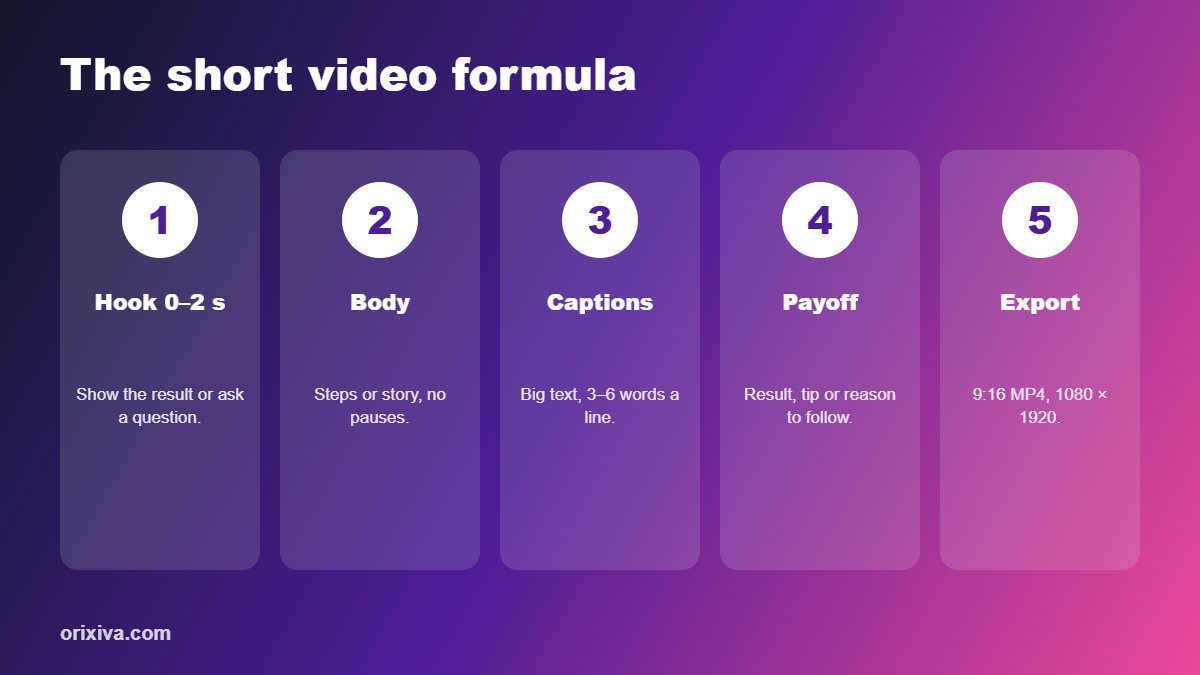
- Hook (0–2 s): the promise or the result. Example: "This free tool removes any background in 3 seconds."
- Body (3–35 s): the steps, the proof or the story, with no pauses.
- Payoff (last 3–5 s): the result, a tip, or a reason to rewatch or follow.
Good repeatable ideas include quick tutorials, before-and-after results, "3 mistakes" lists, answers to a question from your comments, and behind-the-scenes clips of your work.
How to edit a Short, Reel or TikTok step by step
These steps use the free Orixiva online video editor. It runs in your browser on Windows, Mac, Linux and Chromebook, needs no account, and adds no watermark.
- Import or record. Drop your clips, photos and music into the media library, or use the webcam, microphone or screen recorder to capture straight into the editor.
- Set the frame to 9:16. Choose the vertical frame so everything you place is framed for phones.
- Cut the pauses. Run silence detection, split at the markers (press S) and delete the gaps so the video never stalls.
- Add the hook title. Press T, choose the "Social caption" style and put your hook on screen in the first two seconds.
- Add captions. Use the subtitle style for spoken words, or import an SRT file if you already have one.
- Add music under your voice. Put the track on the music lane and lower its volume so speech stays clear.
- Polish. Apply a look preset, add a quick fade or zoom transition, and check speed changes for any slow sections.
- Export. Choose the "Shorts / Reels / TikTok" preset and start the export. The MP4 downloads to your device.
Pro tip: save the project file before you export. Next week, open it, swap the clips and text, and you have a consistent series in minutes.
Captions and on-screen text that keep viewers watching
- Short lines: 3–6 words per caption, broken where people naturally pause.
- Big and bold: white or yellow text with a dark outline or background box is readable on any footage.
- Highlight one word per line in a brand colour to guide the eye.
- Match the timing to speech; captions that appear early or late feel unprofessional.
- Spell-check before export, because burnt-in text cannot be fixed after upload.
Keep text and faces inside the safe zone
Every short-form app places buttons, your username and the caption over the video. If your text sits at the very bottom or right edge, it gets covered.
As a rule, keep important text roughly in the middle two-thirds of the frame, away from the bottom fifth and the right edge. The Orixiva editor shows safe guides so you can check this while editing.
Best export settings for Shorts, Reels and TikTok
| Preset | Frame | Resolution | Use it for |
|---|---|---|---|
| Shorts / Reels / TikTok | 9:16 | 1080 × 1920, 30 fps | All vertical short-form uploads |
| Instagram feed | 4:5 | 1080 × 1350 | Feed posts that take more screen space |
| Square post | 1:1 | 1080 × 1080 | Facebook, LinkedIn and carousels |
| YouTube 1080p | 16:9 | 1920 × 1080 | The full-length version of your video |
A browser editor records the timeline in real time, so a 40-second short takes about 40 seconds to export. Keep the tab open until the download starts.
Turn one long video into five shorts
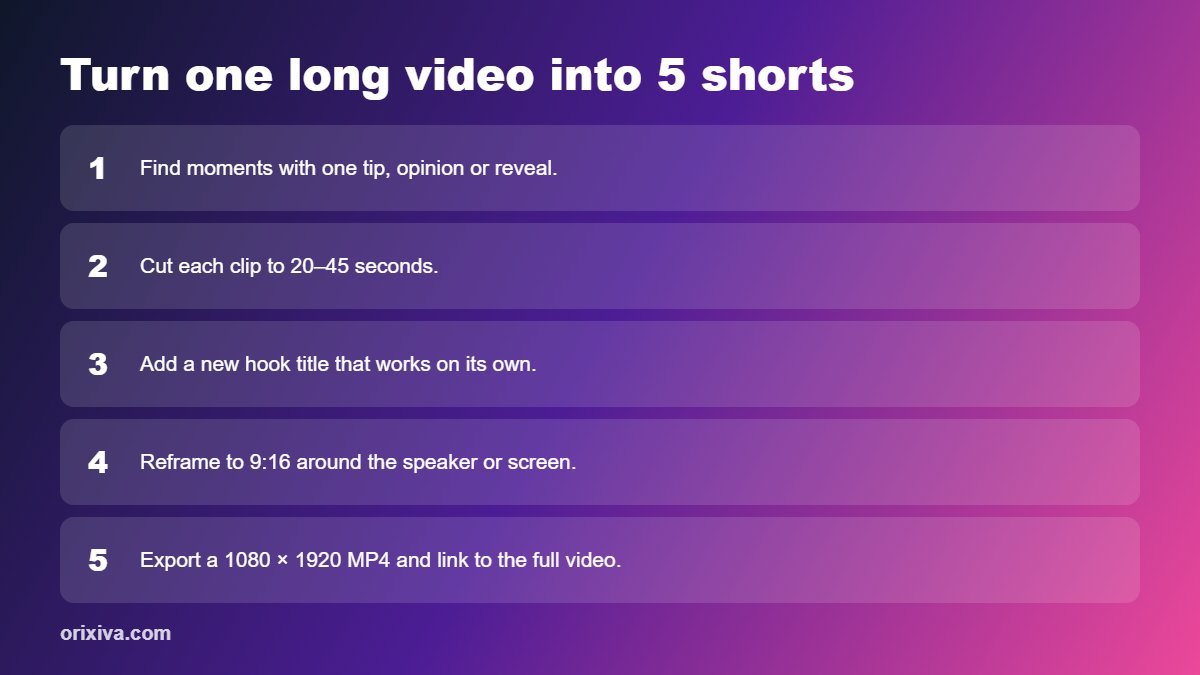
If you already make YouTube videos, tutorials or webinars, you have a library of shorts waiting to be cut:
- Find the moments with a single tip, a strong opinion, a reveal or a funny reaction.
- Cut each to 20–45 seconds and add a new hook title that makes sense without the full video.
- Reframe to 9:16 by scaling and repositioning the speaker or the screen area that matters.
- Link back to the full video in your description or pinned comment.
Common mistakes that hurt short videos
- Slow intros such as "Hi guys, welcome back". Start with the payoff instead.
- Horizontal footage with black bars. Reframe to fill the 9:16 screen.
- Tiny or low-contrast text that cannot be read on a phone.
- Music louder than speech. Viewers leave when they cannot follow.
- Watermarks from another app. Some platforms may show watermarked re-uploads less prominently, so export a clean file.
- Uploading low-resolution exports. Always export at 1080 × 1920.
Make your next short in the browser
Trim, caption, add music and export a 1080 × 1920 MP4 for Shorts, Reels and TikTok. Free, no sign-up, no watermark, and your footage stays on your device.
Open the free video editor →Frequently asked questions
What size should a YouTube Short, Reel or TikTok be?
Use a 9:16 vertical frame at 1080 × 1920 pixels, 30 frames per second, exported as an MP4 file with H.264 video. The same file works on all three platforms.
How long can a YouTube Short be?
YouTube Shorts can currently be up to three minutes long. For most topics, 15 to 45 seconds keeps viewers watching to the end. Check YouTube Help for the latest limits.
Can I edit Shorts without downloading an app?
Yes. A browser-based video editor lets you cut, caption and export vertical videos on a computer or Chromebook without installing software.
How do I remove the watermark from my short video?
Use an editor that does not add one. Orixiva's free online video editor exports clean MP4 files with no watermark.
Should I add captions to every short?
Yes. Many viewers watch with the sound off, and captions help them follow the video and stay until the end.
Can I post the same video on Shorts, Reels and TikTok?
Yes. Export one clean 9:16 MP4 without another platform's watermark and upload it to each app, adjusting the caption and hashtags for each audience.
Why does my exported video look blurry after upload?
Usually the export resolution was too low or the source footage was soft. Export at 1080 × 1920 and avoid zooming in heavily on low-resolution clips.
Is my video uploaded when I use a browser editor?
Not with Orixiva Studio. The editor processes video on your own device, so your footage is not uploaded to a server.
Over to you
What kind of shorts do you make: tutorials, product demos, vlogs or something else? Tell us in the comments which part of editing takes you the longest. We use your answers to add new presets and features to the video editor, and we may feature great tips in a future update of this guide.
Related guides and tools
- Free online video editor (no watermark)
- Image to GIF maker for animated previews
- AI background remover for thumbnails
- Image resizer for social media sizes
Sources: YouTube Help: three-minute Shorts · YouTube Help: Shorts upload tips. Platform features and limits change; check each app's help centre for current details.

[…] Shorts, Reels and TikToks from one video? Our guide to making Shorts, Reels and TikTok videos for free walks through […]