Try our free AI tools – no sign-up needed!


How to Fix Invalid JSON: 10 Common Errors and How to Format, Validate and Convert It
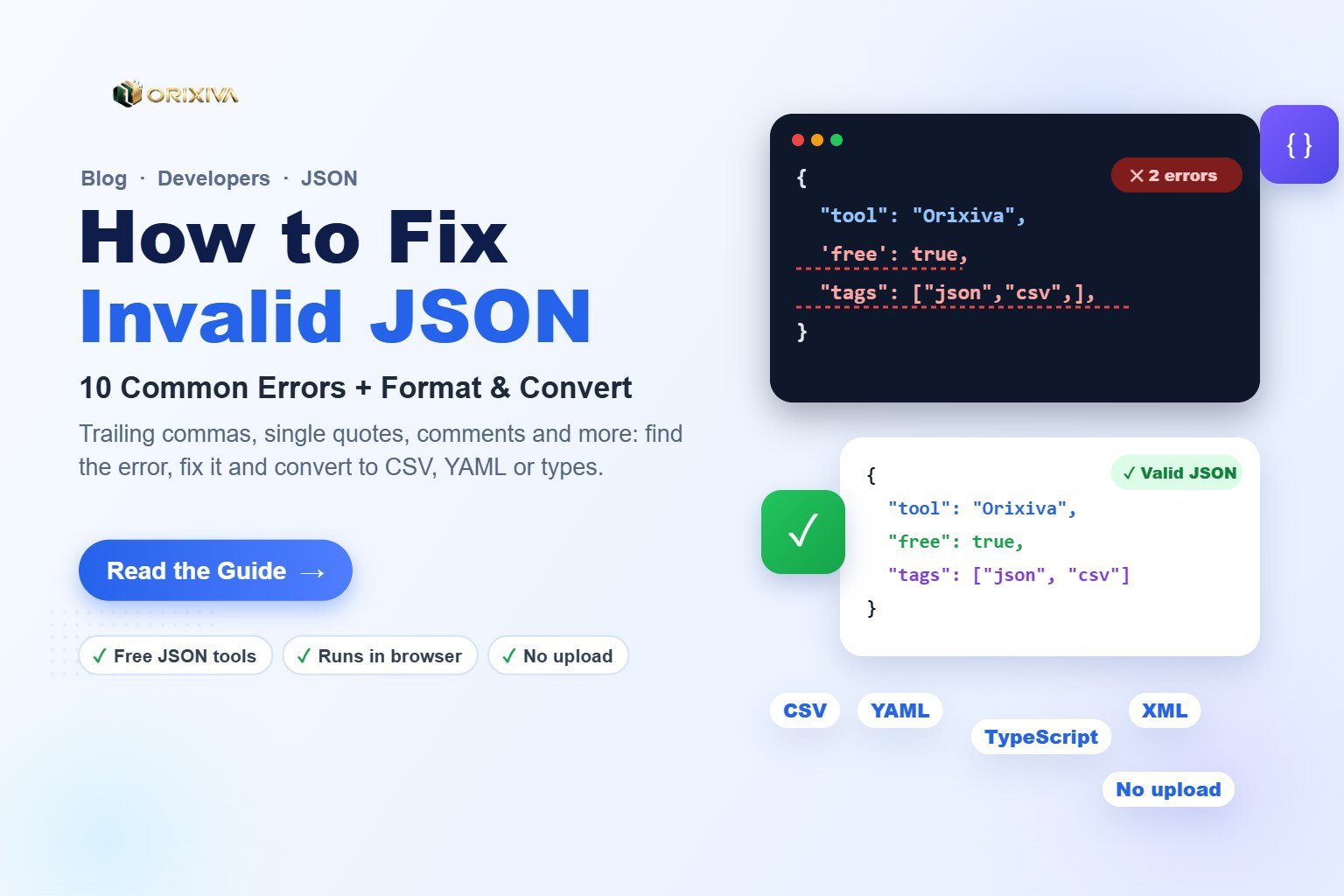
Short answer: JSON is invalid when it breaks the strict JSON rules: keys and strings must use double quotes, items need commas between them but not after the last one, and comments, undefined, NaN and single quotes are not allowed. To fix it, paste the text into a JSON validator, go to the line and column it reports, correct that mistake, then format (pretty-print) the result. The free Orixiva developer tools do this in your browser without uploading your data.
Key takeaways
- JSON is stricter than JavaScript. Code that works in a JS file can still be invalid JSON.
- Read the first error only. One missing comma can cause a chain of later errors.
- Trailing commas, single quotes and comments cause most failures.
- Format after fixing so the structure is easy to read and review.
- Keep secrets private: use a validator that runs locally for tokens, keys and customer data.
The JSON rules in one minute
JSON (JavaScript Object Notation) is a text format for data, defined in the standard RFC 8259. It allows only six kinds of value:
| Type | Example | Rule |
|---|---|---|
| Object | {"name": "Orixiva"} | Keys must be strings in double quotes |
| Array | [1, 2, 3] | Commas between items, none after the last |
| String | "hello" | Double quotes only; escape ", \ and line breaks |
| Number | 42, -3.5, 1e6 | No leading zeros, no NaN or Infinity |
| Boolean | true, false | Lowercase only |
| Null | null | Lowercase; undefined is not allowed |
10 common JSON errors (and the fix)
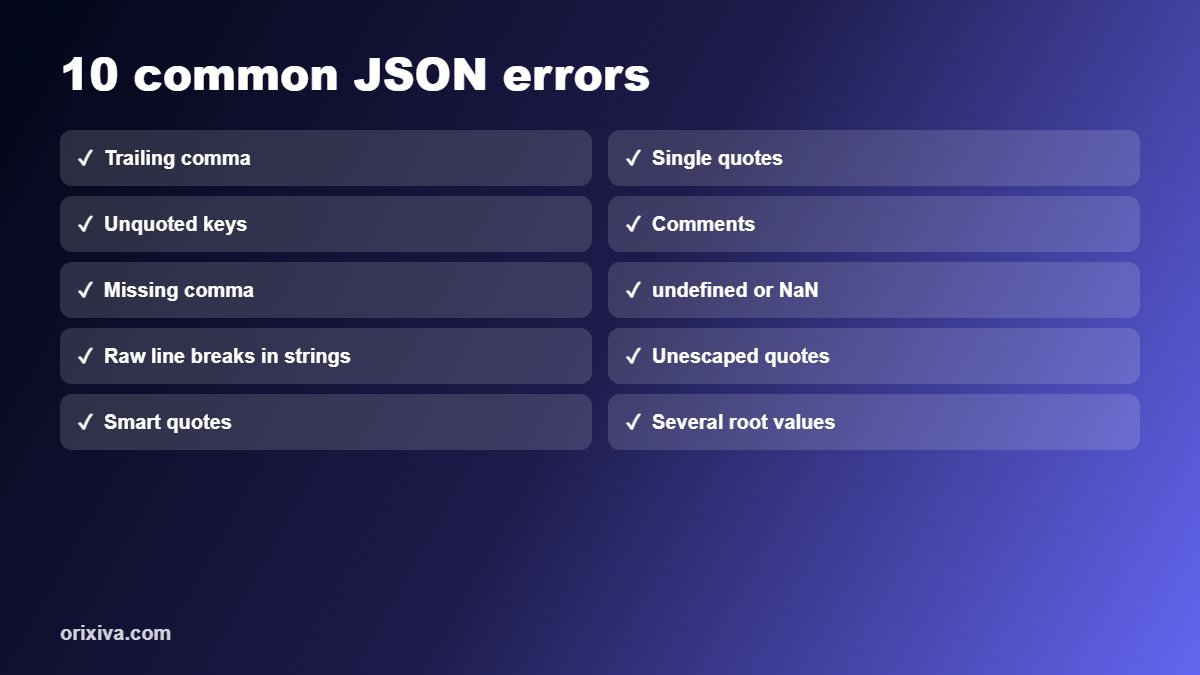
| # | Invalid | Valid |
|---|---|---|
| 1. Trailing comma | {"a": 1,} | {"a": 1} |
| 2. Single quotes | {'a': 'x'} | {"a": "x"} |
| 3. Unquoted keys | {a: 1} | {"a": 1} |
| 4. Comments | {"a": 1 // note} | {"a": 1} |
| 5. Missing comma | {"a": 1 "b": 2} | {"a": 1, "b": 2} |
| 6. Undefined / NaN | {"a": undefined} | {"a": null} |
| 7. Raw line break in a string | "line one (real new line) | "line one\nline two" |
| 8. Unescaped quote | "say "hi"" | "say \"hi\"" |
| 9. Smart quotes | {“a”: 1} | {"a": 1} |
| 10. Several roots | {"a":1}{"b":2} | [{"a":1},{"b":2}] |
Smart quotes usually appear when JSON is copied from a word processor, chat app or email. Hidden characters such as a byte-order mark at the start of a file can also break strict parsers.
Watch out: duplicate keys such as
{"id": 1, "id": 2} are technically parsed by many tools, but different libraries keep different values. Treat them as a bug.How to fix invalid JSON step by step
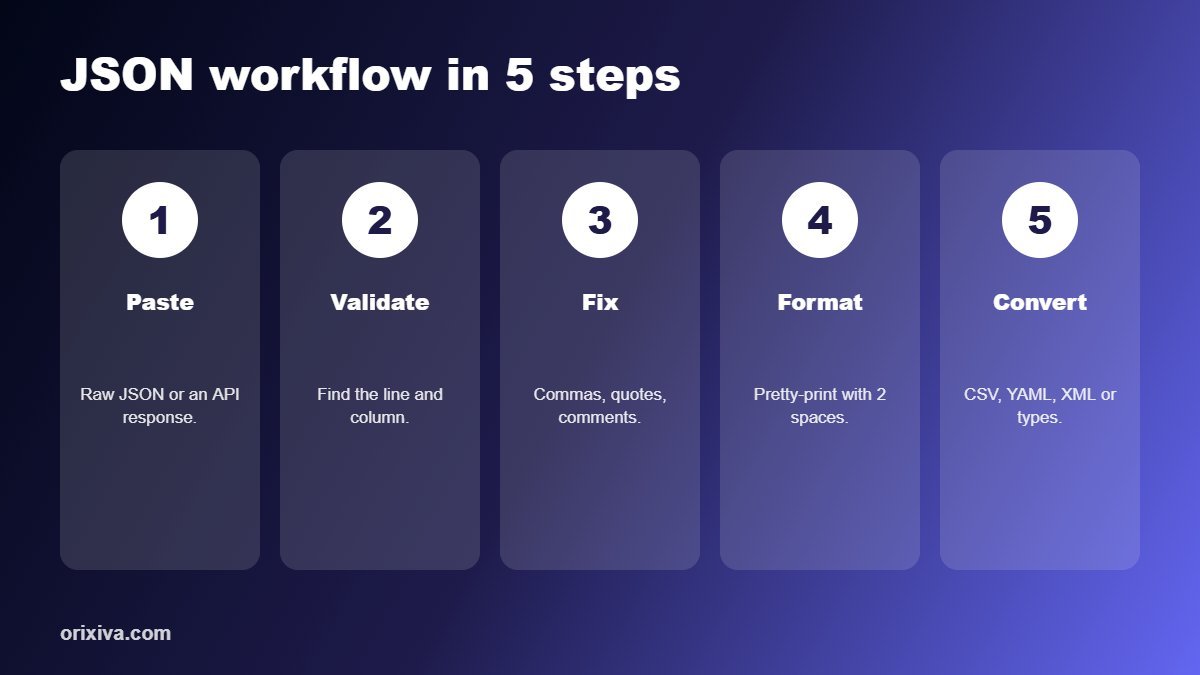
- Paste the JSON into the JSON format and validate step of the free developer tools workspace.
- Read the first error. Note the line and column number, and look just before that position; the real mistake is often one character earlier.
- Fix that single mistake using the table above, such as adding a comma or replacing single quotes.
- Validate again and repeat until no errors remain.
- Format the result with 2-space indentation so nested objects and arrays are easy to check.
- Copy or download the clean JSON, or pass it to the next step, such as JSON to CSV or JSON to TypeScript.
Pro tip: if a large file has many errors, validate a small section first. Fixing the first structural error often clears dozens of follow-on messages.
Format, minify and sort JSON
- Format (pretty-print) adds line breaks and indentation for reading, reviews and documentation.
- Minify removes spaces and line breaks to make payloads smaller for APIs and storage.
- Sort keys alphabetically to make two JSON files easier to compare in a diff.
- Query with a path to pull one value out of a large response, such as
data.items[0].price.
Convert JSON to CSV, YAML, XML and TypeScript
Once your JSON is valid, you often need it in another shape. Orixiva Workflow Studio lets you chain steps so the output of one becomes the input of the next:
| Goal | Workflow |
|---|---|
| Open API data in Excel | API request → JSON validate → JSON to CSV → download |
| Typed front-end code | JSON validate → JSON to TypeScript interfaces |
| Config files | JSON ↔ YAML conversion |
| Legacy systems | JSON ↔ XML conversion |
| Webhook checks | Payload → HMAC signature to compare with the header |
Tips for working with JSON from APIs
- Check the content type. If an API returns an HTML error page, parsing fails with "Unexpected token <".
- Do not hand-build JSON strings in code; use your language's serializer, such as
JSON.stringifyorjson.dumps. - Use null deliberately. Decide whether missing values are omitted or set to
null, and stay consistent. - Keep numbers as numbers.
"42"and42are different types; mixing them causes subtle bugs. - Protect secrets. Never paste API keys or customer data into tools that upload content to a server.
Validate and convert JSON now
Format, validate, query and convert JSON, CSV, YAML and XML, decode JWTs and generate TypeScript types: 38 free developer tools in one private browser workspace.
Open the free developer tools →Frequently asked questions
Why is my JSON invalid?
The most common causes are trailing commas, single quotes, unquoted keys, comments, missing commas, and values such as undefined or NaN that JSON does not support.
Can JSON have comments?
No. Standard JSON does not allow comments. Some tools accept formats such as JSONC or JSON5, but strict JSON parsers will reject them.
Are trailing commas allowed in JSON?
No. JSON requires commas only between items. A comma after the last item in an object or array makes it invalid.
What does "Unexpected token" mean in JSON?
The parser found a character it did not expect at that position, often caused by a missing comma, an extra comma, a single quote, or an HTML error page instead of JSON.
How do I pretty-print JSON?
Paste it into a JSON formatter and choose an indentation such as 2 spaces. In code, use JSON.stringify(data, null, 2) in JavaScript or json.dumps(data, indent=2) in Python.
How do I convert JSON to CSV?
Validate the JSON, make sure it is an array of objects, then use a JSON to CSV converter. Each object becomes a row and each key becomes a column.
Is it safe to paste JSON into an online tool?
Only if the tool processes data locally. Orixiva's developer tools transform text in your browser, so your JSON is not uploaded.
What is the difference between JSON and a JavaScript object?
JSON is a text format with strict rules, such as double-quoted keys. A JavaScript object is a live value in code and can use unquoted keys, functions and undefined.
Over to you
What is the strangest JSON error you have hit? Share the error message (without any secrets) in the comments, and we will add the most common ones to this guide.
Related guides and tools
- Free developer tools: JSON, API, CSV, YAML and more
- On-page SEO checklist with a free audit
- Computer calculator: number bases, timestamps and subnets
- Free online file converter
Sources: RFC 8259: The JavaScript Object Notation (JSON) Data Interchange Format · json.org: Introducing JSON.
[…] How to fix invalid JSON […]
[…] How to fix invalid JSON […]