Try our free AI tools – no sign-up needed!


Subnetting Made Simple: CIDR, Subnet Masks and How to Calculate Hosts (With a Cheat Sheet)

Short answer: In CIDR notation such as 192.168.10.0/26, the number after the slash is how many bits belong to the network. The rest are host bits. A subnet has 2(32 − prefix) addresses, and usually 2 fewer usable hosts (the network and broadcast addresses). So a /26 has 64 addresses and 62 usable hosts, from .1 to .62. The free Orixiva IPv4 subnet calculator shows the network, broadcast, host range, mask and binary view instantly.
Key takeaways
- Prefix length (/24, /26, /30) decides everything else.
- Usable hosts = 2host bits − 2 for most subnets.
- Subnets start on multiples of the block size (64, 32, 16…).
- Use private ranges (10/8, 172.16/12, 192.168/16) inside your own networks.
- VLSM lets you give each department a right-sized subnet.
IP addresses and subnet masks in plain words
An IPv4 address is 32 bits, written as four numbers from 0 to 255, such as 192.168.10.37. Part of it identifies the network and the rest identifies the device (host) on that network.
A subnet mask shows where that split happens. In binary, the mask is a run of 1s (network bits) followed by 0s (host bits). For example, 255.255.255.192 is 26 ones followed by 6 zeros.
CIDR notation: the shortcut
CIDR (Classless Inter-Domain Routing), described in RFC 4632, writes the mask as a slash and a number. /26 simply means "the first 26 bits are the network". It replaced the old fixed Class A, B and C networks, which wasted many addresses.
| CIDR | Subnet mask | Host bits | Addresses | Usable hosts |
|---|---|---|---|---|
| /24 | 255.255.255.0 | 8 | 256 | 254 |
| /25 | 255.255.255.128 | 7 | 128 | 126 |
| /26 | 255.255.255.192 | 6 | 64 | 62 |
| /27 | 255.255.255.224 | 5 | 32 | 30 |
| /28 | 255.255.255.240 | 4 | 16 | 14 |
| /29 | 255.255.255.248 | 3 | 8 | 6 |
| /30 | 255.255.255.252 | 2 | 4 | 2 |
How to calculate a subnet step by step
Example: which subnet does 192.168.10.77/26 belong to?
- Find the host bits: 32 − 26 = 6 host bits.
- Find the block size: 26 = 64 addresses per subnet.
- List the subnet starts in the last octet: 0, 64, 128, 192.
- Find where the address fits: 77 is between 64 and 127, so the network is 192.168.10.64.
- Broadcast address: one before the next subnet, 192.168.10.127.
- Usable hosts: 192.168.10.65 to 192.168.10.126, which is 62 hosts.
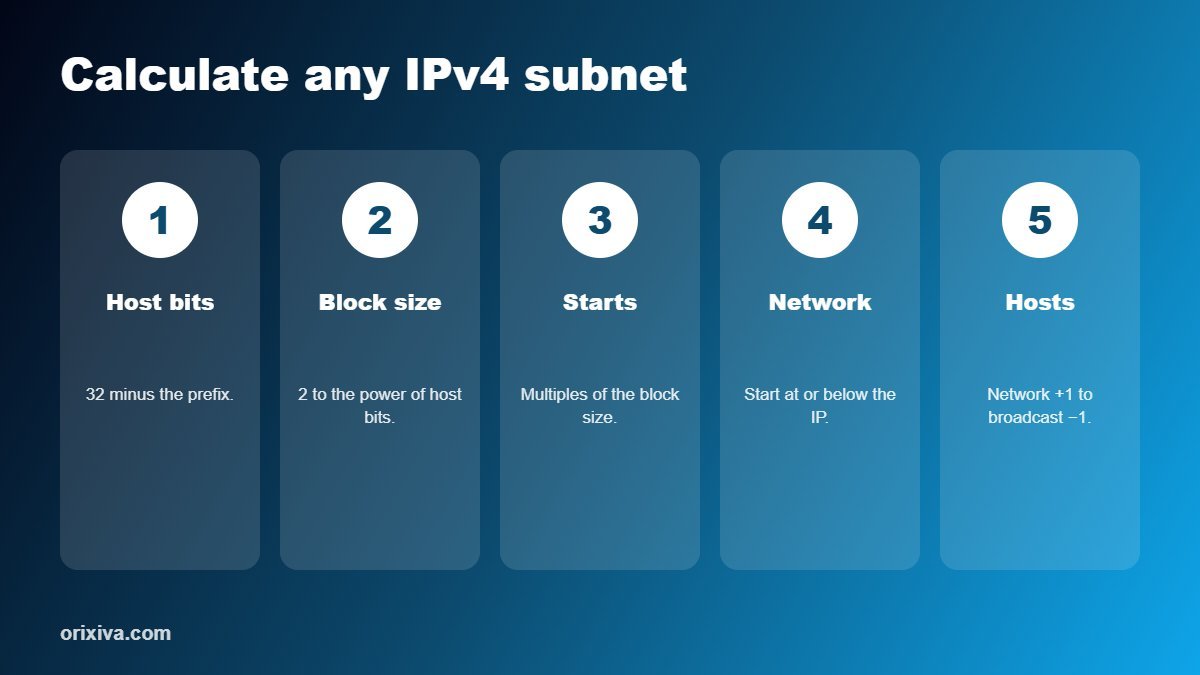
Shortcut: block size = 256 − the last non-255 number in the mask. For 255.255.255.192: 256 − 192 = 64.
Quick subnet cheat sheet
| You need… | Use | Why |
|---|---|---|
| Up to 254 devices (typical office or home LAN) | /24 | Simple and widely used |
| Up to 62 devices | /26 | Four subnets from one /24 |
| Up to 14 devices (printers, cameras) | /28 | Small, easy to secure |
| A link between two routers | /30 (or /31 per RFC 3021) | Only two addresses needed |
| One single host or loopback | /32 | Exactly one address |
Split a network with VLSM
Variable Length Subnet Masking (VLSM) gives each group the size it needs instead of identical subnets. Example: split 192.168.10.0/24 for four teams.
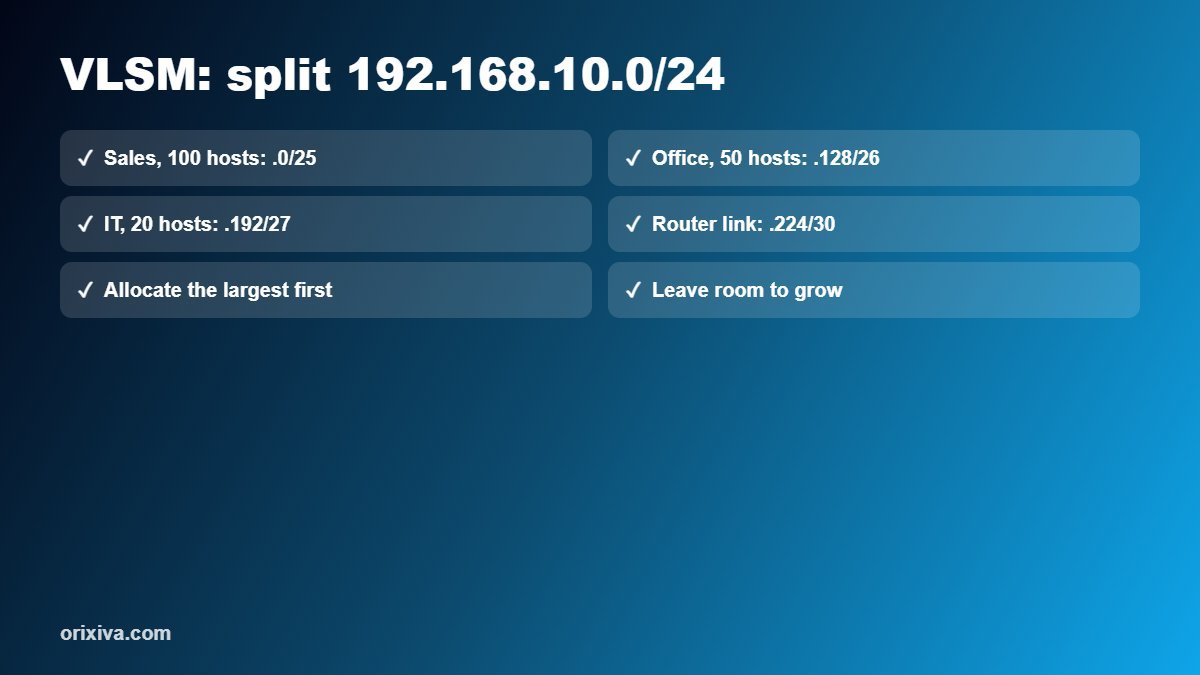
| Team | Hosts needed | Subnet | Usable range |
|---|---|---|---|
| Sales | 100 | 192.168.10.0/25 | .1 – .126 |
| Office | 50 | 192.168.10.128/26 | .129 – .190 |
| IT | 20 | 192.168.10.192/27 | .193 – .222 |
| Router link | 2 | 192.168.10.224/30 | .225 – .226 |
Always start with the largest requirement, so blocks line up without gaps or overlaps. The Subnet Splitter (VLSM) tool does this automatically from the host counts you enter.
Private IPv4 ranges (RFC 1918)
| Range | CIDR | Typical use |
|---|---|---|
| 10.0.0.0 – 10.255.255.255 | 10.0.0.0/8 | Large companies, cloud networks |
| 172.16.0.0 – 172.31.255.255 | 172.16.0.0/12 | Medium networks, containers |
| 192.168.0.0 – 192.168.255.255 | 192.168.0.0/16 | Home and small office routers |
These addresses are not routed on the public internet, so you can reuse them inside your own network behind a router or firewall.
Common subnetting mistakes
- Assigning the network or broadcast address to a device.
- Starting a subnet at the wrong number, such as 192.168.10.70/26 (it must start at .64).
- Overlapping subnets when allocating by hand; always allocate largest first.
- Forgetting growth: leave spare space for new devices.
- Mixing up the wildcard mask (used in some router ACLs) with the subnet mask. For /26, the wildcard is 0.0.0.63.
Calculate any subnet instantly
IPv4 subnet calculator, VLSM splitter, number base converter, bitwise operations, data storage and download time: 15 free IT tools.
Open the free computer calculator →Frequently asked questions
How many hosts are in a /24?
A /24 has 256 addresses and 254 usable hosts, because the first is the network address and the last is the broadcast address.
What does /26 mean?
It means the first 26 bits are the network part. A /26 has a mask of 255.255.255.192, 64 addresses and 62 usable hosts.
How do I calculate usable hosts?
Use 2 to the power of the host bits, minus 2. For /27: 2^5 − 2 = 30 usable hosts.
What is the subnet mask for /28?
255.255.255.240, which gives 16 addresses and 14 usable hosts.
What is a broadcast address?
It is the last address in a subnet, used to send traffic to every host in that subnet. It cannot be assigned to a device.
Can a /31 be used?
Yes, for point-to-point links between two routers, as described in RFC 3021. Both addresses can be used because no broadcast is needed.
What is VLSM?
Variable Length Subnet Masking means using different subnet sizes within one network, so each group gets only as many addresses as it needs.
What is a wildcard mask?
A wildcard mask is the inverse of the subnet mask, used in some router access lists. For 255.255.255.192 the wildcard is 0.0.0.63.
Over to you
Studying for a networking exam or planning an office network? Post your subnetting question in the comments (without real public IPs), and we will answer and add common examples to this guide.
Related guides and tools
- Free computer calculator: subnets, VLSM and number bases
- How to fix invalid JSON
- Free developer tools
- Scientific calculator
Sources: RFC 4632: Classless Inter-domain Routing (CIDR) · RFC 1918: Address Allocation for Private Internets · RFC 3021: Using 31-bit prefixes on point-to-point links.
[…] its slowest part: a fast USB 3 port cannot speed up a slow memory card. For network planning, our subnetting guide and the computer and digital calculators cover the next […]