Try our free AI tools – no sign-up needed!


Data Transfer Rate Calculator: Mbps vs MB/s and How to Work Out Download Time
Need the number now? The free data transfer rate converter changes Mbps to MB/s, Gbps, kB/s and MiB/s instantly, free online without login, with the working shown.
Jump to the free tool ↓Your internet plan says 100 Mbps, but your download shows 11.9 MB/s. Is something wrong? Almost certainly not: the plan counts bits, the download window counts bytes, and some speed is always lost to network overhead. A data transfer rate calculator makes the relationship clear and helps you estimate how long a game, backup or video upload will take.
This guide explains Mbps vs MB/s, how to calculate download and upload time, how much speed common activities need, and how to use the free Orixiva data transfer rate converter. It runs free online without login on PC or phone, converts between ten rate units and shows every step.
Key takeaways
- 1 byte = 8 bits, so MB/s = Mbps ÷ 8. 100 Mbps is at most 12.5 MB/s.
- Download time (seconds) = file size (MB) × 8 ÷ speed (Mbps).
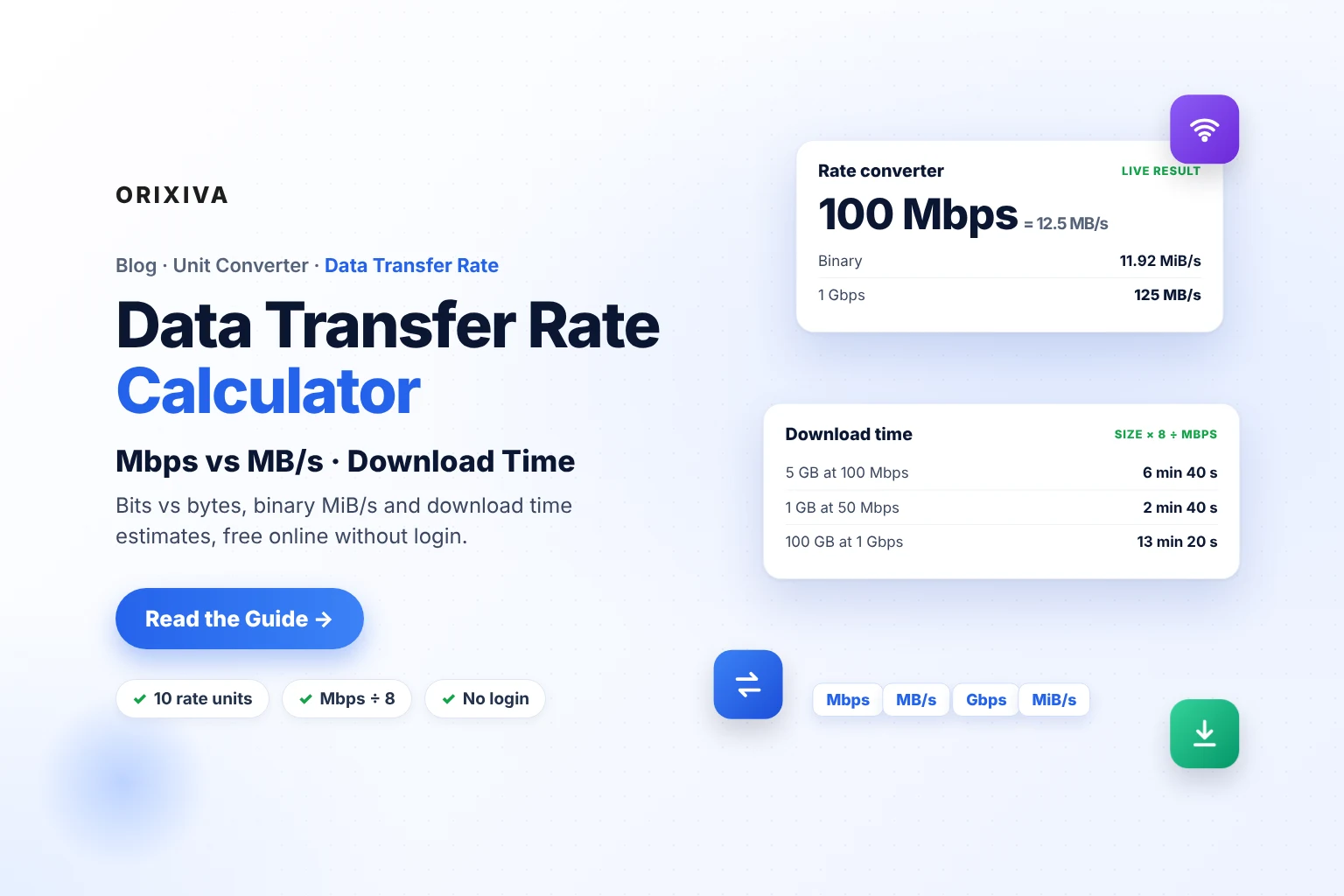
- Many apps show binary MiB/s: 100 Mbps = 11.92 MiB/s, which is often displayed as “11.9 MB/s”.
- Real transfers are slower than the plan speed because of protocol overhead, Wi-Fi and server limits.
- The Orixiva converter covers bit/s, kbps, Mbps, Gbps, B/s, kB/s, MB/s, GB/s, KiB/s and MiB/s.
Bits vs bytes: the root of the confusion
A bit is a single 0 or 1; a byte is 8 bits. Network speeds are sold in bits per second because data travels bit by bit; files are measured in bytes. The letters tell you which:
Small b = bits
Internet plans, Wi-Fi and network cards.
Mbps, Gbps
- 100 Mbps plan
- 1 Gbps fibre
Capital B = bytes
File sizes and download windows.
MB/s, GB/s
- 12.5 MB/s download
- 5 GB game
A quick way to remember it: when the b is small, the number is bigger. 100 Mbps and 12.5 MB/s describe the same speed, written in bits and bytes.
For more on storage units such as GB and GiB, see the digital storage calculator guide.
How to convert Mbps to MB/s
MB/s = Mbps ÷ 8 · Mbps = MB/s × 8
- 25 Mbps = 3.13 MB/s.
- 100 Mbps = 12.5 MB/s.
- 300 Mbps = 37.5 MB/s.
- 1 Gbps (1,000 Mbps) = 125 MB/s.
Plan speed vs maximum download rate
MB/s = Mbps ÷ 8, before overhead.
25 Mbps
3.1 MB/s
100 Mbps
12.5 MB/s
300 Mbps
37.5 MB/s
500 Mbps
62.5 MB/s
1 Gbps
125 MB/s
Bars to scale. Real-world rates are usually a little lower.
MB/s vs MiB/s: why 100 Mbps shows 11.9
Some download managers and operating systems count in binary units (1 MiB = 1,048,576 bytes) but still write “MB/s”. Then:
- 100 Mbps = 100,000,000 bits per second = 12,500,000 bytes per second.
- 12,500,000 ÷ 1,048,576 = 11.92 MiB/s.
- The app shows “11.9 MB/s”, which looks slower than the expected 12.5.
The Orixiva converter includes KiB/s and MiB/s as separate units, so you can compare like with like.
How to calculate download time
time (s) = file size (MB) × 8 ÷ speed (Mbps)
- Write the file size in MB (1 GB = 1,000 MB).
- Multiply by 8 to get megabits.
- Divide by your speed in Mbps to get seconds.
- Convert seconds to minutes or hours.
| File | Speed | Working | Ideal time |
|---|---|---|---|
| 1 GB | 50 Mbps | 1,000 × 8 ÷ 50 | 160 s = 2 min 40 s |
| 5 GB game | 100 Mbps | 5,000 × 8 ÷ 100 | 400 s = 6 min 40 s |
| 20 GB 4K movie | 300 Mbps | 20,000 × 8 ÷ 300 | 533 s ≈ 8 min 53 s |
| 50 GB game | 100 Mbps | 50,000 × 8 ÷ 100 | 4,000 s = 1 h 6 min 40 s |
| 100 GB backup | 1 Gbps | 100,000 × 8 ÷ 1,000 | 800 s = 13 min 20 s |
Two Orixiva tools in one minuteOpen the time converter, choose seconds and type
5000*8/100. The breakdown shows 0 d 0 h 6 min 40 s, the download time for a 5 GB file at 100 Mbps.Real downloads usually take 5–20% longer because of protocol overhead, Wi-Fi quality and how fast the server can send. At 90% efficiency, the 5 GB example takes about 7 min 24 s.

Flowchart: estimate any transfer
- Find the file size and the speedSize from the file or store page; speed from a speed test
- Is the speed in bits (Mbps)?YesMultiply size in MB by 8No, MB/sUse size ÷ speed directly
- Is the size in GB or GiB?GB× 1,000 to get MBGiB× 1,073.7 to get MB
- Divide to get secondsThen convert to minutes or hours
- Add 10–20% for real-world overheadMore on busy Wi-Fi or slow servers
How much internet speed do you need?
The US Federal Communications Commission’s household broadband guide groups speeds into rough tiers: basic service at 3–8 Mbps, medium at 12–25 Mbps and advanced at more than 25 Mbps. It notes that needs rise with the number of devices: HD streaming and video calls are high-demand uses, and several people doing them at once need an advanced connection. The FCC describes these as rough guidelines.
- One person, browsing and email: basic speeds are usually enough.
- A household streaming HD and on video calls: advanced speeds help.
- Large downloads and backups: faster plans save time in direct proportion: doubling the speed halves the time.
Upload speed and cloud backups
Home plans often have a much lower upload speed than download speed. That matters when you back up photos or send large videos:
- 10 GB at 20 Mbps upload: 10,000 × 8 ÷ 20 = 4,000 s, about 1 h 7 min.
- A 4 MB photo at 20 Mbps: 1.6 s each.
Shrinking files first saves real time; see how to compress an image to 20KB, 50KB or 100KB and how to resize multiple images at once.
USB, Wi-Fi and local transfers
Interface speeds are also quoted in bits per second. Their real throughput is lower than the headline number, but the conversion shows the ceiling:
| Link | Rated speed | Ceiling in MB/s |
|---|---|---|
| USB 2.0 | 480 Mbps | 60 MB/s |
| Gigabit Ethernet | 1 Gbps | 125 MB/s |
| USB 3.0 (5 Gbps) | 5 Gbps | 625 MB/s |
Ceilings only; actual speeds depend on the devices, cables and drives.
A copy is only as fast as its slowest part: a fast USB 3 port cannot speed up a slow memory card. For network planning, our subnetting guide and the computer and digital calculators cover the next steps.
How long do common files take?
At a real 100 Mbps, before overhead:
| File | Typical size | Time at 100 Mbps |
|---|---|---|
| Phone photo | 4 MB | 0.32 s |
| Operating system update | 5 GB | 6 min 40 s |
| HD movie | 4 GB | 5 min 20 s |
| Large game | 100 GB | 2 h 13 min 20 s |
Sizes vary widely; use your own file size in the formula.
The ten units in the converter
Bit, kilobit, megabit and gigabit per second (network speeds); byte, kilobyte, megabyte and gigabyte per second (file transfer rates, decimal); and kibibyte and mebibyte per second (binary rates used by some operating systems and download managers). Every unit is converted through bits per second, so the 8-to-1 and 1,000-vs-1,024 rules are always applied correctly.
Latency vs bandwidth: two different speeds
A data transfer rate (bandwidth) says how much data moves per second. Latency, or ping, says how long a single message takes to make the round trip, measured in milliseconds. A connection can have high bandwidth but poor latency, which feels laggy in games and video calls even though big downloads are fast.
Bandwidth
Data per second.
Mbps
- Matters for downloads, backups and 4K
- Convert with the rate converter
Latency
Delay per round trip.
ms
- Matters for gaming and calls
- Convert with the time converter
How much data does streaming use?
GB per hour = Mbps × 3,600 ÷ 8 ÷ 1,000 = Mbps × 0.45
If you know a stream’s bitrate, multiply it by 0.45 to get gigabytes per hour:
- A 5 Mbps HD stream uses about 2.25 GB per hour.
- A 25 Mbps high-quality stream uses about 11.25 GB per hour.
- A 1 Mbps audio or low-quality video stream uses about 0.45 GB per hour.
Streaming services adjust bitrate automatically, so treat these as estimates. They help when you have a monthly data cap or a mobile plan.

Mobile data
4G and 5G speeds change with signal strength, location and network load, sometimes from minute to minute. For download estimates on mobile, use a speed test taken where you are, and expect more variation than on a fixed line.
Getting an accurate speed test
- Test with a cable if you can, then again on Wi-Fi to see the difference.
- Pause other downloads, updates and streams in the house.
- Test at different times of day; evenings are often busier.
- Use the result in Mbps in the formulas above, not the plan’s advertised number.
Mbps to MB/s conversion chart
| Mbps | MB/s | MiB/s | 1 GB takes |
|---|---|---|---|
| 10 | 1.25 | 1.19 | 13 min 20 s |
| 25 | 3.13 | 2.98 | 5 min 20 s |
| 50 | 6.25 | 5.96 | 2 min 40 s |
| 100 | 12.5 | 11.92 | 1 min 20 s |
| 300 | 37.5 | 35.76 | 27 s |
| 500 | 62.5 | 59.60 | 16 s |
| 1,000 | 125 | 119.21 | 8 s |
Ideal times before overhead. 1 GB = 1,000 MB.
How to use the free data transfer rate converter (step by step)
- Open the rate converter. Go to the Orixiva data transfer rate converter. It opens on 100 Mbps to MB/s. No login is needed.
- Type a speed. Enter your plan or speed-test result, such as 250, or a sum such as
2*500. - Choose From and To units. Bit per second, kilobit, megabit and gigabit per second, byte, kilobyte, megabyte and gigabyte per second, kibibyte and mebibyte per second.
- Read the result. It updates as you type, with both rates (1 Mbps = 0.125 MB/s and 1 MB/s = 8 Mbps), the scientific form and full precision.
- Check the working. “How it was calculated” converts your value into bits per second, then into the target unit.
- Compare all ten units. One entry shows bits, bytes, decimal and binary units together.
- Save or share. Swap, copy, download as TXT or print. Press Convert to keep it in Recent conversions and export the list as CSV.
The converter is free online without login and runs entirely in your browser on PC, Mac or phone.
Compared with a quick Google conversion
Many people type “Mbps to MB/s” into Google, which can show a quick unit converter in the search results. That is handy for a single number. The Orixiva data transfer rate calculator adds what a quick search box usually doesn’t: binary MiB/s and KiB/s alongside decimal units, a table of all ten units at once, the step-by-step working, recent-conversion history with CSV export, and a matching time converter for download estimates.
Data rate formulas for Excel or Google Sheets
Spreadsheet unit functions do not include per-second units, so use simple formulas. They work in any spreadsheet:
| Task | Formula |
|---|---|
| Mbps to MB/s | =A2/8 |
| MB/s to Mbps | =A2*8 |
| Mbps to MiB/s | =A2*1000000/8/1048576 |
| Download seconds (size MB in B2, speed Mbps in C2) | =B2*8/C2 |
| Streaming GB per hour (bitrate Mbps) | =A2*0.45 |
Mistakes to avoid with transfer rates
Reading Mbps as MB/s
A “500 Mb” plan does not download 500 MB per second. Divide by 8: 62.5 MB/s at most.
Expecting the full plan speed on Wi-Fi
Distance, walls and other devices reduce Wi-Fi throughput. Test with a cable to see what the plan delivers.
Mixing GB and GiB in estimates
A “50 GB” game shown as 46.6 GiB is the same size. Convert both to the same unit.
Ignoring upload speed
Backups and video uploads depend on upload, which may be a fraction of download speed.
Forgetting the server side
A fast connection cannot download faster than the server sends. Busy servers set the limit.
Your turn: What speed does your plan promise, and what do downloads actually show? Share both numbers and your country in the comments.
Use the free data transfer rate calculator now
Convert Mbps to MB/s, Gbps, kB/s and MiB/s, see the working, and pair it with the time converter for download estimates. Free online without login, and nothing leaves your browser.
Open the free data rate converter → Looking for another converter or calculator? Search on orixiva.comRelated guides: digital storage calculator, time calculator free online, speed calculator online and how to convert units.
Data transfer rate questions people often ask
Is there a data transfer rate calculator free online without login?
Yes. The Orixiva data transfer rate converter is free, needs no login and runs in any browser.
How do I convert Mbps to MB/s?
Divide by 8. 200 Mbps ÷ 8 = 25 MB/s.
Why is my download slower than my plan speed?
Plans are in megabits, downloads in megabytes (÷ 8), some apps use binary MiB, and overhead, Wi-Fi and server limits reduce real speed.
How long does it take to download 1 GB at 100 Mbps?
About 80 seconds in ideal conditions: 1,000 MB × 8 ÷ 100 Mbps.
Is 1 Gbps the same as 1 GB/s?
No. 1 Gbps is 125 MB/s, one eighth of 1 GB/s.
What is the difference between MB/s and MiB/s?
1 MB/s is 1,000,000 bytes per second; 1 MiB/s is 1,048,576 bytes per second, about 4.9% more.
How do I calculate upload time?
Use the same formula with your upload speed: size in MB × 8 ÷ upload Mbps.
Does the converter show binary units too?
Yes. Alongside decimal kB/s, MB/s and GB/s it includes KiB/s and MiB/s, so you can match whatever your download manager or operating system displays.
How long does a 50 GB download take on 300 Mbps?
50,000 MB × 8 ÷ 300 = 1,333 s, about 22 minutes in ideal conditions.
Can I use the converter on my phone?
Yes. It works in any modern mobile browser with no app, login or signup.
How do I convert MB/s to Mbps?
Multiply by 8. A download showing 40 MB/s is moving about 320 Mbps.
Why does a 1 Gbps line test at around 900–940 Mbps?
Network protocols add headers and checks to every packet, which use a few percent of the capacity. Speed tests on gigabit connections therefore usually show somewhat less than 1,000 Mbps.
How many kB/s is 1 Mbps?
125 kB/s, because 1,000,000 bits ÷ 8 = 125,000 bytes per second.
What is a good download speed?
It depends on how many people and devices share the connection. The FCC’s rough tiers are basic at 3–8 Mbps, medium at 12–25 Mbps and advanced above 25 Mbps.
How much data does one hour of streaming use?
Multiply the bitrate in Mbps by 0.45 to get GB per hour. A 5 Mbps stream uses about 2.25 GB an hour.
Is a lower ping better?
Yes. Ping is a delay in milliseconds, so lower means a more responsive connection. It is separate from Mbps.
What does kbps mean?
Kilobits per second: 1,000 bits per second. 1,000 kbps = 1 Mbps.